

Use this guide to select a small set of software testing tools, run checks against an application, and decide what to do with the results. It is for developers, testers, and project teams who need a practical starting workflow and can run the project locally. You will finish with at least one repeatable test command and a clear record of failures. Allow 1–3 hours for an initial setup; the time depends on how easily the project runs.

Get business pricing on monitors, keyboards and dev gear
- Business-only prices and quantity discounts
- Tax-exempt purchasing
- Multiple users, one account, clear invoices

Spec-Driven Software Testing with AI: Build Reliable Test Suites from Specifications
- ✔ Format: Book
- ✔ Series: Spec-Driven AI Engineering Series
- ✔ Primary focus: Building test suites from specifications
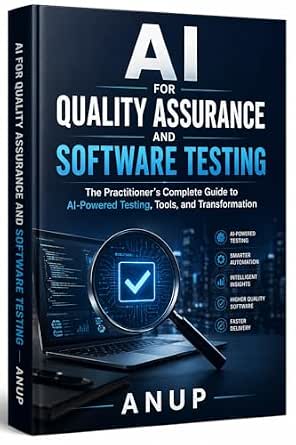
AI for Quality Assurance and Software Testing: A Practitioner’s Complete Guide
- ✔ Format: Book, as indicated by the product listing context
- ✔ Primary focus: Applying AI to quality assurance and software testing
- ✔ Named coverage: AI-powered testing tools and transformation

Full Stack Testing: A Practical Guide for Delivering High-Quality Software in the Age of AI
- ✔ Format: Book
- ✔ Primary focus: Full-stack testing
- ✔ Stated goal: Delivering high-quality software
Difficulty: Beginner | Time: 1–3 hours for an initial setup
What You’ll Need
Tools & Materials:
- A computer with the project source code and its usual runtime or development environment
- A terminal or command prompt
- The project’s package manager or build tool
- A text editor
- A test framework or a way to install one, such as the project’s existing dependencies
Knowledge:
- Basic familiarity with opening a project and running a command
- A general idea of the application’s main user or service workflow
Use the project’s documented setup instructions and work on a branch or copy if you plan to change files. Do not put real customer data, passwords, or production credentials into test fixtures. If the project already has testing tools, start with those instead of adding another framework.
Spec-Driven Software Testing with AI: Build Reliable Test Suites from Specifications
For a reader trying to turn product requirements into repeatable checks, this is the most directly scoped title in the group. Its description connects specifications to test suites and names test automation, TDD, API testing, and CI/CD. That combination gives teams several points of comparison with their current workflow: whether tests reflect stated behavior, whether APIs have deliberate coverage, and how checks fit into delivery pipelines. Compared with AI for Quality Assurance and Software Testing, which is framed around AI tools and transformation across QA, this book appears more focused on a concrete route from specification to test. Compared with Full Stack Testing, the named topics make its intended technical territory easier to assess.The breadth is useful, but it also means readers should verify the table of contents if they need deep treatment of one specific framework or test type; the supplied description does not establish that level of detail. It is also a book, not a testing tool, so it can inform how a team builds suites but cannot run them. This pick makes the most sense for engineers and QA practitioners who already work with requirements and want to connect them to automation and CI/CD. Readers seeking a general introduction to AI’s organizational impact may find the broader QA guide a closer match.
Pros:
- Centers test-suite design on specifications
- Covers automation, TDD, API testing, and CI/CD
- Bridges test design with delivery workflows
- Offers a more concrete scope than the broader AI QA title
Cons:
- The provided description does not identify specific frameworks or tools
- Several testing topics may mean less depth in any one area
- As a book, it does not execute or manage tests
Best for: QA engineers and developers who want to derive automated, API, and CI/CD checks from explicit specifications.
Not ideal for: Readers looking for a runnable testing platform, or an organization-wide introduction to AI transformation without a specification-led focus.
Bottom line: We rank it first for readers who need a clearly defined path from specifications to test suites across modern delivery work.
“We rank it first for readers who need a clearly defined path from specifications to test suites across modern delivery work.”
AI for Quality Assurance and Software Testing: A Practitioner’s Complete Guide
This title is the broadest match for readers who are asking how AI fits into quality assurance as a whole. The description explicitly mentions AI-powered testing tools and transformation, which suggests a wider decision scope than the specification-to-suite workflow of our top pick. That breadth can help QA leads frame adoption questions across a practice, while the first-ranked book is a more obvious fit when the immediate task is designing test cases from requirements. The title also calls itself a practitioner’s guide, signaling an applied audience, though the supplied information does not list its specific methods or tools.That missing detail is the main limitation in comparing it. We cannot establish from the description which AI testing approaches, platforms, or implementation steps it covers, so buyers who need concrete guidance for API checks or CI/CD may have a clearer starting point with Spec-Driven Software Testing with AI. This book suits readers evaluating AI’s place in QA and considering how the discipline may change. It is less suitable for someone who expects a downloadable testing product or needs evidence of coverage for a particular framework. Its broader role earns it second place: relevant to the overall topic, but less explicit about a step-by-step testing workflow.
Pros:
- Directly addresses AI in quality assurance and software testing
- Includes AI-powered testing tools as a topic
- Frames the subject around both tools and QA transformation
- Has a practitioner-oriented positioning
Cons:
- The supplied description does not name specific tools or frameworks
- Its broad transformation scope is less workflow-specific than the top pick
- No format or detailed topic breakdown was provided
Best for: QA leads and practitioners exploring AI-enabled testing approaches and changes to their quality processes.
Not ideal for: Buyers who need a clearly specified API, TDD, or CI/CD workflow, or software they can install and run.
Bottom line: We recommend it for readers thinking broadly about AI in QA, while those building spec-based suites have a more explicit match in our top-ranked pick.
“We recommend it for readers thinking broadly about AI in QA, while those building spec-based suites have a more explicit match in our top-ranked pick.”
Full Stack Testing: A Practical Guide for Delivering High-Quality Software in the Age of AI
Full Stack Testing is the widest-sounding title here: it connects testing across the stack with the goal of delivering high-quality software in an AI-era context. That framing may appeal to teams who want to consider quality beyond an isolated test layer. However, the available description supplies no specific testing methods, tools, or examples. As a result, we can identify its broad perspective, but cannot compare its technical coverage as confidently as we can for Spec-Driven Software Testing with AI, which names API testing, TDD, and CI/CD.Its practical-guide positioning is a useful signal, but readers should inspect the contents before relying on it for a particular implementation need. Compared with the AI-focused QA title, this one foregrounds full-stack quality delivery; compared with the spec-driven book, it gives less evidence of a defined workflow. We place it third because the provided details make its role understandable but leave more unanswered questions about what a buyer will learn. It may be a good subject match for someone seeking a broad quality mindset across software layers, but it is a weaker choice for someone choosing a specific automation approach. Like the other picks, it is a book rather than executable testing software.
Pros:
- Focuses on full-stack testing
- Connects testing to delivering high-quality software
- Positions its discussion in the context of AI
- Is described as a practical guide
Cons:
- The supplied description names no specific techniques or testing tools
- No additional technical details were provided to judge depth
- Less directly actionable from the listing than the specification-led title
Best for: Readers seeking a broad guide to full-stack testing and software quality in an AI-era development context.
Not ideal for: Buyers who need a clearly documented testing workflow, named frameworks, or a tool they can use to execute tests.
Bottom line: We include it for its full-stack quality perspective, but recommend checking the contents closely because its supplied description is the least specific of the three.
“We include it for its full-stack quality perspective, but recommend checking the contents closely because its supplied description is the least specific of the three.”
As an Amazon Associate we earn from qualifying purchases.
Before You Start
Identify one important behavior to check, such as signing in, saving a record, or calculating a total. Keep the first run narrow: a passing command and one useful test are better starting points than a large collection of unrelated tools. Testing tools have different purposes. Unit tests check small pieces of code, integration tests check interactions between components, and end-to-end tests exercise a workflow through the application. Static analysis tools inspect code without running the full application. You may not need all of these for an initial setup.
Check the project README or team instructions for the supported runtime version and test command. Running tools with the wrong runtime or missing environment settings can produce misleading failures. If a test could change shared data, use a local or dedicated test environment.
Step-by-Step Instructions
Step 1: Choose one behavior to test
Write down a specific behavior and its expected result. For example: “When a user submits a valid email address, the application saves the account and shows a confirmation.” Include a normal input and, if relevant, one invalid input. Keep the behavior small enough to check in one test.
Tip: Choose a behavior people depend on or one that has failed before. Avoid starting with a vague goal such as “test the whole application.”
Check: You have a short description of the action, input, and expected outcome that another person could follow.
Step 2: Inspect the project’s existing test setup
Open the project documentation and inspect its dependency and configuration files. Look for a test framework, scripts or build tasks, existing test folders, and instructions for setting environment variables. Run the documented test command once before editing anything, if the setup allows it. Record the command and any errors.
Tip: A first run may fail because a service or local dependency is missing. Note the exact output before changing configuration so you can distinguish setup problems from test failures.
Check: You know whether the project already has a test runner and have captured the initial result or the specific setup issue.
Step 3: Match the tool to the check
Use the existing unit test framework for a behavior contained within one function or module. Use an integration test when the behavior depends on connected components, such as an API and database. Choose an end-to-end tool when you need to verify a full user journey through a browser or device. Add a static analysis or linting tool only when you need automated checks for code patterns or style. Check that the tool supports the project’s language, runtime, and platform before installing it.
Tip: Prefer one suitable tool already used by the team. Adding multiple frameworks at the start can make setup and maintenance harder.
Check: You can explain what the chosen tool will check and why it fits the behavior you wrote down.
Step 4: Install or configure the selected tool
Follow the tool’s official setup instructions and the project’s conventions. Add dependencies through the project’s package manager or build tool, then create or update the configuration file only as needed. Use a local test database or mock service when the check must not affect shared systems. Keep credentials in the project’s approved secret storage or local environment, not in test code.
Tip: Avoid copying configuration from a different project without checking version compatibility and file paths. A configuration written for another runtime can fail before tests start.
Check: The project recognizes the test runner, and its basic command starts without a missing dependency or configuration error.
Step 5: Create one focused test
Put the test in the location and naming style used by the project. Arrange the required input or test data, perform the action, and assert the expected result. Keep the test independent: it should not rely on another test running first or on leftover data from an earlier run. Use safe, predictable test data and clean up records or files the test creates when needed.
Tip: A test that checks only that code ran is weak. Assert a visible outcome, returned value, saved state, or error that represents the behavior people need.
Check: The test describes the selected behavior and contains a check that would fail if the expected result were missing.
Step 6: Run the test and read the result
Run the focused test using the project’s command or the framework’s documented command. Read the full output, including the test name, assertion, and error location. If it fails, compare the actual result with the expected result and decide whether the test setup, application behavior, or expectation is wrong. Fix the cause, then run the test again.
Tip: Do not change an assertion just to make a failure disappear. Confirm that the revised expectation still matches the intended behavior.
Check: The focused test passes, or you have a reproducible failure with a clear cause to investigate.
Step 7: Run the broader checks
Run the project’s complete test command after the focused test passes. If the project has separate commands for unit, integration, or end-to-end checks, run the relevant ones and note their scope. Run linting or static analysis if the team expects it. Save the commands and results in the project’s usual notes, issue, or review process.
Tip: A focused test can pass while another test fails because of shared state or ordering. Report broad-suite failures accurately instead of presenting the focused pass as a clean overall result.
Check: You know which checks passed, which failed, and whether any failures are related to your change or to the existing setup.
Step 8: Make the check repeatable
Document the exact command and any required local setup in the project’s usual documentation or test instructions. If the team uses continuous integration, follow its contribution process to add the command to the existing workflow. Keep the test focused and remove temporary data or debug output before sharing the change.
Tip: A test that only works on one person’s machine may depend on an unrecorded file, service, or environment setting. Check the instructions from a clean setup when that is practical.
Check: A teammate can find the test command, understand its prerequisites, and see what the result means.
Common Mistakes to Avoid
- Choosing a tool before deciding what needs to be checked. — Write the behavior and expected result first, then select the smallest tool that can verify it.
- Running tests against production data or services. — Use isolated test data and a dedicated local or test environment; check the target before running tests that write or delete data.
- Writing tests that depend on run order or leftover state. — Give each test its own setup and clean up any records or files it creates.
- Treating a passing test as proof that the entire application is defect-free. — State what the test covers, run other relevant checks, and record remaining gaps.
Troubleshooting
Problem: The test command says the framework or a dependency is missing.
Solution: Check the project’s setup instructions and runtime version, then install dependencies with the project’s package manager. Confirm that the command is being run from the project directory.
Problem: Tests pass locally but fail in continuous integration.
Solution: Compare runtime versions, environment variables, service availability, and file paths. Remove reliance on local-only files, unrecorded settings, or test ordering.
Problem: A test fails intermittently.
Solution: Look for time-sensitive waits, random data, network dependencies, shared state, or tests that run in parallel. Replace unstable dependencies with controlled data or reliable readiness checks where appropriate.
Problem: A browser or end-to-end test cannot find an element.
Solution: Confirm the application started and the page reached the expected state. Use stable labels or accessibility selectors when available, and wait for the specific page condition instead of adding an arbitrary long delay.
What Success Looks Like
Your setup is working when the selected test command runs, the focused test checks the intended behavior, and its result is repeatable. You can identify the covered behavior, distinguish a test failure from a setup failure, and tell another person how to run the check. If the broader suite has failures, record them clearly rather than describing the overall run as passing.
Next Steps
Add tests for the next most important behavior, including a relevant failure case such as invalid input or unavailable service. Review tests when the behavior changes, remove checks that no longer represent requirements, and keep test data isolated. When the team uses continuous integration, add the documented command through its normal workflow so the same checks run for future changes. Ask a project maintainer for help when setup depends on shared services or permissions you do not have.
Frequently Asked Questions
Which software testing tool should I use first?
Start with the test framework already present in the project. If none exists, choose one that supports the project’s language and runtime, then use it to check a single important behavior.
Do I need unit, integration, and end-to-end tests?
No. Add the type that fits the behavior you need to check. Unit tests cover small code units, integration tests cover connected components, and end-to-end tests cover a user workflow. A project may use a mix as its needs grow.
What should I do when a test fails?
Read the assertion and error location, compare expected and actual results, and check whether the failure comes from setup, test data, or application behavior. Fix the cause and rerun the test before reporting the result.
Can I use real customer data in tests?
Use synthetic or approved test data instead. Real customer information can expose private data and make tests unpredictable. Follow your organization’s data handling rules.
How often should I run the tests?
Run the focused test while changing its behavior and the relevant broader checks before sharing the change. Follow the project’s workflow for continuous integration and release checks.