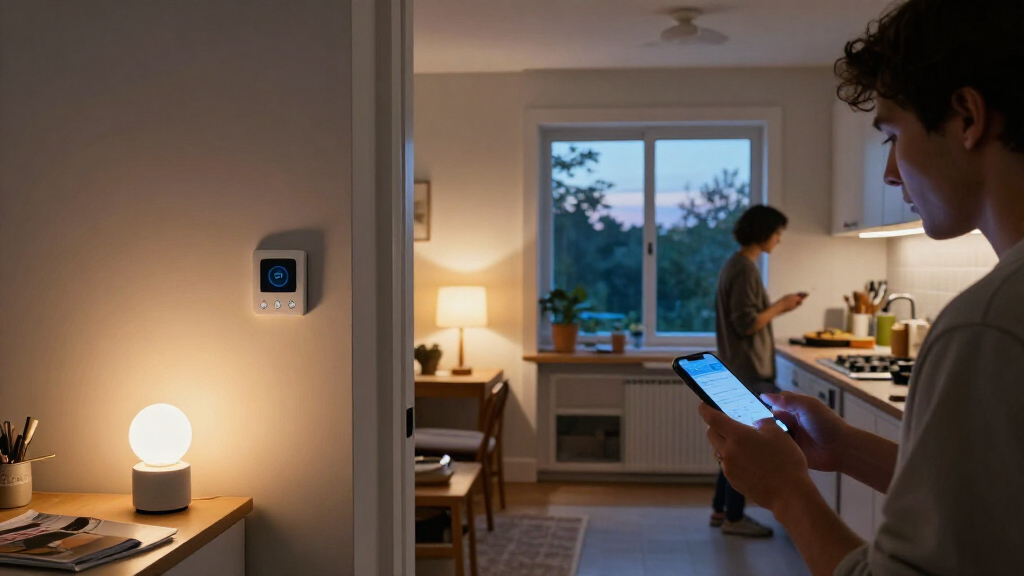
🔍 Read the full analysis: Exploring Your Options For AI-Powered Home Automation on ThorstenMeyerAI.com

Get business pricing on monitors, keyboards and dev gear
- Business-only prices and quantity discounts
- Tax-exempt purchasing
- Multiple users, one account, clear invoices
TL;DR
A guide from ThorstenMeyerAI.com walks beginners through setting up a small AI-assisted home automation system, from checking device and network compatibility to testing a simple routine. It recommends starting with a low-risk device and reviewing account security, privacy settings and device requirements before adding more equipment.
ThorstenMeyerAI.com has published a beginner’s guide to setting up AI-assisted home automation with devices such as smart speakers, lights, thermostats and plugs. The guide outlines compatibility checks, account and network security, device pairing and privacy settings, while advising readers to begin with a low-risk task such as controlling a lamp.
The guide estimates that a basic setup takes 45 to 90 minutes, depending on the number of devices and whether apps need updates. It assumes access to a smartphone or tablet, the manufacturer’s official app, compatible devices, home Wi-Fi and the account required by the platform. It says some setups also need a hub or a particular Wi-Fi band, so buyers should check product requirements before starting.
Its setup sequence begins with choosing one task and confirming that the device supports the desired platform and features. It then advises using the official app, updating the app and device firmware, connecting the device to Wi-Fi or a hub, and assigning a distinct name and room. The guide cautions that voice control does not necessarily mean a device supports every routine or AI feature.
Before creating automations, readers are told to review voice recordings, activity history, data sharing and cloud processing, and to disable features they do not need. The guide also recommends a unique account password, multifactor authentication when available, current router software and limited household permissions. It warns against starting with locks, alarms, heaters or other devices that can affect safety or access.
Safer Steps for a First Smart Home
The guide addresses practical barriers that can make a small smart-home setup confusing: devices may require different hubs, network bands, accounts or subscriptions, and support for one feature does not guarantee support for another. Checking those details first can help readers avoid buying incompatible equipment or spending time troubleshooting a connection that the product does not support.
Its safety and privacy advice also matters because home devices can collect voice, sensor or usage data, and some features rely on cloud services. Starting with a lamp limits the consequences of setup mistakes compared with beginning on equipment that controls entry, heat or alarms. That is guidance from the source, not evidence that any particular platform is more secure or suitable for every home.
Popular right now

Dyson V15 Detect Cordless Stick Vacuum

Bose QuietComfort Wireless Noise Cancelling Headphones – Petal Pink Limited Edition

Apple AirPods Pro (2nd Generation) Wireless Earbuds with USB-C MagSafe Charging Case
As an affiliate, we earn on qualifying purchases.
What the Setup Guide Covers
The source frames its instructions for a small, beginner-level system using a phone and home Wi-Fi. It describes control through voice commands, schedules or supported sensor events, but does not identify a particular launch, product release or independently tested comparison of platforms. Its main contribution is a practical setup checklist rather than a report of new technical research.
The article also includes recommendations for Hubitat, SwitchBot and Green. It presents Hubitat as its preferred overall choice when local, multi-protocol automation and subscription-free AI-assisted routine building are priorities; SwitchBot for camera-aware, chat-based control and bundled storage, subject to subscription and device limits; and Green as a quiet, expandable local base. These are the publisher’s recommendations, and the source discloses that it earns commissions from qualifying Amazon purchases.
“We recommend Hubitat as the best overall choice when local, multi-protocol automation and subscription-free AI-assisted routine building matter more than beginner-friendly setup.”
— ThorstenMeyerAI.com
Compatibility and Privacy Depend on Devices
The source does not specify the guide’s publication date, test methods, exact device models or the evidence used to compare the three recommended platforms. Its product claims and rankings should therefore be read as the publisher’s assessments, not as independently verified findings. The source also does not provide pricing, subscription terms or a complete list of supported devices.
Compatibility, available AI functions and data handling vary by model, platform and region. The guide says some devices process commands locally while others send voice, sensor or usage data to cloud services, but it does not detail the policies of each service. Readers will need to check the relevant product documentation and account settings for their own equipment.
Check Requirements Before Pairing
The guide’s next steps for readers are to choose one low-risk task, confirm the device’s platform, hub and Wi-Fi requirements, and gather the official app and account details. After pairing, users should verify that the device appears online, review privacy and access controls, and test a basic command or schedule before expanding the system.
Anyone considering a thermostat, lock, alarm or other safety-related equipment should follow the manufacturer’s installation instructions and seek qualified help where needed. The source advises against modifying wiring or installing equipment in a location requiring an electrician unless the user is qualified. Which devices and AI features will work in a particular home remains dependent on the model, network and service terms.
Key Questions
How long does a basic setup take?
The guide estimates 45 to 90 minutes, depending on how many devices are added and whether apps need updates. The estimate is from the publisher, not a guarantee for every home.
What should I check before buying a smart device?
Check whether it supports your chosen platform and whether it requires a specific hub, Wi-Fi band or subscription. The guide says requirements can vary by device and region.
Should I start with a smart lock or thermostat?
The guide recommends starting with a low-risk device, such as a lamp, before connecting locks, alarms, heaters or other equipment that can affect safety or access.
Do AI home devices send data to the cloud?
Some devices process commands locally, while others send voice, sensor or usage data to a cloud service, according to the guide. Review the specific device’s privacy and account settings before enabling features.
Which platform does the guide recommend?
The publisher recommends Hubitat for local, multi-protocol automation and subscription-free AI-assisted routine building, while also discussing SwitchBot and Green for different priorities. These are publisher recommendations; the source discloses affiliate earnings from qualifying Amazon purchases.
Source: ThorstenMeyerAI.com