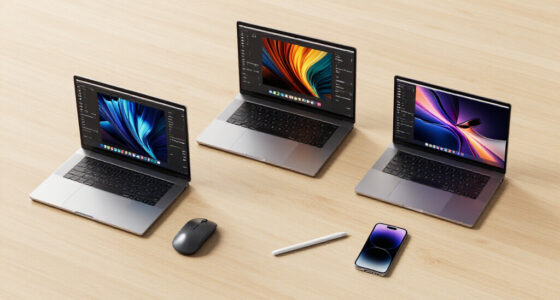
🔍 Read the full analysis: 10 Best 3D Printers For Multicolor Printing, Crafts, And Useful Builds In 2027 on ThorstenMeyerAI.com

Get business pricing on monitors, keyboards and dev gear
- Business-only prices and quantity discounts
- Tax-exempt purchasing
- Multiple users, one account, clear invoices
TL;DR
This buyer’s guide compares 10 printers for multicolor printing, crafts and functional projects, with the Bambu Lab P2S Combo ranked as the strongest all-around bundle in the source material. The list is a product comparison, not a report of a new 2027 release; availability, prices and independent test results are not provided.
A buyer’s guide to 10 3D printers for multicolor printing, crafts and useful builds, as detailed in the original analysis, puts the Bambu Lab P2S Combo first for buyers seeking an enclosed printer with multicolor material handling included. The comparison also weighs open-frame hobby machines, a four-toolhead model and speed-oriented options, but it does not provide prices, test measurements or confirmation of 2027 availability.
The ranking is based on print-system design, material handling, enclosure, setup, maintenance and versatility, according to the source material. It gives extra weight to whether multicolor hardware comes in the bundle, while separating enclosed CoreXY machines from open-frame printers rather than treating advertised speed as the only measure.
The P2S Combo is the guide’s general-purpose pick; see the full home-and-hobby printer comparison for more options. The P1S and P1S Combo are presented as separate choices: the standalone P1S for buyers who want an enclosed printer without bundled multicolor hardware, and the Combo for those who want an AMS system included. The A1 Combo is framed as a more approachable hobby option, while the open-frame A1 suits projects and workspaces that do not require an enclosure.
Other entries reflect different priorities. The Snapmaker U1 uses four toolheads; the Adventurer 5M emphasizes fast CoreXY printing; and the Kobra X, AD5X and K2 Combo offer alternative routes to multicolor work. The source names the models but supplies no detailed side-by-side specifications or independent performance data.
The 10 picks
- 1
 Snapmaker U1 3D Printer with 4-Toolhead and 5-Second Tool ChangerView on Amazon →
- 2
 Bambu Lab P2S Combo – P2S 3D Printer with AMS 2 Pro (Multi‑Color)View on Amazon →
- 3
 Bambu Lab P1S Combo 3D Printer with AMS – Multi‑Color PrintingView on Amazon →
- 4
 Creality K2 Combo 3D Printer, Multicolor Printing, Max 600mm/s Speed, Auto Le…View on Amazon →
- 5
 Bambu Lab A1 Combo + LED Lamp Kit (with AMS Lite)View on Amazon →
- 6
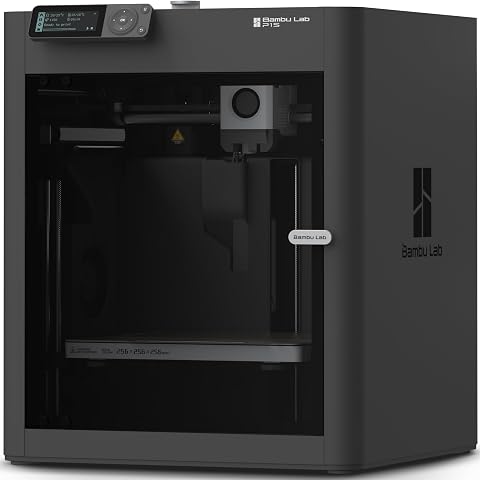 Bambu Lab P1S 3D PrinterView on Amazon →
- 7
 Anycubic Kobra X Multicolor 3D PrinterView on Amazon →
- 8
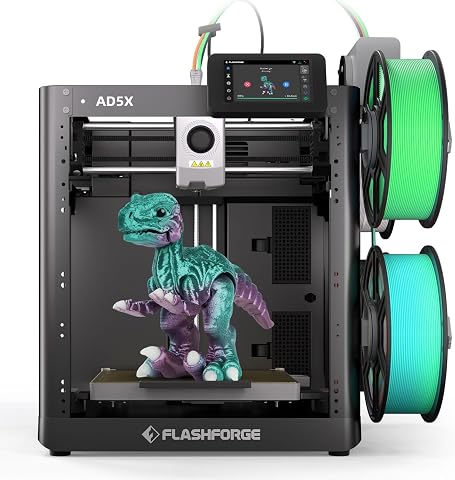 Flashforge AD5X Multi-Material 3D PrinterView on Amazon →
- 9
 Bambu Lab A1 FDM 3D PrinterView on Amazon →
- 10
 FLASHFORGE Adventurer 5M 3D Printer, All-Metal CoreXY, 600mm/s Max TravelView on Amazon →
Choosing a Printer That Fits the Work
The comparison matters because multicolor capability, enclosure and speed involve tradeoffs, not just extra features. A filament-switching system can make color changes easier to manage, but frequent changes may increase print time and create purge waste. A multi-toolhead approach works differently, so buyers need to compare the workflow rather than rely on a color-count headline.
An enclosure can help manage drafts and temperature for some materials and larger parts, but it takes up space and may call for attention to ventilation. Open-frame machines can be easier to access and may suit everyday hobby prints. Likewise, a high maximum speed does not establish how quickly a particular model will finish at the desired quality: geometry, material, cooling and layer height all affect results.
For makers printing mostly small, single-color functional parts, a simpler machine could be a better fit than a more elaborate multicolor bundle. The ranking is best used as a starting point for matching a printer to actual projects, available workspace and tolerance for setup and upkeep—not as proof that one model is best for everyone.
Popular right now

Breville Barista Pro Espresso Machine with Grinder, Brushed Stainless Steel

Roborock Qrevo 2 Pro Robot Vacuum and Mop with 20,000 Pa Suction

Samsung 65-Inch M70H Series 4K Mini LED Smart TV (2026)
As an affiliate, we earn on qualifying purchases.
How the Ten Models Differ
The guide’s order puts well-rounded usefulness ahead of narrower strengths. It identifies the P2S Combo as its leading package, then describes machines for buyers who prioritize accessibility, an enclosure without bundled multicolor hardware, four-toolhead printing or speed-focused design. It also cautions that a lower-ranked model could still suit a specific buyer better.
The source recommends checking build volume against the largest intended models, as well as measuring bench space and leaving room to load filament and access the build plate. Large objects can sometimes be split and assembled, but that adds design work and can leave seams. Routine ownership may also involve cleaning the build surface, replacing consumables or clearing a nozzle; the supplied material does not compare those tasks model by model.
“The P2S Combo ranks first as the most complete general-purpose bundle in this group.”
— ThorstenMeyerAI.com guide
Prices, Tests and 2027 Availability
The supplied source does not state when the guide was published, whether every listed model will remain available in 2027, or how prices compare. It also gives no measured print times, quality tests, noise readings, reliability records or quantified material waste. The rankings therefore reflect the source’s evaluation criteria and recommendations, not a verifiable common test protocol described here.
Some product-level details are also limited. The material identifies the Snapmaker U1 as a four-toolhead printer and says the Adventurer 5M emphasizes fast CoreXY printing, but it does not provide specifications for the other named models or substantiate comparative claims about their real-world performance. Buyers should confirm current configurations, included accessories and material compatibility before purchase.
Check Configurations Before Buying
The next step for a buyer is to compare the current bundle and specifications of each shortlisted model: whether multicolor hardware is included, which materials suit its enclosure or open frame, its usable build volume, and what space and maintenance it requires. For color-heavy projects, compare filament-switching and multi-toolhead workflows, including the time and waste each may add.
Because the source provides no 2027 release or availability confirmation, readers should verify pricing, stock and model configurations directly with sellers before treating the ranking as a current shopping list. A choice based on those details may differ from the guide’s overall order.
Key Questions
Which printer does the guide rank first?
The guide ranks the Bambu Lab P2S Combo first for buyers seeking an enclosed printer with multicolor material handling in the same package. That is the source’s recommendation, not an independently verified test result in the material supplied.
What is the difference between the P1S and P1S Combo in this comparison?
The guide presents the P1S as an enclosed printer without bundled multicolor hardware and the P1S Combo as the option that adds AMS convenience. Check the seller’s current package contents before purchasing.
Is a multicolor printer worthwhile for functional parts?
It depends on how often color or separate materials matter to the work. The guide notes that frequent material changes can add print time and purge waste; mostly single-color functional projects may not justify that added workflow.
Does the guide confirm these models will be available in 2027?
No. The supplied material does not confirm 2027 availability, prices or current configurations. Buyers should check directly with manufacturers or retailers before making a decision.
Source: ThorstenMeyerAI.com