
Wireless network troubleshooting tools range from dedicated Wi-Fi analyzers to cable testers that help isolate wired faults behind wireless problems. I rank the NetAlly AirCheck G3 Pro as the best overall choice for focused Wi-Fi diagnostics, while the NetAlly EtherScope nXG 300 stands out for teams that need broader network testing and Ekahau Sidekick 2 for detailed wireless analysis. The main tradeoff is diagnostic depth versus simplicity: advanced analyzers reveal more, but basic cable testers and tracers are easier to use for physical-layer checks. Some listed products support wireless troubleshooting directly; others help find cabling or network faults that can affect access points. Read on for the full comparison and guidance on choosing the right tool for your work.

Get business pricing on monitors, keyboards and dev gear
- Business-only prices and quantity discounts
- Tax-exempt purchasing
- Multiple users, one account, clear invoices
Key Takeaways
- The AirCheck G3 Pro is the most directly focused Wi-Fi pick: it suits technicians who need a handheld analyzer for wireless networks rather than a general cable-testing kit.
- The EtherScope nXG 300 covers more of the network: its wired and Wi-Fi diagnostics make it a stronger fit for teams tracing problems across access points, links, and clients.
- Ekahau Sidekick 2 is aimed at in-depth wireless work: it makes more sense for dedicated Wi-Fi analysis than for occasional troubleshooting or simple connectivity checks.
- Most Klein, Henkion, FNIRSI, TESMEN, and NOYAFA entries test or trace cables: they can help identify wired faults behind a Wi-Fi symptom, but they do not replace a Wi-Fi analyzer.
- The comparison separates tools by diagnostic scope, not just feature count: a focused handheld tester may be easier for a single task, while broader instruments suit technicians who need evidence across network layers.
| Klein Tools LAN Scout Jr. 2 RJ45 Cable Tester Kit | 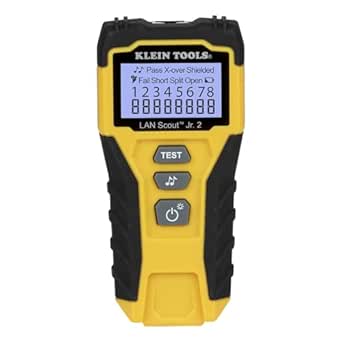 | Best for Detailed RJ45 Fault Checks | Model: VDV526-200 | Compatible cables: CAT 5e, CAT 6, CAT 6A | Connector: RJ45 | VIEW LATEST PRICE | See Our Full Breakdown |
| Klein Tools LAN Explorer Network Cable Tester with Remote |  | Best for Simple Multi-Connector Cable Checks | Model: VDV526-100 | Compatible connectors: RJ11, RJ12, RJ45 | Compatible cable categories: CAT3, CAT5e, CAT6/6A | VIEW LATEST PRICE | See Our Full Breakdown |
| Foundations of Network Troubleshooting: A Guide to Mindset, Methodology, and Essential Tools |  | Best for Building a Troubleshooting Process | Format: Book | Series: Network Troubleshooting Bible | Volume: Book 1 | VIEW LATEST PRICE | See Our Full Breakdown |
| Henkion LT-600M Multifunction RJ45 Network Cable Tester |  | Best for Multi-Function Field Diagnostics | Model: LT-600M | Display: 4-inch IPS touchscreen, 800 × 480 resolution | Cable length range: Up to 3000 m | VIEW LATEST PRICE | See Our Full Breakdown |
| Fluke Networks MicroScanner2 Copper Cable Verifier with IntelliTone |  | Best for Clear Cable Verification and Tracing | Model: MS2-100 | Compatible cable types: RJ11, RJ45, coaxial | Detected services: 10/100/1000 Ethernet, POTS, PoE | VIEW LATEST PRICE | See Our Full Breakdown |
| Ekahau Sidekick 2 ESK-2 Network Testing Device |  | Best for Detailed Wi-Fi Validation | Wireless bands: 2.4, 5, and 6 GHz | Radios: 4 tri-band radios | Spectrum analyzer scan rate: 50 sweeps per second | VIEW LATEST PRICE | See Our Full Breakdown |
| Klein Tools VDV500-705 Tone and Probe Wire Tracer Kit |  | Best for Finding Hidden Network Cabling | Model: VDV500-705 | Power source: Battery powered | Operating voltage range: 9–60 volts | VIEW LATEST PRICE | See Our Full Breakdown |
| FNIRSI LPM-10A Network Cable Tester Kit |  | Best Value for Routine Cable Diagnostics | Compatible cable types: CAT5, CAT5e, CAT6, RJ11, RJ45 | Measurements and tests: Cable tracing, continuity, wire map, cable length, Ethernet link speed, PoE, port flash, and NCV | Ethernet speeds: 10/100/1000 Mbps | VIEW LATEST PRICE | See Our Full Breakdown |
| NetAlly EtherScope nXG 300 Ethernet Network Tester and Wi-Fi 6/6E/7 Diagnostics Kit |  | Best Professional All-in-One Network Analyzer | Ethernet testing: Up to 10G | Wi-Fi support: Wi-Fi 6/6E/7 | Spectrum bands: 2.4, 5, and 6 GHz | VIEW LATEST PRICE | See Our Full Breakdown |
| NOYAFA Network Cable Tester with Optical Power Meter and VFL |  | Best for Copper-and-Fiber Field Work | Cable length test range: Up to 350 m | Optical power meter wavelengths: 850/1300/1310/1490/1550/1625/1650 nm | Optical power detection range: -70 to +10 dBm | VIEW LATEST PRICE | See Our Full Breakdown |
| NetAlly EXG-300 EtherScope nXG Ethernet and Wi-Fi Network Tester |  | Best for Full-Scope Network Troubleshooting | Model: EXG-300 | Connectivity: Ethernet and Wi-Fi | Wi-Fi support: Wi-Fi 6/6E/7 | VIEW LATEST PRICE | See Our Full Breakdown |
| Klein Tools VDV500-820 Wire Tracer Tone Generator and Probe Kit |  | Best for Basic Low-Voltage Wire Tracing | Model: VDV500-820 | Power source: Battery powered | Measurement type: Ohmmeter | VIEW LATEST PRICE | See Our Full Breakdown |
| TESMEN TLP-900AR Network Cable Tester with Cable Tracer, RJ11/RJ45, Green |  | Best for Tracing and Checking Mixed Cable Runs | Model: TLP-900AR | Compatible cables: CAT5, CAT6, PoE, shielded, RJ45, and RJ11 | Functions: Cable tracing, sequence and continuity testing, RJ45 crimp inspection, NCV detection, telephone line polarity and state detection | VIEW LATEST PRICE | See Our Full Breakdown |
| Klein Tools Scout Pro 3 Cable Tester Starter Kit |  | Best for Mapping and Verifying Installed Cable | Model: VDV501-851 | Cable types: RJ11/12, RJ45, coaxial F-connector | Maximum cable length: 2,000 ft (610 m) | VIEW LATEST PRICE | See Our Full Breakdown |
| NetAlly AirCheck G3 Pro Handheld Wi-Fi 6E and Wi-Fi 7 Analyzer |  | Best for Dedicated Wi-Fi Site Surveys | Model: AirCheck G3 Pro | Wireless bands: 2.4, 5, and 6 GHz | Compatible wireless technologies: Wi-Fi 6/6E, Wi-Fi 7, Bluetooth/BLE | VIEW LATEST PRICE | See Our Full Breakdown |
| wireless network troubleshooting tool | Model | Weight |
|---|---|---|
| Klein Tools LAN Scout Jr. 2 RJ | VDV526-200 | — |
| Klein Tools LAN Explorer Netwo | VDV526-100 | — |
| Foundations of Network Trouble | — | — |
| Henkion LT-600M Multifunction | LT-600M | 300 g |
| Fluke Networks MicroScanner2 C | MS2-100 | — |
| Ekahau Sidekick 2 ESK-2 Networ | ESK-2 | 2.4 pounds |
| Klein Tools VDV500-705 Tone an | VDV500-705 | 10.1 ounces |
| FNIRSI LPM-10A Network Cable T | — | 10.72 ounces |
| NetAlly EtherScope nXG 300 Eth | — | 1.68 pounds |
| NOYAFA Network Cable Tester wi | — | — |
| NetAlly EXG-300 EtherScope nXG | EXG-300 | 3.96 pounds |
| Klein Tools VDV500-820 Wire Tr | VDV500-820 | 1.3 pounds |
| TESMEN TLP-900AR Network Cable | TLP-900AR | — |
| Klein Tools Scout Pro 3 Cable | VDV501-851 | — |
| NetAlly AirCheck G3 Pro Handhe | AirCheck G3 Pro | 1.1 pounds |
More Details on Our Top Picks
Klein Tools LAN Scout Jr. 2 RJ45 Cable Tester Kit
I’d choose the LAN Scout Jr. 2 when the main question is whether an installed or loose Ethernet run has a wiring fault. It checks CAT 5e, CAT 6, and CAT 6A cables and identifies opens, shorts, miswires, split pairs, crossovers, and shield faults; the backlit wiremap display makes results easier to read in dim work areas. Compared with the Klein Tools LAN Explorer, this model adds a broader named fault list and tone-generation modes, but it gives up the LAN Explorer’s support for RJ11 and RJ12. Its tone function requires a compatible probe sold separately, so it is not a complete tracing setup on its own. I’d pick it for Ethernet-focused troubleshooting, not for diagnosing Wi-Fi coverage or network performance.
Pros:- Identifies opens, shorts, miswires, split pairs, crossovers, and shield faults.
- Tests both installed and loose RJ45-terminated cables.
- Backlit LCD presents wiremap results in low-light work areas.
- Compact body and included AAA batteries suit a portable toolkit.
Cons:- Compatible tone probe is sold separately.
- RJ45-only testing excludes voice cables with RJ11 or RJ12 connectors.
- Cable verification does not diagnose wireless signal, roaming, or network throughput.
Best for: IT technicians and installers who need a compact tester to isolate wiring faults on RJ45 CAT 5e, CAT 6, or CAT 6A runs.
Not ideal for: Technicians who need RJ11 or RJ12 testing, or buyers who want cable tracing ready to use without purchasing a separate compatible probe.
- Model:VDV526-200
- Compatible cables:CAT 5e, CAT 6, CAT 6A
- Connector:RJ45
- Detected faults:Open, short, miswire, split pair, crossover, shield
- Display:Backlit LCD
- Tone modes:Solid or warble; single wire, wire pair, or all 8 conductors
- Power:2 AAA batteries, included
- Dimensions and weight:5.23 × 2.5 × 1 in; 4.32 oz
Our verdict“Choose this tester for detailed RJ45 wiring checks; skip it if you need voice-cable support or a ready-to-use probe for tracing.”
Klein Tools LAN Explorer Network Cable Tester with Remote
The LAN Explorer is the straightforward pick for checking mixed voice and Ethernet cabling without carrying a larger diagnostic unit. It tests RJ11, RJ12, and RJ45 connections, with LED indications for pass, miswire, open, short, and shield status. The remote stores inside the tester, which reduces the chance of arriving at a cable run without the piece needed to test it. Compared with the LAN Scout Jr. 2, the Explorer covers more connector types and keeps its workflow simple, while the Scout Jr. 2 spells out more fault types and adds selectable tone generation. This is a cable tester, not a network analyzer: it will not diagnose wireless interference, IP connectivity, or performance. I’d favor it for routine wiring checks across older voice and data installations.
Pros:- Tests RJ11, RJ12, and RJ45 voice and data cables.
- LEDs indicate pass, miswire, open, short, and shield status.
- Remote stores in the tester body for easier transport.
- Includes a 9V battery, automatic power-off, and low-battery indication.
Cons:- Uses a 9V battery rather than the AAA batteries used by the LAN Scout Jr. 2.
- Provides basic cable-test results rather than broader network diagnostics.
- The listed fault indicators are less detailed than the LAN Scout Jr. 2’s named fault checks.
Best for: Field technicians and building maintenance staff who check RJ11, RJ12, and RJ45 voice or data runs and want a compact tester with a stored remote.
Not ideal for: Wireless support teams seeking Wi-Fi diagnostics, or installers who need detailed fault interpretation and tone-based cable tracing.
- Model:VDV526-100
- Compatible connectors:RJ11, RJ12, RJ45
- Compatible cable categories:CAT3, CAT5e, CAT6/6A
- Indicators:Pass, miswire, open, short, shield
- Power:9V battery, included
- Remote:Stores inside tester
- Dimensions and weight:5 × 2.5 × 1.25 in; 4 oz
- Warranty:1-year manufacturer warranty
Our verdict“Pick the LAN Explorer for uncomplicated checks across voice and Ethernet connectors, but choose a more detailed tester for tracing or broader diagnostics.”
Foundations of Network Troubleshooting: A Guide to Mindset, Methodology, and Essential Tools
This book takes a different role from the hardware tools in this roundup: it is meant to help readers organize a diagnosis, not test a cable or inspect a wireless network directly. Its stated focus on troubleshooting methodology and diagnostic tools makes it a possible starting point for learners who need a repeatable way to investigate problems before choosing what to test. Compared with the Klein Tools LAN Explorer, which can report basic cable faults immediately, this guide offers no stated measurement function or specific test capability. The available product information also does not identify its chapter list, technical level, or exact coverage of Wi-Fi issues, so I would not buy it expecting a detailed wireless-analysis manual. Its value here is as a process-oriented companion to hands-on troubleshooting equipment, with that limited detail making it harder to judge fit in advance.
Pros:- Focuses on a systematic approach to network troubleshooting.
- Covers essential diagnostic tools as part of its stated subject.
- Can complement hardware such as the Klein Tools LAN Explorer rather than duplicate its testing role.
Cons:- Does not perform cable, wireless, or network measurements.
- Available information does not specify the book’s depth or particular topics.
- Wireless-specific coverage is not confirmed in the supplied details.
Best for: New network support staff or students seeking a methodology-focused introduction to diagnosing network problems alongside hands-on tools.
Not ideal for: Technicians who need an instrument to locate cable faults or analyze Wi-Fi, and readers who want confirmed details about specific topics before buying.
- Format:Book
- Series:Network Troubleshooting Bible
- Volume:Book 1
- Stated focus:Troubleshooting mindset and methodology
- Tool coverage:Essential network diagnostic tools
- Measurement capability:None; instructional book
Our verdict“Choose this as a process-focused learning aid, not as a substitute for a cable tester or wireless diagnostic instrument.”
Henkion LT-600M Multifunction RJ45 Network Cable Tester
The Henkion LT-600M is the broadest tool in this group for technicians who move between cable faults, PoE checks, and basic network discovery. Alongside cable tracing and length measurement, it lists a digital multimeter, optical power meter, VFL, TDR, PoE/PD detection, ping, and IP scanning. That range can reduce the number of separate instruments needed on a service call. Compared with the Fluke Networks MicroScanner2, which presents cable maps, pair lengths, cable IDs, and distance to faults in a focused verifier, the Henkion offers more function types but a more complex interface and less tightly specified measurement accuracy. Its cable-length accuracy is listed as ±3% plus 1 m, and the correct cable type must be selected for better results. I’d choose it for breadth, not for a simple one-job cable check.
Pros:- Combines cable testing and tracing with multimeter and optical testing functions.
- Measures cable length up to 3000 m and lists length accuracy as cable length × 3% ± 1 m.
- Supports PoE and PD detection, ping, IP discovery, and LLDP/CDP detection.
- Both emitter and receiver use rechargeable lithium-ion batteries.
Cons:- Cable-length results depend on selecting the correct cable type and have stated ±3% plus 1 m accuracy.
- The many functions and touchscreen workflow may be more involved than the Fluke Networks MicroScanner2’s focused verification tasks.
- Its listed features do not describe dedicated Wi-Fi radio analysis.
Best for: Network and low-voltage technicians who want one rechargeable field device for cable tracing, PoE checks, network discovery, and listed optical or electrical tests.
Not ideal for: Beginners who want a simple cable verifier, or specialists who need a dedicated wireless analyzer or tighter documented cable-length accuracy.
- Model:LT-600M
- Display:4-inch IPS touchscreen, 800 × 480 resolution
- Cable length range:Up to 3000 m
- Cable length accuracy:Cable length × 3% ± 1 m
- Listed functions:Cable tracing and testing, multimeter, optical power meter, VFL, TDR, PoE/PD detection, NCV, IP discovery and scan, ping, LLDP/CDP detection, port flashing, PPPoE, FTP
- PoE protocols:IEEE 802.3bt/at/af and non-standard protocols
- Power:Rechargeable lithium-ion batteries; 4000 mAh maximum, 3.7 V
- Weight:300 g
Our verdict“Choose the LT-600M when a field kit needs varied cable, PoE, and network checks in one device, not when simple operation or wireless analysis is the priority.”
Fluke Networks MicroScanner2 Copper Cable Verifier with IntelliTone
I’d choose the MicroScanner2 when a technician needs more context than a pass-or-fail cable check. Its large display combines wire maps, pair lengths, cable IDs, and distance to faults, helping narrow down where a run needs attention. It also identifies Ethernet, POTS, and PoE services, while built-in digital and analog IntelliTone can help locate cables. Compared with the Klein Tools LAN Scout Jr. 2, the MicroScanner2 adds RJ11 and coaxial testing, cable-distance details, and built-in toning; the Scout Jr. 2 is smaller and lighter, with a more limited RJ45 focus. The tradeoff is a larger, heavier instrument at 13 oz, and its documented scope centers on copper cable verification rather than Wi-Fi diagnostics. I’d put it ahead of basic testers when cable location and fault distance matter.
Pros:- Displays wire maps, pair lengths, cable IDs, and distance to faults.
- Tests RJ11, RJ45, and coaxial cables without adapters.
- Recognizes 10/100/1000 Ethernet, POTS, and PoE services.
- Built-in digital and analog IntelliTone supports cable locating.
Cons:- At 13 oz, it is heavier than compact options such as the LAN Scout Jr. 2.
- Requires batteries for operation.
- Its stated functions cover cable verification and listed services, not wireless network diagnosis.
Best for: Installers and network technicians who need cable identification, pair-length and fault-distance information, plus tone tracing across copper runs.
Not ideal for: Wireless support teams seeking Wi-Fi analysis, or users who prefer a very small tester for occasional basic RJ45 checks.
- Model:MS2-100
- Compatible cable types:RJ11, RJ45, coaxial
- Detected services:10/100/1000 Ethernet, POTS, PoE
- Display information:Wire maps, pair lengths, cable IDs, distance to faults
- Toning:Built-in digital and analog IntelliTone
- Power:Two AA alkaline batteries, included; minimum operating voltage 3 V
- Dimensions and weight:3 × 6.4 × 1.4 in; 363 g (13 oz)
- Included accessory:Carrying case
Our verdict“Choose the MicroScanner2 for detailed copper-cable verification and tracing; pick a wireless analyzer if the problem is Wi-Fi rather than cabling.”
Ekahau Sidekick 2 ESK-2 Network Testing Device
The Ekahau Sidekick 2 is the clearest fit here for teams diagnosing wireless coverage and interference rather than tracing a cable fault. Its four tri-band radios gather data across 2.4, 5, and 6 GHz, while the spectrum analyzer scans at 50 sweeps per second to help reveal changing RF conditions. Included ESS-PRO-SW2 software and a one-year ECS subscription make this a more Wi-Fi-focused package than the Klein Tools VDV500-705, which is aimed at tracing and mapping low-voltage wires. The tradeoff is that the Sidekick is specialized: it does not replace a broad Ethernet tester such as the NetAlly EtherScope nXG, which also handles wired links and Wi-Fi diagnostics. At 2.4 pounds, it also adds a dedicated device to a technician’s kit.
Pros:- Measures Wi-Fi across 2.4, 5, and 6 GHz bands.
- Four tri-band radios support detailed wireless data collection.
- Spectrum analyzer scans at 50 sweeps per second.
- Includes ESS-PRO-SW2 software and a one-year ECS subscription.
Cons:- Its Wi-Fi specialization leaves cable tracing and Ethernet testing to other tools.
- The 2.4-pound device adds weight to a field kit.
- Requires its included lithium-ion battery for operation.
Best for: Wireless LAN engineers validating coverage, collecting RF measurements, and investigating interference across 2.4, 5, and 6 GHz networks.
Not ideal for: Technicians who mainly need to identify cable faults or test Ethernet links; this is a dedicated Wi-Fi measurement device rather than an all-purpose cable tester.
- Wireless bands:2.4, 5, and 6 GHz
- Radios:4 tri-band radios
- Spectrum analyzer scan rate:50 sweeps per second
- Dimensions:6.1 x 8.9 x 1.5 inches
- Weight:2.4 pounds
- Model:ESK-2
- Battery:1 lithium-ion battery included
- Included software and service:ESS-PRO-SW2 and ECS-1YR
Our verdict“Choose the Sidekick 2 when detailed tri-band Wi-Fi measurement matters more than copper-cable troubleshooting or broad Ethernet testing.”
Klein Tools VDV500-705 Tone and Probe Wire Tracer Kit
When a wireless complaint may actually stem from a disconnected or misrouted Ethernet run, the Klein Tools VDV500-705 helps locate the cable before you investigate the access point. Its tone generator and probe trace non-energized, low-voltage wiring, with an RJ45 test cable and alligator clips for different connection needs. That makes it a more focused, simpler tracing choice than the FNIRSI LPM-10A, which adds wire mapping, length, link-speed, and PoE checks. The Klein’s probe work light and adjustable volume are useful in dim or noisy work areas, and a headphone jack offers another way to monitor tones. But it does not diagnose RF conditions or confirm Wi-Fi performance, and it is unsuitable for energized cables. Headphones also have to be supplied separately.
Pros:- Traces and maps non-energized Ethernet and other low-voltage wires.
- Includes alligator clips and an RJ45-to-RJ45 test cable.
- Probe work light helps in dark wiring spaces.
- Adjustable volume and a headphone jack suit different work environments.
Cons:- Designed for non-energized, low-voltage wires only.
- Headphones are not included.
- Does not test Wi-Fi performance or provide the broader cable measurements offered by the FNIRSI LPM-10A.
Best for: Installers and IT technicians who need to trace Ethernet and other low-voltage cables through walls, racks, or bundled wiring.
Not ideal for: Wireless support staff seeking Wi-Fi signal or interference analysis, or technicians who need extensive cable measurements and active-link tests.
- Model:VDV500-705
- Power source:Battery powered
- Operating voltage range:9–60 volts
- Measurement type:Ohmmeter
- Weight:10.1 ounces
- Dimensions:10.5 x 7.2 x 1.5 inches
- Cable compatibility:Ethernet, telephone, speaker, coax, video, and data cables
- Warranty:1 year
Our verdict“Pick the VDV500-705 if locating a cable run is your main troubleshooting task, not measuring wireless coverage or link performance.”
FNIRSI LPM-10A Network Cable Tester Kit
The FNIRSI LPM-10A covers a useful range of checks when a suspected Wi-Fi problem might begin at the wired connection to an access point. It can trace cables, test continuity and wire maps, measure cable length and Ethernet link speed, identify active ports, and check PoE. That makes it more informative for everyday copper-cable fault finding than the Klein Tools VDV500-705, which concentrates on tone-and-probe tracing. Rechargeable power, adjustable tracing sensitivity, and a flashlight support field work, while non-contact voltage detection adds a check for nearby live AC wiring. Its boundaries are clear: listed compatibility centers on CAT5, CAT5e, CAT6, RJ11, and RJ45, and the supplied information gives no battery-runtime figure. It does not analyze Wi-Fi signals or interference.
Pros:- Combines tracing, continuity, wire-map, cable-length, link-speed, port, and PoE tests.
- Adjustable sensitivity helps trace cables in bundled or noisy environments.
- Rechargeable design includes a flashlight and low-battery alert.
- Non-contact voltage detection can help identify nearby live AC wiring.
Cons:- Listed cable compatibility is limited to CAT5, CAT5e, CAT6, RJ11, and RJ45.
- Battery runtime is not specified.
- Provides wired cable diagnostics rather than Wi-Fi signal or interference analysis.
Best for: Field technicians and small-network installers who need one handheld tool for routine Ethernet cable, port, PoE, and link checks.
Not ideal for: Wireless engineers who need RF surveys, or teams working with cable categories and interfaces beyond the listed CAT5, CAT5e, CAT6, RJ11, and RJ45 types.
- Compatible cable types:CAT5, CAT5e, CAT6, RJ11, RJ45
- Measurements and tests:Cable tracing, continuity, wire map, cable length, Ethernet link speed, PoE, port flash, and NCV
- Ethernet speeds:10/100/1000 Mbps
- Power source:Rechargeable battery
- Compatible devices:Cameras, access points, and switches
- Weight:10.72 ounces
- Dimensions:5.98 x 2.68 x 1.06 inches
- Included components:LPM-10A, clips, RJ45-RJ11/RJ45 cable, USB-C cable, bag, and earphones
Our verdict“Choose the LPM-10A for varied everyday Ethernet checks in one compact kit, but look to the Ekahau Sidekick 2 for actual wireless analysis.”
NetAlly EtherScope nXG 300 Ethernet Network Tester and Wi-Fi 6/6E/7 Diagnostics Kit
The NetAlly EtherScope nXG 300 earns its place for teams that troubleshoot wireless and wired network problems from one handheld platform. It pairs Wi-Fi 6/6E/7 diagnostics, WPA3 support, tri-band spectrum analysis, and interference detection with Ethernet testing up to 10G. That wider scope separates it from the Ekahau Sidekick 2, which is more specifically oriented toward Wi-Fi measurement, and the FNIRSI LPM-10A, which focuses on cable-level checks. Link-Live adds network mapping, test-data management, and Visio export for teams that need to share findings. The professional kit includes a spectrum analyzer, adapters, and field accessories, but those components mean more equipment to carry. Some cloud-linked workflows also depend on access to Link-Live.
Pros:- Tests Ethernet links up to 10G.
- Supports Wi-Fi 6/6E/7, WPA3, spectrum analysis, and interference detection.
- Link-Live supports network mapping, test-data management, and Visio export.
- Professional kit includes a tri-band spectrum analyzer and field accessories.
Cons:- The analyzer adapter and included accessories add equipment to carry.
- Some cloud-service integrations require access to Link-Live.
- Its broad diagnostic scope is more than needed for basic cable tracing.
Best for: Enterprise network engineers and field teams responsible for diagnosing Wi-Fi 6/6E/7 and high-speed Ethernet, then documenting findings for others.
Not ideal for: Home users or technicians who only need basic cable tracing; the professional kit and cloud-connected workflow offer more scope than those jobs require.
- Ethernet testing:Up to 10G
- Wi-Fi support:Wi-Fi 6/6E/7
- Spectrum bands:2.4, 5, and 6 GHz
- Security:WPA3
- Dimensions:2.2 x 7.7 x 4.1 inches
- Weight:1.68 pounds
- Model number:EXG-300-KT-X2
- Included support:One year of AllyCare
- Kit includes:EtherScope nXG mainframe, NXT-2000 tri-band Spectrum Analyzer, power adapter, holster, SFP+ modules, RJ-45 inline coupler, tri-band antenna, WireView 1-6, accessories, quick start guide, and medium soft case
Our verdict“Choose the EtherScope nXG 300 when one professional kit must diagnose modern Wi-Fi and Ethernet links and support organized reporting.”
NOYAFA Network Cable Tester with Optical Power Meter and VFL
The NOYAFA Network Cable Tester is the specialist pick for technicians whose troubleshooting spans copper Ethernet and fiber runs. Alongside continuity, cable length up to 350 m, and PoE checks, it includes a visual fault locator and an optical power meter covering seven wavelengths. That gives it a different job from the FNIRSI LPM-10A, which offers a compact set of common Ethernet and cable checks but lists no fiber measurement functions. A color LCD, USB-C charging, and stated runtime of up to 10 hours suit longer field calls. The broader feature set brings a learning curve, though, and the tool may feel bulky in tight racks. Like the other cable testers here, it does not measure Wi-Fi coverage or diagnose radio interference.
Pros:- Combines continuity, cable-length, PoE, visual fault locating, and optical power measurements.
- Supports copper and fiber troubleshooting, with seven optical wavelengths listed.
- USB-C rechargeable battery is specified for up to 10 hours of runtime.
- Color LCD and built-in flashlight aid work in dim equipment areas.
Cons:- The range of functions may take time for beginners to learn.
- Its size and weight may be awkward in tight spaces.
- Does not test wireless coverage or diagnose Wi-Fi interference.
Best for: Structured-cabling and fiber technicians who need copper-network checks alongside optical power measurement and visual fault locating.
Not ideal for: Wireless support staff focused on Wi-Fi coverage, or beginners who want a simple cable tracer without fiber-specific tools and menus.
- Cable length test range:Up to 350 m
- Optical power meter wavelengths:850/1300/1310/1490/1550/1625/1650 nm
- Optical power detection range:-70 to +10 dBm
- PoE voltage protection:60 VDC
- Battery:1500 mAh, 3.7 V lithium polymer
- Charging interface:USB-C
- Battery runtime:Up to 10 hours
- Display:LED color LCD
- Included accessories:Color transmitter, tracking receiver probe, RJ45/RJ11 adapters, Type-C cable, zippered case, and user manual
Our verdict“Pick the NOYAFA when your field work includes both Ethernet cabling and fiber checks, rather than wireless signal analysis alone.”
NetAlly EXG-300 EtherScope nXG Ethernet and Wi-Fi Network Tester
EtherScope nXG earns this role by bringing wired link checks, modern Wi-Fi diagnostics, and spectrum analysis into one handheld workflow. It supports Wi-Fi 6/6E/7 and Ethernet links up to 10G, so it suits technicians who need to investigate both wireless symptoms and the wired infrastructure behind them. The included NXT-2000 adapter adds 2.4 and 5.0 GHz spectrum analysis, while Link-Live can organize field data and support remote collaboration. Compared with the Wi-Fi-focused AirCheck G3 Pro, this model reaches further into Ethernet testing; AirCheck offers 6 GHz coverage and survey tools, while this tester’s included spectrum adapter covers only 2.4 and 5.0 GHz. The tradeoff is a more involved kit: the adapter adds something to carry, and cloud workflows depend on Link-Live.
Pros:- Tests Ethernet links up to 10G alongside Wi-Fi 6/6E/7 diagnostics.
- Included adapter supports 2.4 and 5.0 GHz spectrum analysis.
- Link-Live supports field data management, network mapping, and remote collaboration.
- Can export network documentation to Visio.
Cons:- The spectrum-analysis adapter is an extra component to carry.
- Remote collaboration and data management rely on Link-Live.
- Its broad capabilities may be unnecessary for technicians who only trace or verify cables.
Best for: Network technicians who troubleshoot both Wi-Fi and high-speed Ethernet links and need shareable field documentation.
Not ideal for: Wireless-only teams focused on 6 GHz surveys, or technicians who want a simple cable tester without a cloud-based workflow.
- Model:EXG-300
- Connectivity:Ethernet and Wi-Fi
- Wi-Fi support:Wi-Fi 6/6E/7
- Ethernet link testing:Up to 10G
- Spectrum analysis:2.4 GHz and 5.0 GHz with included NXT-2000 adapter
- Security:WPA3
- Weight:3.96 pounds
- Dimensions:12 × 10.25 × 5.75 inches
Our verdict“Choose the EtherScope nXG when one field tool needs to cover both Wi-Fi troubleshooting and 10G Ethernet investigation.”
Klein Tools VDV500-820 Wire Tracer Tone Generator and Probe Kit
The VDV500-820 is the straightforward pick when a wireless problem leads back to a telephone or data wire that needs to be identified at an accessible termination. Its tone generator and probe help follow cables through bundles, and the generator also checks continuity and polarity with LED indicators. Five tone patterns and an adjustable-volume speaker offer practical control in busy wiring areas; a headphone jack can help in noisy spaces, though headphones are not included. Compared with the TESMEN TLP-900AR, this Klein kit is narrower in scope: TESMEN adds NCV detection and is described for tracing behind walls or ceilings, while this kit is limited to accessible wiring. That limitation is central, not incidental. It is for non-energized, low-voltage wiring under 60 volts and cannot trace through drywall or solid barriers.
Pros:- Checks continuity and polarity with LED indicators.
- Five tone patterns help distinguish the target wire from nearby cables.
- Adjustable-volume speaker and headphone jack support noisy work areas.
- Angled Bed of Nails clips grip wires securely.
Cons:- Cannot trace wires through drywall or solid barriers.
- Designed for low-voltage, open-ended, non-energized wiring under 60 volts.
- Headphones are not included.
Best for: Installers and maintenance technicians identifying accessible, non-energized telephone or data wires at distribution points.
Not ideal for: Technicians who need to trace cables behind walls, identify live wiring, or troubleshoot Wi-Fi performance directly.
- Model:VDV500-820
- Power source:Battery powered
- Measurement type:Ohmmeter
- Tone cadences:5
- Signal range:Over 1,000 feet
- Connector:RJ11; RJ45 via center pins 4 and 5
- Headphone jack:3.5 mm
- Weight:1.3 pounds
Our verdict“Pick this kit for simple tracing and electrical checks on accessible low-voltage data or telephone wiring, not for behind-wall searches.”
TESMEN TLP-900AR Network Cable Tester with Cable Tracer, RJ11/RJ45, Green
For a technician chasing a suspected connection problem from a wiring closet toward a wall outlet, the TLP-900AR offers a broader tracing-and-checking toolkit than the basic Klein VDV500-820. It can follow CAT5/CAT6, PoE, shielded, and telephone cables, then check sequence, continuity, shorts, opens, and RJ45 crimp connections. Its NCV detection and telephone-line state checks add useful screening steps before handling a run, while the working light helps in dim spaces. The VDV500-820 remains a simpler choice for accessible, non-energized wires, but it cannot trace through barriers as this TESMEN is described to do. The tradeoff is that this is still a cable tool, not a Wi-Fi analyzer: it will not diagnose radio interference or access-point coverage. It also needs two 9V batteries, and inactivity triggers automatic shutoff after more than 30 minutes.
Pros:- Traces CAT5/CAT6, PoE, shielded, RJ45, and RJ11 cables.
- Checks continuity, wire sequence, opens, shorts, and RJ45 crimp connections.
- NCV and telephone-line checks provide additional line-status screening.
- Includes adapters, cables, batteries, a storage box, and a working light.
Cons:- Requires two 9V batteries.
- Automatic shutoff activates after more than 30 minutes without operation.
- Cable tracing and electrical checks do not diagnose wireless signal or performance issues.
Best for: Field installers and network maintenance staff tracing mixed data and telephone runs through bundles or building spaces while checking wiring faults.
Not ideal for: Wireless specialists looking for spectrum, coverage, or throughput analysis, or users who need a dedicated tester for live Wi-Fi diagnostics.
- Model:TLP-900AR
- Compatible cables:CAT5, CAT6, PoE, shielded, RJ45, and RJ11
- Functions:Cable tracing, sequence and continuity testing, RJ45 crimp inspection, NCV detection, telephone line polarity and state detection
- Power requirement:Two 9V batteries
- Measurement type:Electrical
- Included components:Transmitter, receiver, RJ11 alligator clip adapter cable, RJ45 cable, RJ11 cable, storage box, user manual, and 2 batteries
- Certifications:CE, RoHS
- Color:Green
Our verdict“Choose the TLP-900AR when your troubleshooting often moves between cable tracing and basic wiring checks across mixed network and telephone runs.”
Klein Tools Scout Pro 3 Cable Tester Starter Kit
The Scout Pro 3 is aimed at the wired side of network troubleshooting: finding which installed run serves a room and checking whether its termination is sound. It tests RJ11/12, RJ45, and coaxial cable, measures length up to 2,000 feet, and identifies opens, shorts, miswires, and split pairs. Its backlit display makes results easier to read on site, while the included LanMap and CoaxMap remotes help identify multiple drops without repeatedly returning to each endpoint. Compared with the TESMEN TLP-900AR, Scout Pro 3 offers cable-length measurement and a broader set of location remotes, while TESMEN adds cable tracing and NCV detection. The Scout’s main limitation for network troubleshooting is clear: it does not test PoE, and tone tracing requires a separate analog probe. It verifies cable infrastructure, not Wi-Fi itself.
Pros:- Tests RJ11/12, RJ45, and coaxial F-connector cables.
- Measures cable length up to 2,000 feet.
- Detects open, short, miswire, and split-pair faults.
- Backlit display and included locator remotes support cable identification.
Cons:- Not designed to test Power over Ethernet.
- Tone generation requires a separate analog probe for cable tracing.
- Checks wired cabling rather than wireless coverage or interference.
Best for: Structured-cabling technicians and IT staff mapping voice, Ethernet, and coax runs while locating common wiring faults.
Not ideal for: Technicians who need PoE checks, an included tone-probe tracing setup, or direct wireless diagnostics.
- Model:VDV501-851
- Cable types:RJ11/12, RJ45, coaxial F-connector
- Maximum cable length:2,000 ft (610 m)
- Fault detection:Open, short, miswire, split pair
- Display:Backlit LCD
- Power source:Battery powered; 9 V
- Maximum operating voltage:66 V DC
- Included accessories:Self-storing remote, 5 LanMap and 5 CoaxMap locator remotes, coax F-adapter, battery
Our verdict“Choose the Scout Pro 3 when cable mapping, length measurement, and wiremap fault checks matter more than PoE testing or Wi-Fi analysis.”
NetAlly AirCheck G3 Pro Handheld Wi-Fi 6E and Wi-Fi 7 Analyzer
The AirCheck G3 Pro is the specialist choice in this group for technicians who need to diagnose wireless service rather than trace the cable feeding an access point. It analyzes 2.4, 5, and 6 GHz networks, supports Wi-Fi 6/6E and Wi-Fi 7 devices, and adds Bluetooth/BLE testing. Automated pass/fail diagnostics, device discovery, security checks, and iPerf throughput testing help turn observations into actionable checks; AirMapper can also produce location-based coverage and performance heat maps. Compared with the more mixed-purpose EtherScope nXG, AirCheck gives Wi-Fi surveys and wireless device checks a more focused workflow, while EtherScope adds Ethernet testing up to 10G and includes 2.4/5.0 GHz spectrum analysis. AirCheck’s optional RF spectrum analysis is not standard, and its specialized handheld design is excessive for basic cable verification.
Pros:- Analyzes 2.4, 5, and 6 GHz Wi-Fi bands without a laptop or adapter.
- Automated pass/fail diagnostics organize configuration findings by severity or detection time.
- AirMapper supports location-based surveys and coverage and performance heat maps.
- Includes iPerf throughput testing and SNMP-enriched device discovery.
Cons:- RF spectrum analysis is optional rather than a standard included feature.
- A specialized handheld analyzer is more capability than basic cable troubleshooting requires.
- Its focus is wireless analysis rather than the EtherScope nXG’s 10G Ethernet testing.
Best for: Wireless engineers and IT teams surveying Wi-Fi 6E/7 coverage, checking client performance, and investigating Bluetooth or BLE devices.
Not ideal for: Cabling technicians who mainly need wiremap or tone tracing, or buyers who require included RF spectrum analysis and broad Ethernet link testing.
- Model:AirCheck G3 Pro
- Wireless bands:2.4, 5, and 6 GHz
- Compatible wireless technologies:Wi-Fi 6/6E, Wi-Fi 7, Bluetooth/BLE
- Power source:Battery powered
- Weight:1.1 pounds
- Dimensions:4.98 × 7.68 × 1.65 inches
- Included components:AirCheck G3, 1-year AllyCare, carry case, AC charger, user guide
- Warranty:1 year
Our verdict“Choose AirCheck G3 Pro for hands-on Wi-Fi surveys and client diagnostics across 2.4, 5, and 6 GHz, especially when wireless is the main troubleshooting target.”

How We Picked
I ranked these wireless network troubleshooting tools by how directly they help diagnose Wi-Fi problems, how much useful network context they provide, and how well their functions match the likely buyer. Dedicated Wi-Fi analyzers and multi-function network testers rank ahead of cable-only tools because they can inspect wireless conditions or connect wireless symptoms to broader network behavior. Within that group, I favored products whose stated scope supports repeatable field diagnosis, while recognizing that a specialist analyzer and an all-in-one tester serve different jobs.
I also weighed ease of use, diagnostic breadth, portability, and role clarity. Cable testers, tracers, and verifiers remain in the roundup because faulty links, terminations, or access-point cabling can create problems that look wireless; they rank lower for this specific use case because they cannot directly analyze Wi-Fi. The book is included as a learning resource, not a diagnostic instrument. This ranking reflects fit for the stated search intent rather than a claim that every item performs the same kind of test.
Factors to Consider When Choosing Wireless Network Troubleshooting Tools
Before choosing a tool, I would identify which part of the connection is uncertain: the radio environment, the client and access point relationship, the wired path, or the troubleshooting process itself. That distinction helps prevent buying a capable cable tester when the problem requires wireless analysis—or paying for an advanced analyzer when a basic link check will answer the question.
Decide Whether You Need Wi-Fi Analysis or a Wired-Layer Check
Start by separating a wireless symptom from a wireless fault. Slow connections, roaming complaints, and dropped sessions can stem from radio conditions, configuration, client behavior, or the cable and switch path feeding an access point. A Wi-Fi analyzer is the better match when you need to investigate wireless conditions directly; a cable tester or tracer helps when you suspect a bad termination, damaged run, or uncertain cable route. A frequent buying mistake is treating every Wi-Fi complaint as a radio problem. If your work often spans both layers, a broader network tester can reduce tool switching, though it may add complexity. For occasional physical checks, a focused cable tool can be the more practical choice.
Match Diagnostic Depth to the Decisions You Make
Some technicians need a fast answer about whether a connection or link is present, while others need detailed evidence to compare wireless conditions or investigate a recurring fault. Choose based on what you must explain or fix, not on the longest feature list. A simple tester can be easier to hand to a field technician and faster to use for routine checks. Advanced analyzers make more sense when troubleshooting is a regular responsibility and findings need to guide a precise corrective action. Extra diagnostic depth has less value if your team lacks time or training to interpret it. If problems often cross Wi-Fi and Ethernet, prioritize a tool that can help connect evidence across both rather than buying a specialist device for only one layer.
Check Compatibility Before You Buy
Confirm that the tool supports the interfaces and network generation present in the environment you troubleshoot. For cable tools, check connector types and whether remote identification or tracing fits your cabling workflow. For wireless instruments, verify that the supported Wi-Fi capabilities align with your access points and the questions you need to answer; a device name alone is not a substitute for checking the stated scope. Also consider whether the tool fits your existing software, reporting, and team processes. A mismatch can leave you with a device that works for basic checks but cannot address your actual deployment. Write down the network elements you need to inspect before comparing specifications.
Choose for the Person Who Will Use It
A tool’s value depends on whether the intended user can operate it correctly and interpret its results. Beginners may benefit more from a straightforward tester or a learning resource than from a high-capability analyzer with a steeper workflow. Experienced network staff may prefer richer diagnostics if they will use them regularly. Consider who will carry the instrument, how often it will leave the office, and whether more than one technician needs access. Shared teams should favor clear workflows and outputs that colleagues can understand consistently. Avoid paying for specialist depth if only one person can use the device and your troubleshooting load rarely calls for it.
Account for the Full Field Workflow
Think beyond the initial test: the tool must fit how technicians locate a fault, record findings, and confirm that a repair worked. Portability matters for site visits, while remotes, probes, or other included accessories can reduce the extra equipment needed for a particular task. Check what the kit actually contains and whether separate accessories or software are required for the workflow you want. A compact tool may be easier to carry, but it may not cover every diagnostic step. Conversely, a broad instrument can be less convenient for a quick check. Map the sequence from first symptom to verified fix, then choose the tool that supports the steps you perform most.
Know When Paying for Broader Capability Makes Sense
Paying for a wider diagnostic scope is most defensible when the tool will be used across many sites, by several technicians, or for faults that regularly cross wireless and wired boundaries. A dedicated analyzer is a better fit when wireless investigation is the core job and its results will guide repeated decisions. For a home user or occasional installer, a simpler cable tester may resolve the physical-layer questions that arise without adding a complex workflow. The common mistake is buying for an imagined future workload rather than current needs. Compare the cost of extra capability with the time spent switching tools or escalating diagnosis. Choose broader coverage only when that difference matters to your actual work.
Frequently Asked Questions
Can a cable tester fix or diagnose a Wi-Fi problem?
A cable tester cannot inspect radio conditions, interference, or wireless client behavior. It can help find faults in the Ethernet run, termination, or connection that feeds an access point, which may explain why the Wi-Fi service is unreliable. If the wired path checks out, you will need a wireless-capable diagnostic tool or other network evidence to investigate further. I would treat cable testing as one part of a layered diagnosis, not a substitute for Wi-Fi analysis. This distinction is especially useful when a wireless complaint affects one access point but not others.
Should I choose a dedicated Wi-Fi analyzer or an all-in-one network tester?
Choose a dedicated analyzer when most of your work centers on wireless behavior and you need focused Wi-Fi diagnostics. An all-in-one tester is a better fit when technicians regularly move between wireless symptoms and wired connectivity checks. Broader coverage can reduce the need to carry separate devices, but it may involve a more involved workflow than a single-purpose tool. Consider how often your faults cross network layers and who will interpret the results. If wireless troubleshooting is occasional, broad capability may be more than your team needs.
Are the listed cable testers suitable for troubleshooting access-point dropouts?
They can help when the dropout is caused by a physical connection, damaged cable, or wiring issue between the access point and the network. They will not tell you whether the access point is experiencing interference, a configuration issue, or a client compatibility problem. Use a cable tester to rule out the physical path, then move to wireless diagnostics if the symptom remains. The right connector support and included remote or tracing features matter for the cabling task. For recurring wireless faults, a cable-only tool is best viewed as a supporting instrument.
Which option makes sense for a beginner who only troubleshoots occasionally?
A beginner should prioritize a clear, limited workflow that matches the fault they are likely to encounter, rather than choosing the most advanced device in the lineup. For occasional cabling questions, a basic tester can help check a link or identify wiring problems; for actual Wi-Fi diagnosis, choose a tool designed to analyze wireless networks. The included book can support learning the troubleshooting process, but it is not a measurement device. Before buying, define whether you need to check a cable or investigate Wi-Fi itself. That simple distinction can prevent a tool that is easy to use but wrong for the problem.
When is a premium wireless diagnostic tool worth choosing over a simpler tester?
A premium tool is easier to justify when wireless troubleshooting is frequent, the network matters to daily operations, or faults require evidence beyond a basic connection check. It can also suit teams that need to investigate issues across several sites or connect wireless findings with wired network behavior. If your work consists mostly of confirming cable continuity, a simpler tester may answer the question with less setup. Think about how often advanced diagnostics would change your next action, rather than assuming more capability always saves time. Training and routine use matter too: a sophisticated instrument has limited value if staff cannot apply its results.
Conclusion
For most technicians focused on Wi-Fi itself, I recommend the NetAlly AirCheck G3 Pro as best overall because its role is directly centered on handheld wireless analysis. The NetAlly EtherScope nXG 300 is my best premium pick for teams that need broader wired and wireless diagnostics, while Ekahau Sidekick 2 suits buyers seeking dedicated, in-depth Wi-Fi analysis. For best value, choose among the simpler Klein, FNIRSI, Henkion, TESMEN, or NOYAFA cable tools according to the physical-layer task you actually need; none replaces a Wi-Fi analyzer. For beginners, a straightforward cable tester or the troubleshooting guide is a more approachable starting point than a specialist analyzer. If your specific problem is locating a cable fault, pick a tracer or cable verifier; if it is radio behavior, choose a wireless diagnostic tool. Match the instrument to the layer you need to investigate, and the shortlist becomes much clearer.