

Finding the right automated UI testing software usually comes down to one decision: which tool and framework ecosystem you commit to, because that choice shapes your test architecture for years. My top pick overall is Hands-On Automated Testing with Playwright, because Playwright has become the most future-proof option for cross-browser UI automation with strong auto-waiting built in. Automation Testing with Python and Selenium stands out if you need maximum enterprise adoption and language flexibility, while Automated Software Testing: A Practical Guide to Jest, Cypress, TDD, and CI/CD suits JavaScript teams that want testing woven directly into their delivery pipeline. The main tradeoff in this category is between modern, opinionated tooling with smaller communities and older, universal tools with deeper documentation. Read on for the full breakdown, including who each option serves best and who should skip it.

Get business pricing on monitors, keyboards and dev gear
- Business-only prices and quantity discounts
- Tax-exempt purchasing
- Multiple users, one account, clear invoices
Key Takeaways
- Playwright-centered material earns the top spot because auto-waiting and cross-browser coverage from one API eliminate the two biggest sources of flaky UI tests.
- Selenium-based resources remain the safest career and enterprise investment, but demand more setup discipline and maintenance effort than newer frameworks.
- Only one entry (Android Testing and Quality Engineering) covers mobile-native UI automation, making it the clear choice for mobile teams and irrelevant for web-only shops.
- Design Patterns for High-Quality Automated Tests was the only option focused purely on architecture rather than a specific tool — valuable once you already know a framework, not before.
- The two beginner-oriented guides overlap heavily on fundamentals; they differ mainly in whether they end at QA-career readiness or continue into CI/CD integration.
| Design Patterns for High-Quality Automated Tests | 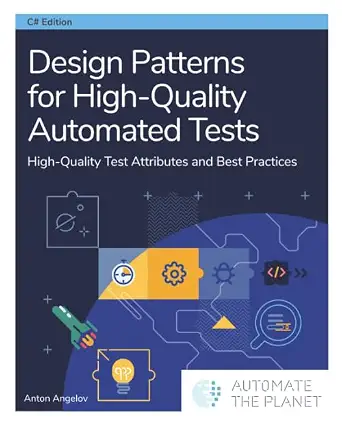 | Best for Test Architecture | Format: Book | Primary Focus: Test design patterns and quality attributes | Audience Level: Intermediate to advanced | VIEW LATEST PRICE | See Our Full Breakdown |
| Automated Software Testing: A Practical Guide to Jest, Cypress, TDD, and CI/CD |  | Best for JavaScript Teams | Format: Book | Topics: Jest, Cypress, TDD, CI/CD | Ecosystem: JavaScript / Node.js | VIEW LATEST PRICE | See Our Full Breakdown |
| Hands-On Automated Testing with Playwright |  | Best for Modern Web UI Testing | Format: Book | Topic: Automated testing | Framework: Microsoft Playwright | VIEW LATEST PRICE | See Our Full Breakdown |
| Automation Testing with Python and Selenium: From Beginner to Enterprise Frameworks |  | Best All-in-One Career Path | Format: Book | Topics: Python, Selenium, PyTest, CI/CD, Docker, Git, AI-assisted testing | Skill Range: Beginner to enterprise | VIEW LATEST PRICE | See Our Full Breakdown |
| Android Testing and Quality Engineering: Automate Unit, Integration, and UI Testing for Reliable and Maintainable Android Applications |  | Best for Mobile Testers | Format: Book | Subject: Android testing and quality engineering | Testing Layers: Unit, integration, and UI testing | VIEW LATEST PRICE | See Our Full Breakdown |
| All You Need to Know About Software Testing: From Beginner to Job-Ready QA Engineer |  | Best for Career Switchers | Format: eBook / digital guide | Topics Covered: Manual testing, automation, API testing, Selenium, Playwright, CI/CD, AI-assisted QA | Intended Audience: Beginners through job-ready QA engineering candidates | VIEW LATEST PRICE | See Our Full Breakdown |
| automated UI testing software | Format |
|---|---|
| Design Patterns for High-Quali | Book |
| Automated Software Testing: A | Book |
| Hands-On Automated Testing wit | Book |
| Automation Testing with Python | Book |
| Android Testing and Quality En | Book |
| All You Need to Know About Sof | eBook / digital guide |
More Details on Our Top Picks
Design Patterns for High-Quality Automated Tests
Most books in this roundup teach you how to write automated tests; this one teaches you how to write tests that survive years of maintenance. Its focus on design patterns makes it the natural next step after a tool-focused guide like Hands-On Automated Testing with Playwright, which gets tests running quickly but leaves architecture decisions to the reader. Compared with Automated Software Testing: A Practical Guide to Jest, Cypress, TDD, and CI/CD, this pick trades tool breadth for depth on test structure, readability, and long-term reliability. The tradeoff is real: readers who want runnable Cypress or Playwright examples will need a companion resource, because this book is about principles rather than a specific framework. For teams drowning in flaky, brittle suites, that principle-first approach is exactly what fixes the problem.
Pros:- Principle-driven approach that outlives any single framework
- Directly addresses flaky and brittle test suites
- Improves long-term maintainability rather than just getting tests running
- Complements any tool-specific book in this roundup
Cons:- Not tied to a concrete framework, so no copy-paste code examples for a specific stack
- Assumes prior familiarity with automated testing concepts
- Too abstract for someone writing their first test
Best for: QA engineers and developers who already know a testing tool and want to architect maintainable, long-lived test suites
Not ideal for: Beginners who need step-by-step tool setup — there are no framework walkthroughs here
- Format:Book
- Primary Focus:Test design patterns and quality attributes
- Audience Level:Intermediate to advanced
- Framework Coverage:Framework-agnostic
- Key Topics:Test maintainability, reliability, best practices
- Best Paired With:A tool-specific guide such as Playwright or Selenium
Our verdict“Buy this if your tests work today but fall apart every sprint — it is the architecture book the tool-focused guides skip.”
Automated Software Testing: A Practical Guide to Jest, Cypress, TDD, and CI/CD
This is the most pipeline-oriented pick in the lineup, and that is its whole identity. Where Automation Testing with Python and Selenium builds toward enterprise frameworks, this guide keeps everything inside the JavaScript ecosystem — Jest for units, Cypress for browser flows, TDD for process, and CI/CD for delivery. That tight scope is a genuine advantage for frontend and full-stack JavaScript developers who want one book covering their entire toolchain instead of stitching together blog posts. The tradeoff is breadth: unlike the Playwright book, it splits attention across multiple tools, so readers wanting deep mastery of any single framework will outgrow it. The TDD emphasis also makes it a strong fit for teams shifting quality left, though the tool-by-tool structure can feel disjointed.
Pros:- Covers the full JavaScript testing stack in one book
- Strong CI/CD integration guidance for pipeline automation
- TDD coverage supports reducing production bugs at the process level
- Practical, tool-oriented structure that maps to real projects
Cons:- Breadth across four topics limits depth on each
- Cypress focus means no coverage of newer cross-browser tools like Playwright
- Assumes JavaScript fluency rather than teaching from scratch
Best for: JavaScript developers and QA engineers who want Jest, Cypress, and CI/CD covered in one continuous workflow
Not ideal for: Teams testing non-JavaScript applications or anyone wanting deep coverage of a single framework
- Format:Book
- Topics:Jest, Cypress, TDD, CI/CD
- Ecosystem:JavaScript / Node.js
- Testing Layers:Unit and end-to-end UI testing
- Development Approach:Test-driven development
- Pipeline Coverage:CI/CD integration
Our verdict“The right choice for a JavaScript team that wants testing and CI/CD handled end to end in one place.”
Hands-On Automated Testing with Playwright
Among all five picks, this is the one aimed squarely at state-of-the-art browser automation. Playwright’s advantages — speed, auto-waiting, and cross-browser reach from a single API — translate here into tests that break less often, which is precisely the flakiness problem Design Patterns for High-Quality Automated Tests attacks from the theory side. Compared with Automated Software Testing: A Practical Guide to Jest, Cypress, TDD, and CI/CD, which leans on Cypress, this option positions readers on the newer framework that handles multi-tab, multi-origin, and cross-browser scenarios more gracefully. The hands-on format means readers finish with working, scalable test suites, not just concepts. The tradeoff: it is web-only, so mobile teams should look at the Android Testing book instead, and it does not extend into unit-testing culture the way the Jest guide does.
Pros:- Focused on a modern, actively developed framework
- Emphasizes fast and reliable test execution to reduce flakiness
- Addresses scalability as suites grow
- Hands-on structure suited to building real suites
Cons:- Web-only scope excludes mobile application testing
- Framework-specific knowledge ages faster than principle-based content
- Lighter on unit-testing and TDD process than broader guides
Best for: Web QA engineers and developers who want fast, reliable, cross-browser UI automation on a modern framework
Not ideal for: Mobile app testers — Playwright is browser-focused, so Android teams need a different resource
- Format:Book
- Topic:Automated testing
- Framework:Microsoft Playwright
- Target Platform:Modern web applications
- Focus Areas:Speed, reliability, scalability
- Style:Hands-on practical guide
Our verdict“The strongest pick if your goal is modern, maintainable web UI automation and you want the newest tooling rather than Cypress-era approaches.”
Automation Testing with Python and Selenium: From Beginner to Enterprise Frameworks
This is the widest-ranging option in the roundup — it starts at beginner fundamentals and climbs all the way to enterprise framework design, pulling in PyTest, Docker, Git, CI/CD, and even AI-assisted testing along the way. Where Hands-On Automated Testing with Playwright goes deep on one modern framework, this book bets on Selenium’s massive job-market presence and Python’s accessibility, making it the more practical choice for career-changers. The real-world projects also give it an edge over All You Need to Know About Software Testing for readers who learn by building rather than reading theory. The tradeoff is pace: covering this much ground means some topics get survey-level treatment, and Selenium itself is slower and more flake-prone than Playwright, which matters if raw execution speed is your priority.
Pros:- Complete beginner-to-enterprise progression in one volume
- Covers the full professional toolchain including Docker, Git, and CI/CD
- Real-world projects build portfolio-worthy experience
- AI-assisted testing coverage is rare in this space
Cons:- Enormous scope means some advanced topics are covered thinly
- Selenium-centric, so readers miss newer auto-waiting frameworks
- Beginner-to-enterprise span may bore experienced engineers in early chapters
Best for: Aspiring QA automation engineers building job-ready skills across the full Python testing toolchain
Not ideal for: Teams that need maximum test execution speed — Selenium is slower and more brittle than newer frameworks like Playwright
- Format:Book
- Topics:Python, Selenium, PyTest, CI/CD, Docker, Git, AI-assisted testing
- Skill Range:Beginner to enterprise
- Language:Python
- Projects:Real-world project-based learning
- Automation Framework:Selenium with PyTest
- Modern Coverage:AI-assisted testing
Our verdict“The best single purchase for someone starting from zero who wants to finish with enterprise-level Python automation skills.”
Android Testing and Quality Engineering: Automate Unit, Integration, and UI Testing for Reliable and Maintainable Android Applications
Every other pick in this lineup assumes a browser or a backend — this is the only one that treats mobile UI automation as its core subject, covering unit, integration, and UI layers specifically for Android. That layered approach mirrors the quality-engineering mindset of Design Patterns for High-Quality Automated Tests, but grounds it in Android’s unique tooling realities: emulators, device fragmentation, and platform-specific UI frameworks. Compared with Automation Testing with Python and Selenium, which is strong on web automation, this book wins outright for anyone shipping an Android app, because web-focused UI testing skills transfer poorly to mobile. The reliability and maintainability emphasis makes it a serious engineering resource rather than a tutorial. The tradeoff is narrowness — it is useless for web or iOS work, and it assumes you are already building Android apps rather than teaching the platform itself.
Pros:- Only option in this roundup covering mobile UI test automation
- Full test-pyramid coverage from unit to UI layer
- Maintainability focus suits long-lived production apps
- Quality-engineering framing goes beyond simple scripting
Cons:- Narrowly scoped to Android with no iOS or web coverage
- Assumes existing Android development knowledge
- Smaller audience means fewer community resources than Selenium or Playwright books
Best for: Android developers and mobile QA engineers who need automated testing across unit, integration, and UI layers
Not ideal for: Web application testers and iOS teams — the Android-specific content does not transfer
- Format:Book
- Subject:Android testing and quality engineering
- Testing Layers:Unit, integration, and UI testing
- Platform:Android
- Focus:Reliability and maintainability through automation
- Approach:Full test-pyramid coverage
Our verdict“If you ship Android apps and need reliable automated tests at every layer, this is the specialist pick the generalist guides cannot replace.”
All You Need to Know About Software Testing: From Beginner to Job-Ready QA Engineer
Every roundup about automated UI testing software leans toward specialists — Hands-On Automated Testing with Playwright assumes you already know why tests exist, and Automation Testing with Python and Selenium jumps straight into frameworks. This guide takes the opposite path, walking from manual testing fundamentals through automation, APIs, Selenium, Playwright, CI/CD, and even AI-assisted QA. That breadth is the whole point: it maps the territory before asking you to master any single tool.
The tradeoff is depth. Compared with the Playwright or Android Testing titles, each individual topic gets less hands-on treatment, so experienced testers will skim large sections. But for someone preparing for a first QA role, the career-oriented framing — understanding when to automate versus when to test manually — fills a gap the tool-specific books leave wide open.
Pros:- Bridges manual and automated testing so beginners understand when each approach fits
- Covers multiple automation tools (Selenium and Playwright) plus API testing in one place
- Includes CI/CD and AI-assisted QA topics most introductory guides skip
- Structured around job readiness rather than a single tool’s syntax
Cons:- Broad coverage means less depth on any individual tool than dedicated titles like Hands-On Automated Testing with Playwright
- Readers targeting a specific stack (e.g., Android) will outgrow it quickly
- No framework-building exercises at the enterprise level found in the Python and Selenium book
Best for: Career changers and students preparing for their first QA engineering role who need the full testing landscape, not just one tool
Not ideal for: Experienced automation engineers who already know manual testing fundamentals and want deep, tool-specific framework instruction
- Format:eBook / digital guide
- Topics Covered:Manual testing, automation, API testing, Selenium, Playwright, CI/CD, AI-assisted QA
- Intended Audience:Beginners through job-ready QA engineering candidates
- Skill Path:Manual testing fundamentals to modern automated workflows
- Tools Featured:Selenium and Playwright
- Career Focus:QA engineering job preparation
- Modern Topics:CI/CD pipelines and AI-assisted QA
Our verdict“Choose this if you’re starting a QA career and want one book to explain the entire testing landscape before committing to a specialization.”

How We Picked
I evaluated each resource through the lens a buyer of automated UI testing software actually cares about: tool relevance in 2026, depth of coverage, whether it teaches maintainable test architecture or just syntax, and how well it matches different skill levels. Resources built around actively developed, widely adopted frameworks ranked higher than those tied to fading tooling. I also weighed practical outcomes — whether a reader could realistically build a stable test suite, plug it into CI/CD, and keep it maintainable as their application grew.
The ranking order reflects a simple logic: modern cross-browser capability first (Playwright), then enterprise versatility (Python and Selenium), then JavaScript-pipeline integration (Jest, Cypress, TDD), followed by specialized mobile coverage, architecture-only material for experienced testers, and finally broad beginner foundations. Resources that teach transferable engineering practices ranked above those that only walk through tool features, because tool APIs change but design principles hold their value.
| automated UI testing software | Format |
|---|---|
| Design Patterns for High-Quali | Book |
| Automated Software Testing: A | Book |
| Hands-On Automated Testing wit | Book |
| Automation Testing with Python | Book |
| Android Testing and Quality En | Book |
| All You Need to Know About Sof | eBook / digital guide |
Factors to Consider When Choosing Automated UI Testing Software
Before committing to any automated UI testing resource or toolchain, step back and match your choice to your stack, your team’s maturity, and how long you plan to maintain the suite. These are the factors that most often decide whether an automation investment pays off or becomes shelfware.Match the Tool to Your Application Stack
The single most common mistake is picking a testing framework before understanding your application’s technology. JavaScript-heavy web apps pair naturally with Playwright, Cypress, and Jest because the test code lives in the same ecosystem as the product. Python-based or polyglot enterprises often get more mileage from Selenium bindings, since QA engineers can write tests without learning Node.js. Mobile-native applications need an entirely different toolkit — Appium or Android-specific instrumentation — which most general web testing guides never touch. Buying a resource for the wrong stack wastes both money and motivation, so start from your product, not from whichever tool is trending.
Flakiness Handling Is the Real Differentiator
Beginners compare frameworks by feature checklists; experienced teams compare them by how they handle timing and flakiness. Older tools like raw Selenium require you to write explicit waits everywhere, and every missed wait becomes a test that fails randomly and erodes trust in your suite. Modern frameworks like Playwright bake auto-waiting into every action, which quietly removes an entire class of bugs. When choosing between resources, look for ones that treat flaky tests as a design problem, not just a debugging nuisance. A resource that teaches wait strategies and resilient selectors will save you far more time than one that just demonstrates click-and-assert basics.
Separate Learning Syntax from Learning Architecture
Most guides teach you how to write a test; very few teach you how to keep a thousand tests readable and maintainable. That gap is where most automation projects fail — suites grow, duplication explodes, and nobody wants to update them anymore. Page Object Models, fixture design, and data-driven patterns are what separate disposable test scripts from durable test suites. If you already know a framework’s basics, an architecture-focused resource delivers more long-term value than another tool tutorial. Beginners should do the opposite: learn syntax and a tool first, then invest in design patterns once they feel the pain of duplication firsthand.
Factor In CI/CD From Day One
A UI test suite that only runs on one engineer’s laptop delivers a fraction of its value. Resources that integrate continuous integration concepts — running tests on every commit, parallelizing execution, handling environment configuration — produce outcomes that teams actually rely on. The tradeoff is that CI/CD content adds complexity early on, which can overwhelm absolute beginners. My advice: beginners can defer pipeline integration for a few weeks, but any team-level purchase should require it. Tests that gate deployments catch regressions hours or days before tests run manually ever would.
Consider Career Currency, Not Just Current Projects
If you’re learning automated UI testing to advance a QA career, tool demand in the job market matters as much as technical merit. Selenium still appears in more job postings than any competitor, which keeps Python-and-Selenium resources a safe credential investment. Playwright demand is climbing fast, especially at companies building greenfield JavaScript applications, while Cypress holds steady in the mid-market. The smartest play for career buyers is often one resource in the legacy-safe camp and one in the fast-growth camp, rather than betting everything on a single ecosystem.
Budget for Breadth Versus Depth Correctly
Beginner-level all-in-one guides feel like good value because they cover unit testing, integration testing, UI testing, and career prep in one package — but that breadth means shallow UI automation coverage. A specialized resource costs similar money and goes several layers deeper into the one area you actually need. Buy breadth only when you genuinely need the foundations; otherwise a single deep, tool-specific guide outperforms three general ones. The exception is hiring managers building a training library for mixed-experience teams, where broad coverage genuinely serves more people.
Frequently Asked Questions
Should I learn Playwright or Selenium first in 2026?
If you already work in a JavaScript or TypeScript codebase, Playwright is the faster path to productive UI automation — its auto-waiting, built-in parallelization, and single API across browsers mean less boilerplate and fewer flaky tests to troubleshoot as a beginner. Selenium remains the better first choice if your organization is Python- or Java-centric, or if you’re optimizing a resume, since it still dominates enterprise job listings. Learning Selenium also teaches you lower-level concepts like explicit waits and locator strategy that transfer everywhere, which is why some experienced testers recommend it as a foundation. The honest answer is that the concepts overlap about 80 percent, so whichever you start with, the second one takes a fraction of the time to pick up.
Do I need to know how to code before using automated UI testing software?
For any of the resources compared here, basic programming literacy is a prerequisite — variables, functions, loops, and ideally some comfort with selectors and HTML structure. You don’t need to be a software engineer, but purely manual testers who skip coding fundamentals tend to stall within the first few chapters. The beginner-oriented entries in this lineup deliberately include programming refreshers, which is one reason they exist separately from the architecture-level material. If you’re starting from zero, plan a few weeks of language basics (JavaScript or Python, matching your chosen tool) before diving into UI automation itself. That small upfront investment is what separates testers who build real suites from those who abandon the effort.
Are codeless UI testing tools a better option than learning a framework?
Codeless record-and-playback tools work for very simple smoke checks, but they break down quickly under dynamic content, test data variation, and team collaboration — which is exactly where maintained frameworks earn their keep. Recorded tests also tend to hard-code selectors and timing, producing the flakiness that gives UI automation its bad reputation. This roundup focuses on framework-based resources because they scale: version control, code review, and reusable components all become possible. A reasonable middle path some teams take is starting codeless to demonstrate value quickly, then migrating critical flows into Playwright or Selenium once stakeholders are bought in. Just don’t expect codeless tooling to replace framework skills for anything beyond entry-level needs.
How do I keep automated UI tests from becoming flaky?
Flakiness almost always traces back to three causes: timing assumptions, brittle selectors, and shared test state. Timing is fixed by using frameworks with auto-waiting (Playwright handles this natively; Selenium requires explicit waits you must write deliberately). Brittle selectors are fixed by preferring role-based and test-ID locators over XPath tied to page structure. Shared state — tests depending on data left behind by earlier tests — is fixed by resetting fixtures between runs, which is why design-pattern material earns its place in this lineup. If a resource never discusses these three topics, treat it as syntax training only and plan a second, architecture-focused purchase afterward.
Is a beginner’s guide worth it if my team already has automation experience?
Usually not — experienced teams get more value from specialized resources covering architecture, CI/CD integration, or a specific tool migration. A beginner guide’s coverage of fundamentals you already practice is sunk cost, and its UI automation sections rarely go deeper than what a working tester encounters in the first six months on the job. The exceptions are onboarding scenarios: a broad beginner resource is genuinely cost-effective when bringing junior QA hires or manual testers up to a shared baseline. For teams, the better pattern is one or two deep, tool-specific resources as the standard reference plus a single broad guide kept around for new starters. Individual mid-career testers should skip straight to the architecture and framework-specific entries.
Conclusion
For best overall, Hands-On Automated Testing with Playwright is the pick I’d point most web teams toward — it teaches the most modern, flakiness-resistant framework with skills that transfer directly to production suites. For best value, Automation Testing with Python and Selenium delivers enterprise-grade depth and the strongest job-market currency per dollar. JavaScript teams that want testing embedded in their delivery pipeline get the most from Automated Software Testing: A Practical Guide to Jest, Cypress, TDD, and CI/CD. For beginners, All You Need to Know About Software Testing provides the gentlest on-ramp, including career guidance the others skip. Mobile-specific buyers should go straight to Android Testing and Quality Engineering, and experienced testers who already know their tool should choose Design Patterns for High-Quality Automated Tests to level up their suite’s maintainability. Whatever your entry point, commit to one ecosystem deeply before branching out — that focus is what turns automated UI testing from an aspiration into a working safety net for your application.
Halloween Picks
halloween
As an affiliate, we earn on qualifying purchases.