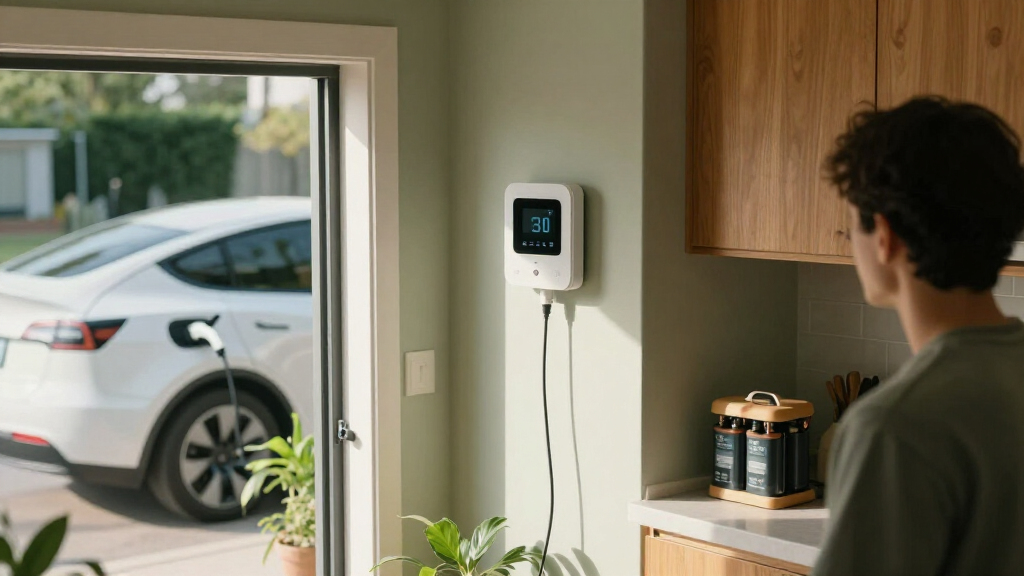

The best home electrification products depend on whether you want to track electricity use, automate individual devices, or monitor your whole home. I rank the Emporia Vue 3 as the best overall for broad circuit-level visibility, while the Tapo P316M stands out for a Matter-compatible power strip with energy monitoring, and the Watt Meter Power Meter Plug offers a straightforward way to check one appliance. The main tradeoff is scope: simple plugs are easy to set up but show only connected-device use, while panel monitors offer a wider view and demand more involved installation. Read on for the full breakdown and guidance on choosing the right level of control.

Get business pricing on monitors, keyboards and dev gear
- Business-only prices and quantity discounts
- Tax-exempt purchasing
- Multiple users, one account, clear invoices
Key Takeaways
- Emporia Vue 3 takes the top spot because circuit-level monitoring provides a broader picture of household electricity use than any single-device plug.
- Tapo P316M pairs a power strip with Matter support and energy monitoring, making it a stronger fit for grouped electronics than basic single-outlet plugs.
- Watt Meter Power Meter Plug is the most direct choice for checking an appliance without depending on a smart-home platform or whole-home installation.
- The Refoss monitor appeals to Home Assistant users who want open API access and no cloud, but that flexibility calls for more technical comfort.
- The plug options differ more by ecosystem, outlet count, and monitoring than by their basic ability to switch devices; check compatibility and load limits before buying.
| Amazon Smart Plug (2-Pack) |  | Best for Alexa Homes | Dimensions: 3.2 × 1.5 × 2.2 in (80 × 38 × 57 mm) | Weight: 3.1 oz (87 g) | Network: 2.4 GHz, 802.11 b/g/n | VIEW LATEST PRICE | See Our Full Breakdown |
| Linkind Matter Smart Plug, Compatible with Apple Home, Alexa, Siri, Google Home |  | Best for Cross-Platform Smart Homes | Voltage: 120 V | Current: 15 A | Power capacity: 1800 W | VIEW LATEST PRICE | See Our Full Breakdown |
| Watt Meter Power Meter Plug Home Electricity Usage Monitor with 7 Modes Display |  | Best for Appliance Energy Checks | Monitoring: Power (W), energy (kWh), voltage, amps, hertz, power factor, cost, min/max power, and cumulative time | Display size: 2.36 × 1.85 in | Backlight settings: 10 minutes, 1 hour, 4 hours, 8 hours, or always on | VIEW LATEST PRICE | See Our Full Breakdown |
| GHome Smart Plug Mini, WiFi Smart Outlet Plug Works with Alexa and Google Home, Timer Outlet with APP Control, 2.4GHz Network Only, No Hub Required (4 Pack) | 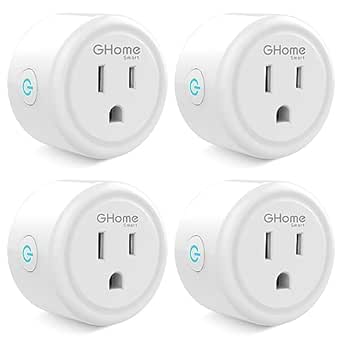 | Best Multi-Pack for Basic Automation | Pack size: 4 plugs | Dimensions: 2 × 2 × 1 in | Voltage: 120 V | VIEW LATEST PRICE | See Our Full Breakdown |
| Addtam Surge Protector, 5 Outlet Extender with Night Light and 4 USB Ports |  | Best for Consolidating Charging and Outlets | AC outlets: 5 | USB ports: 4, including USB-C | Maximum current: 15 A | VIEW LATEST PRICE | See Our Full Breakdown |
| Emporia Vue 3 Home Energy Monitor – Smart Home Automation Module and Real-Time Electricity Usage Monitor |  | Best Whole-Home Overview | Manufacturer: Emporia Corp. | Part number: EMV3A-2P-16 | Sensor coverage: Whole-home monitor with 16 circuit sensors | VIEW LATEST PRICE | See Our Full Breakdown |
| Tapo Smart Wi-Fi Power Strip, Matter, P316M, Energy Monitoring |  | Best for Multi-Device Control | Model: P316M | AC outlets: 6 | USB ports: 3 | VIEW LATEST PRICE | See Our Full Breakdown |
| Refoss Smart Home Energy Monitor with Open API, Home Assistant, No Cloud |  | Best for Local-First Automation | Model: EM16P | Main current sensors: 2 sensors, 200A each | Branch current sensors: 16 sensors, 1–60A each | VIEW LATEST PRICE | See Our Full Breakdown |
| Govee Smart Plug, WiFi Outlet Compatible with Alexa & Google Assistant, 4 pcs |  | Best Four-Pack for Basic Automation | Pack quantity: 4 smart plugs | Voltage: 120 volts | Amperage: 11 A | VIEW LATEST PRICE | See Our Full Breakdown |
| home electrification product | Dimensions | Voltage |
|---|---|---|
| Amazon Smart Plug | 3.2 × 1.5 × 2.2 in (80 × 38 × 57 mm) | — |
| Linkind Matter Smart Plug | — | 120 V |
| Watt Meter Power Meter Plug Ho | — | — |
| GHome Smart Plug Mini | 2 × 2 × 1 in | 120 V |
| Addtam Surge Protector | 5.4 × 3.4 in | 125 V |
| Emporia Vue 3 Home Energy Moni | 10 x 5 x 5 inches | — |
| Tapo Smart Wi-Fi Power Strip | 16.2 x 4.8 x 1.9 inches | 120 volts |
| Refoss Smart Home Energy Monit | 4.5 x 3.5 x 1.1 inches | — |
| Govee Smart Plug | — | 120 volts |
More Details on Our Top Picks
Amazon Smart Plug (2-Pack)
I’d pick the Amazon Smart Plug for households already organized around Alexa that want straightforward control of lamps, fans, or other compatible devices. Setup needs no hub, and schedules and voice commands make it easy to automate simple routines. Compared with the Linkind Matter Smart Plug, this model is less flexible across smart-home platforms: it works with Alexa rather than offering broad Matter-based compatibility. Its compact dimensions are useful when a neighboring outlet needs to stay accessible, and automatic reconnection after outages helps limit manual resets. The tradeoff is a 2.4 GHz-only connection and indoor-only use, so it is a poor fit for 5 GHz-only networks or outdoor equipment. It controls devices, but does not report their electricity use.
Pros:- Works with Alexa without a separate hub
- Compact body helps preserve access to a neighboring outlet
- Supports routines and schedules for hands-free control
- Automatically reconnects after network outages
Cons:- Limited to 2.4 GHz Wi-Fi
- Does not support voice assistants beyond Alexa
- Indoor use only and provides no energy monitoring
Best for: Alexa households that want hub-free scheduling and voice control for indoor lamps or small appliances.
Not ideal for: Buyers using Google Home or Apple Home, or anyone needing outdoor control, energy monitoring, or 5 GHz Wi-Fi support.
- Dimensions:3.2 × 1.5 × 2.2 in (80 × 38 × 57 mm)
- Weight:3.1 oz (87 g)
- Network:2.4 GHz, 802.11 b/g/n
- Use:Indoor only
- Hub requirement:No hub required
- Control:Alexa voice commands, routines, and scheduling
Our verdict“Choose this two-pack for simple Alexa-based control indoors, but pick the Linkind Matter plug if you need broader platform compatibility.”
Linkind Matter Smart Plug, Compatible with Apple Home, Alexa, Siri, Google Home
The Linkind Matter Smart Plug is the most adaptable choice here for a home that mixes Apple, Alexa, or Google devices. Matter support can make it easier to bring the outlet into a compatible platform than the Amazon Smart Plug, which is limited to Alexa. It also offers app-based remote control and scheduling, while its stated 15 A, 1800 W capacity gives buyers a clear electrical limit to check against their intended device. That broader compatibility has a setup caveat: some platforms require a Matter-certified hub for full functionality, and the plug still relies on 2.4 GHz Wi-Fi. Unlike the Watt Meter Power Meter, it does not show energy consumption, so I’d choose it for control and integration—not for measuring where electricity is going.
Pros:- Matter support spans major smart-home platforms
- App control enables remote operation and scheduling
- Rated for up to 15 A and 1800 W
- Compact design with stated safety certification
Cons:- Some platforms require a Matter-certified hub for full functionality
- Supports 2.4 GHz Wi-Fi only
- No energy monitoring is specified
Best for: Households combining Apple Home, Alexa, or Google Home that want a scheduled, remotely controlled outlet.
Not ideal for: Buyers who need energy-use readings, rely on 5 GHz Wi-Fi, or want to avoid a Matter hub where their chosen platform requires one.
- Voltage:120 V
- Current:15 A
- Power capacity:1800 W
- Wi-Fi:2.4 GHz
- Plug type:Type B, 3-prong
- Conductors:3 wires
- Material:Plastic
- Platform support:Matter; Apple Home, Alexa, Siri, and Google Home compatibility stated
Our verdict“Choose Linkind when multi-platform control matters more than energy tracking or hub-free setup on every system.”
Watt Meter Power Meter Plug Home Electricity Usage Monitor with 7 Modes Display
When the goal is to find out what an appliance consumes, the Watt Meter Power Meter serves a different purpose from the smart outlets in this roundup. Its display reports readings such as watts, cumulative kWh, voltage, current, power factor, and estimated cost, giving buyers information that the Amazon Smart Plug and GHome Smart Plug Mini are not described as providing. The LCD and retained last-use data make readings available at the device, rather than through a smart-home app. It is a monitor, not a controller: it cannot schedule or switch an appliance remotely. I’d also check the overload threshold before use, since the default is adjustable and the settings require manual attention. This is the right pick for measuring individual plug-in loads, not automating them.
Pros:- Displays power, energy, voltage, current, frequency, and other readings
- Large LCD with adjustable backlight settings
- Memory retains the last usage data
- Adjustable overload protection with an overload warning
Cons:- Measures usage but does not control connected appliances
- Overload threshold may need manual adjustment for the appliance
- Backlight and protection settings require setup
Best for: Homeowners comparing the electricity use of plug-in appliances such as refrigerators, computers, or space heaters within the meter’s limits.
Not ideal for: Shoppers seeking voice control, remote switching, automatic schedules, or whole-home electricity monitoring.
- Monitoring:Power (W), energy (kWh), voltage, amps, hertz, power factor, cost, min/max power, and cumulative time
- Display size:2.36 × 1.85 in
- Backlight settings:10 minutes, 1 hour, 4 hours, 8 hours, or always on
- Overload protection:Default 3680 W; adjustable from 0 to 3680 W
- Overload warning:Displays “OVERLOAD” when the threshold is exceeded
- Memory:Records last usage data
Our verdict“Pick this meter to investigate individual appliance consumption; choose a smart plug instead if remote control is the priority.”
GHome Smart Plug Mini, WiFi Smart Outlet Plug Works with Alexa and Google Home, Timer Outlet with APP Control, 2.4GHz Network Only, No Hub Required (4 Pack)
The GHome Smart Plug Mini suits buyers who want several outlets for everyday schedules rather than one cross-platform Matter device. Its four-plug set can spread control across lamps or other compatible indoor devices, and the app supports remote operation, schedules, and auto-off timers. Unlike the Amazon Smart Plug, it lists compatibility with both Alexa and Google Home, though linking a voice assistant follows initial app setup. Its small 2 × 2 × 1 in body is useful in crowded outlet areas. The main limitation is the 10 A rating, below the Linkind plug’s stated 15 A, so buyers should match it to the connected device’s requirements. It also works only on 2.4 GHz Wi-Fi and does not offer the energy readings provided by the Watt Meter.
Pros:- Four-plug set supports control of multiple devices
- Works with Alexa and Google Home
- App offers schedules, remote control, and auto-off timers
- Compact dimensions suit tight outlet spaces
Cons:- Rated at 10 A, lower than the Linkind plug’s 15 A rating
- Supports 2.4 GHz Wi-Fi only
- Voice-assistant linking requires initial app setup
Best for: Alexa or Google Home users who want to automate several lower-current indoor devices with app schedules and timers.
Not ideal for: Buyers with higher-current loads, 5 GHz-only networks, or a need for Matter compatibility or energy monitoring.
- Pack size:4 plugs
- Dimensions:2 × 2 × 1 in
- Voltage:120 V
- Current:10 A
- Plug type:Type B
- Wi-Fi:2.4 GHz only
- Material:Polycarbonate
- Certifications:ETL and FCC
Our verdict“Choose GHome for several compact, scheduled outlets on Alexa or Google Home, provided your devices fit its 10 A rating.”
Addtam Surge Protector, 5 Outlet Extender with Night Light and 4 USB Ports
The Addtam Surge Protector addresses a different home-electrification need from the smart plugs: it expands one wall outlet into five AC outlets and four USB ports, including USB-C, with a built-in night light. That makes it more useful for a charging area than the GHome Smart Plug Mini, which adds scheduling and voice control but does not provide this outlet-and-USB combination. Wide spacing is intended to reduce crowding between plugs, while the listed 15 A maximum current gives buyers a capacity figure to check against connected loads. It does not monitor energy use or switch devices remotely, so it is not a substitute for a smart outlet or the Watt Meter. The night light may fail to activate in very low light, and the product is limited to indoor use; check plug fit before buying for an unusual outlet type.
Pros:- Combines five AC outlets with four USB ports, including USB-C
- Wide outlet spacing helps reduce plug crowding
- Built-in night light has a dusk-to-dawn sensor
- Listed for a maximum current of 15 A
Cons:- Night light may not activate automatically in very low-light conditions
- Indoor use only
- Description notes that certain outlet types may require cutting a plastic prong
Best for: People setting up an indoor charging station who need several AC outlets, USB charging ports, and a low-level night light.
Not ideal for: Buyers who need scheduled device control, energy monitoring, outdoor use, or an extender guaranteed to fit every outlet type without modification.
- AC outlets:5
- USB ports:4, including USB-C
- Maximum current:15 A
- Voltage:125 V
- Dimensions:5.4 × 3.4 in
- Weight:8 oz
- Plug type:Type B, 3-pin North American
- Additional feature:Built-in night light with dusk-to-dawn sensor
Our verdict“Choose Addtam to consolidate indoor device charging and outlet access, not for smart control or electricity-use tracking.”
Emporia Vue 3 Home Energy Monitor – Smart Home Automation Module and Real-Time Electricity Usage Monitor
The Emporia Vue 3 is the strongest fit here for homeowners who want to see where electricity goes across the house, rather than manage only a few plugged-in devices. Its 16 circuit sensors provide broader load tracking than the Govee Smart Plug’s outlet-level controls, while support for solar and net metering makes it relevant to homes generating their own power. Real-time data and app-based automation can help identify loads to shift or switch off. The tradeoff is installation: fitting sensors inside an electrical panel can be a job for a qualified electrician, and the monitor needs 2.4 GHz Wi-Fi and internet access. Unlike the Refoss EM16P, its supplied information does not specify open API or cloud-free operation. I’d choose it for broad visibility and a conventional app workflow, not for a hands-off plug-in setup.
Pros:- Sixteen circuit sensors support detailed tracking across household loads.
- Supports solar and net metering for homes that generate electricity.
- Real-time monitoring and app-based automation can inform energy-use decisions.
- UL certification provides a stated safety certification.
Cons:- Panel installation may require a qualified electrician or electrical expertise.
- Requires 2.4 GHz Wi-Fi and an internet connection.
- Three-phase systems require an additional sensor.
Best for: Homeowners with multiple major circuits or solar and net-metering equipment who want app-based whole-home energy monitoring.
Not ideal for: Renters and buyers who cannot access or modify an electrical panel, or anyone seeking a simple plug-in monitor without installation work.
- Manufacturer:Emporia Corp.
- Part number:EMV3A-2P-16
- Sensor coverage:Whole-home monitor with 16 circuit sensors
- Solar support:Supports solar and net metering
- Connectivity requirement:2.4 GHz Wi-Fi and internet connection
- Certifications:CE, UL
- Dimensions:10 x 5 x 5 inches
- Item weight:4.99 pounds
Our verdict“Choose the Emporia Vue 3 for circuit-level visibility across a solar or conventional home, provided panel installation and internet-dependent app use suit your setup.”
Tapo Smart Wi-Fi Power Strip, Matter, P316M, Energy Monitoring
The Tapo P316M combines outlet control with energy monitoring, making it a practical step between individual smart plugs and a panel-mounted system such as the Emporia Vue 3. Its six smart AC outlets and three USB ports let one strip manage a cluster of electronics, while scheduling and Matter support add options for automations across compatible smart-home platforms. Local operation is a useful distinction from products whose controls depend entirely on cloud access, although remote features still require Wi-Fi. It is not a substitute for whole-home circuit data: monitoring applies to devices connected to the strip, not the rest of the house. At 16.2 inches long, it also needs a suitable surface and outlet location. I’d pick it for a desk or entertainment setup, rather than for broad home energy analysis.
Pros:- Six smart AC outlets and three USB ports handle several devices in one location.
- Energy monitoring and scheduling support more deliberate use of connected electronics.
- Matter certification and voice assistant compatibility broaden smart-home integration options.
- Local control can keep some operation available during internet outages.
Cons:- Energy monitoring covers connected devices, not whole-home circuits.
- Remote features require Wi-Fi.
- Its 16.2-inch length may be awkward on crowded desks or in compact spaces.
Best for: Smart-home users who want to schedule and monitor several desk, office, or entertainment devices from one power strip.
Not ideal for: Homeowners seeking whole-house or circuit-level energy data, or anyone needing a compact strip for tight spaces.
- Model:P316M
- AC outlets:6
- USB ports:3
- Maximum current:15 A
- Voltage:120 volts
- Connectivity and standard:Wi-Fi, Matter
- Dimensions:16.2 x 4.8 x 1.9 inches
- Item weight:1.4 pounds
Our verdict“Choose the Tapo P316M when one area has several devices to automate and monitor, but look to a panel monitor for whole-home energy insights.”
Refoss Smart Home Energy Monitor with Open API, Home Assistant, No Cloud
The Refoss EM16P is the clearest choice for technically confident owners who want energy data to stay local and feed their own automations. Its open API, MQTT, and Home Assistant integration offer more control than the app-centered Emporia Vue 3, and its two main sensors plus 16 branch sensors support whole-panel monitoring. Solar optimization and the stated accuracy figures may help users build more tailored energy rules. The price of that flexibility is setup: installation involves the electrical panel, and using open interfaces may take configuration work. Unlike the Tapo P316M, this is not a convenient strip for monitoring a handful of appliances; it measures at the panel. The lack of built-in cloud connectivity also means remote access is not turnkey. I’d favor it for local control, not for buyers who want a basic app-only experience.
Pros:- Open API, MQTT, and Home Assistant support allow flexible local integrations.
- Two main sensors and 16 branch sensors provide broad panel-level coverage.
- Designed for solar monitoring and energy optimization.
- Specified accuracy is ±1% at 200A and ±2% at low current.
Cons:- Panel installation and integration setup may require technical knowledge.
- No built-in cloud connectivity for straightforward remote access.
- Branch sensors are limited to the specified 1–60A range.
Best for: Homeowners with solar or complex energy automations who use Home Assistant or MQTT and prefer local data control.
Not ideal for: Beginners seeking a simple plug-and-play monitor, or users who rely on built-in cloud access for remote viewing.
- Model:EM16P
- Main current sensors:2 sensors, 200A each
- Branch current sensors:16 sensors, 1–60A each
- Connectivity:Open API, MQTT, Web UI
- Accuracy:±1% at 200A; ±2% at low current
- Certifications:ETL, UL 61010
- Warranty:2 years
- Dimensions:4.5 x 3.5 x 1.1 inches
Our verdict“Choose the Refoss EM16P if local data, Home Assistant, and configurable solar automations matter more to you than a beginner-friendly cloud app.”
Govee Smart Plug, WiFi Outlet Compatible with Alexa & Google Assistant, 4 pcs
The Govee four-pack offers a straightforward way to automate separate lamps and appliances without installing anything in an electrical panel. Wi-Fi and Bluetooth control, scheduling, and group commands cover everyday on/off routines, while Alexa and Google Assistant compatibility makes voice control accessible in common smart-home setups. Compared with the Tapo P316M, these are individual plugs rather than a single strip, so they can be placed around different rooms; however, the Govee product details do not list energy monitoring or Matter support. The plugs also use 2.4 GHz Wi-Fi and have an 11A amperage specification, so buyers should check device requirements and plug fit before use. I’d choose this set for simple scheduling across several outlets, not for measuring energy use or managing higher-current equipment.
Pros:- Four individual plugs can automate devices in separate locations.
- Wi-Fi and Bluetooth connectivity provide control options.
- Scheduling and group control support recurring routines.
- Alexa and Google Assistant compatibility enables voice commands.
Cons:- Supports 2.4 GHz Wi-Fi rather than 5 GHz networks.
- No energy-monitoring feature is specified.
- The 11A rating may not suit appliances with higher current requirements.
Best for: Renters or homeowners who want to schedule lamps and compatible small appliances at several outlets without panel work.
Not ideal for: Buyers who need outlet-level energy monitoring, 5 GHz Wi-Fi support, or plugs for devices whose current needs exceed the stated 11A rating.
- Pack quantity:4 smart plugs
- Voltage:120 volts
- Amperage:11 A
- Plug type:Type B
- Connectivity:Wi-Fi and Bluetooth; 2.4 GHz Wi-Fi
- Voice assistant compatibility:Alexa and Google Assistant
- Certification:ETL
- Material:Plastic
Our verdict“Choose the Govee four-pack for basic schedules and voice control across several compatible outlets, but pick the Tapo P316M or a panel monitor for energy measurement.”

How We Picked
I ranked these products by how much useful electrification capability they add to a home: energy visibility, automation, compatibility, and the number of devices or circuits they can serve. A panel monitor can reveal patterns that an outlet plug cannot, so the Emporia Vue 3 leads for buyers seeking household-level insight. Among plug-based choices, I gave more weight to energy monitoring, Matter or open-platform support, and practical outlet coverage than to remote switching alone.
I also weighed setup demands, ecosystem limits, and the kind of buyer each product serves. The Refoss monitor earns a distinct place for local control and Home Assistant integration, though its technical demands narrow its audience. Basic smart plugs and outlet extenders rank lower because they can automate or expand access but do not offer the same breadth of energy insight. This ranking favors useful information and flexibility, not a claim that every household needs panel-level monitoring.
Factors to Consider When Choosing Best Home Electrification Products
Home electrification can mean anything from scheduling a lamp to tracking power use across a breaker panel. I would start with the decision you want the product to support, then match its monitoring scope, installation demands, and platform support to your home.
Choose the Monitoring Scope You Actually Need
A plug monitor measures what passes through one connected device, which is useful for comparing appliances or spotting standby draw. A whole-home monitor can reveal patterns across circuits, but it may not identify every device without additional setup or interpretation. Avoid buying a panel monitor if your question is only whether one freezer uses more power than expected. Conversely, a smart plug cannot explain loads that are hardwired or spread across several rooms. Start by listing the decisions you want the data to inform, such as changing appliance habits or investigating a high bill. The narrower that list, the more likely a simple plug will be enough.
Check Installation and Electrical Compatibility
Smart plugs generally need an accessible outlet and a suitable Wi-Fi connection, while panel monitors involve work near the electrical panel. Before choosing a panel device, check its installation instructions, panel layout requirements, and whether you are comfortable working in that area or would rather hire an electrician. Never assume a plug or strip can handle every appliance simply because its connector fits. Compare the product’s rated load with the device you plan to connect, especially for high-draw or heat-producing equipment. A strip or multi-outlet extender also has a shared capacity across its outlets. Matching the product to the circuit and load matters more than adding the largest number of outlets.
Treat Compatibility as a Long-Term Choice
Smart-home support affects whether a device remains convenient when you change phones, voice assistants, or automation platforms. Matter support can help with cross-platform control, but buyers should still verify the specific functions available in their chosen ecosystem. A product listed for Alexa or Google Home may offer different controls than one designed around Apple Home or Home Assistant. Local control and open APIs can reduce dependence on a vendor’s cloud, though they may require more setup and maintenance. If you do not plan to build routines or connect multiple platforms, a simpler app may be easier to live with. Choose the ecosystem you already use rather than buying on protocol labels alone.
Separate Energy Data from Energy Savings
Monitoring can show where electricity goes, but a display or app does not lower consumption by itself. Savings depend on whether the information leads to a practical change, such as adjusting a schedule or replacing an inefficient device. Consider how often you will check the data and whether the product makes comparisons understandable. A basic meter can answer a one-time question without turning energy tracking into a long-term project. Whole-home tools make more sense when you expect to use ongoing trends to guide several decisions. Avoid treating a precise-looking reading as a guarantee of a particular bill reduction.
Decide When More Features Are Worth the Added Effort
Paying for circuit-level visibility, open integrations, or advanced automation makes sense when you will use those capabilities repeatedly. If your goal is simply to switch a few lamps remotely, a multipack of basic smart plugs may cover the need with less setup. If you want to manage several devices at one desk or entertainment center, a monitored smart strip can consolidate control. Advanced users may value local APIs even when they require extra configuration. Beginners should favor clear setup and a familiar app over features they may never touch. The best fit is the least complicated product that answers your real energy question.
Frequently Asked Questions
Can smart plugs show my home’s total electricity use?
No. A smart plug reports use for the device connected to that plug, not the whole house or other circuits. To view broader household or circuit-level consumption, you need a compatible home energy monitor installed at the electrical panel. A plug can still help you investigate one appliance before deciding whether a larger monitoring system is worthwhile. Keep the distinction clear when comparing readings, since plug data covers only its own connected load.
Should I choose a whole-home monitor or several smart plugs?
Choose based on the question you want answered. A whole-home monitor can show larger patterns across circuits, while several plugs can measure selected appliances with less involved setup. Plugs are a practical starting point if you are investigating a few portable devices or want simple automation. A panel monitor is a better match when you need visibility beyond accessible outlets, though installation and interpretation take more effort. Some households may use both, but they serve different monitoring scopes rather than replacing each other.
Do I need Matter support for a smart plug or power strip?
Matter is useful if you want a supported device to work across compatible smart-home platforms, but it is not a requirement for basic remote switching. Check that your controller and the functions you need are supported; a Matter label alone does not guarantee identical energy reports or automation features in every app. If you already rely on one ecosystem and do not plan to change, a device made for that platform may be sufficient. Buyers building a mixed-platform home may value Matter more. Prioritize actual compatibility with your setup over protocol terminology.
Can I connect a refrigerator, heater, or other high-draw appliance to these plugs?
Do not assume that a smart plug or power strip is suitable for a high-draw appliance. Check the product’s rated electrical load and the appliance’s requirements, and follow both manufacturers’ instructions. Heating equipment and motor-driven appliances may have specific restrictions that a general-purpose plug is not designed to handle. A multi-outlet strip also shares its rated capacity across connected devices. If the ratings or compatibility are unclear, use a properly rated outlet and ask a qualified electrician rather than relying on the plug’s form factor.
Is a no-cloud energy monitor a better choice for most homes?
Not automatically. Local control and open API access can appeal to privacy-focused users and people who want Home Assistant integration without relying on a vendor cloud. Those features can also bring more configuration and troubleshooting than a typical app-based product. Buyers who want simple setup and remote access may prefer a product whose cloud-connected workflow fits their needs. Decide how much control you want over data and integrations, then compare that with the time you are willing to spend maintaining the system. Privacy preferences and technical comfort both matter.
Conclusion
For the broadest energy view, I recommend the Emporia Vue 3 as best overall; it suits buyers ready to monitor beyond individual outlets. The Watt Meter Power Meter Plug is my best value for focused measurement because it addresses a one-appliance question without requiring a whole-home setup. For beginners, I would start with a basic smart plug such as the Amazon Smart Plug if its ecosystem fits, or the GHome multipack when several outlets need simple scheduling. The Tapo P316M is my premium pick for a feature-rich smart strip, while the Refoss monitor is best for Home Assistant users who want open, cloud-free control. Choose by the scope of insight and setup you will actually use—not by the number of features on the box.