

Students searching for software testing tools for students in 2026 face a real choice: master manual testing fundamentals for the ISTQB certification path, or jump straight into automation with Selenium and AI-driven tools. Effective Software Testing: A Developer’s Guide earns my best overall pick because it teaches test design the way modern teams actually practice it — concise, practical, and immediately applicable to coursework and internships. For students targeting a QA job quickly, All You Need to Know About Software Testing offers the most direct beginner-to-job-ready path, while Learning Selenium Testing Tools with Python is the strongest pick if you want automation skills employers list in postings. The main tradeoff across the category is breadth versus employability: exam-oriented guides build foundations but rarely cover scripting, while automation books assume programming comfort that many first-year students lack. Keep reading for the full breakdown, including which books to skip depending on your career direction.

Get monitors, keyboards and dev gear delivered free — and shop member deals
- Fast, free delivery on millions of items
- Access to Prime Big Deal Days deals on October 6–7
- Prime Video, Amazon Music and more included
Key Takeaways
- Books that pair test design theory with runnable code — like Effective Software Testing and Learning Selenium with Python — ranked highest because students can turn coursework directly into portfolio evidence.
- The ISTQB Foundations guide remains the only pick that maps to a recognized certification, but it teaches vocabulary and process, not hands-on skill, so it works best paired with a practical book rather than used alone.
- Two of the nine picks focus on AI in testing, and both assume prior scripting experience — students without Java or Python basics should treat them as second-stage purchases, not starting points.
- Full Stack Testing covers the widest territory (web, mobile, APIs, CI/CD) but moves fast; it suits final-year students and career-changers more than beginners in a first testing course.
- The cheapest pick, Lessons Learned in Software Testing, delivers the most wisdom per page through a context-driven philosophy, but its lack of exercises makes it a supplement, not a primary textbook.
| Elevating Software Testing with Artificial Intelligence |  | Best for Future-Focused Learners | Topic: AI-enhanced software testing | Focus: Innovative techniques and practical applications | Audience: Students and developers with basic testing knowledge | VIEW LATEST PRICE | See Our Full Breakdown |
| Lessons Learned in Software Testing: A Context-Driven Approach |  | Best for Building Tester Judgment | Topic: Software testing wisdom and context-driven methodology | Approach: Lessons and experience-based | Audience: Aspiring and working testers, QA professionals | VIEW LATEST PRICE | See Our Full Breakdown |
| Learning Selenium Testing Tools with Python |  | Best for Hands-On Automation Practice | Topic: Selenium web automation with Python | Language: Python | Tool Coverage: Selenium testing tools | VIEW LATEST PRICE | See Our Full Breakdown |
| Foundations of Software Testing ISTQB Certification, 4th Edition |  | Best Overall | Topic: Software testing fundamentals | Edition: 4th Edition | Certification Alignment: ISTQB Foundation Level | VIEW LATEST PRICE | See Our Full Breakdown |
| Software Test Design: Write Comprehensive Test Plans to Uncover Critical Bugs in Web, Desktop, and Mobile Apps | 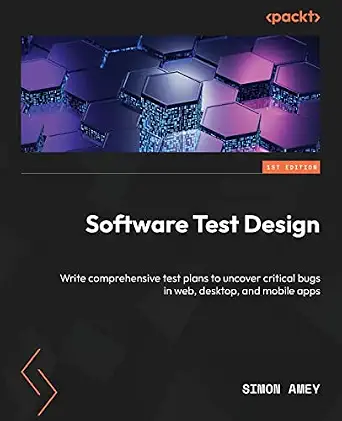 | Best for Practical Test Planning | Topic: Test design and test planning | Platforms Covered: Web, desktop, and mobile apps | Focus: Comprehensive test plans and critical bug discovery | VIEW LATEST PRICE | See Our Full Breakdown |
| Effective Software Testing: A Developer’s Guide |  | Best for Developer Mindsets | Format: Book (Developer’s Guide) | Target Audience: Developers and software engineering students | Core Focus: Practical testing strategies and best practices | VIEW LATEST PRICE | See Our Full Breakdown |
| All You Need to Know About Software Testing: From Beginner to Job-Ready QA Engineer |  | Best Career Starter | Format: Book (Beginner to Job-Ready guide) | Target Audience: Beginners and aspiring QA engineers | Topics Covered: Manual testing, automation, APIs, Selenium, Playwright, CI/CD, AI-assisted QA | VIEW LATEST PRICE | See Our Full Breakdown |
| AI Integrated Software Automation Testing with Java and Selenium |  | Best for Automation Specialists | Programming Language: Java | Framework: Selenium WebDriver, TestNG | AI Features: GitHub Co-Pilot integration, flaky test detection | VIEW LATEST PRICE | See Our Full Breakdown |
| Full Stack Testing: A Practical Guide for Delivering High Quality Software |  | Best for Big-Picture Thinkers | Format: Book (Practical guide) | Target Audience: Developers and QA professionals | Core Focus: Full stack testing strategies for quality delivery | VIEW LATEST PRICE | See Our Full Breakdown |
| software testing tools for student | Format | Topic |
|---|---|---|
| Elevating Software Testing wit | Book | AI-enhanced software testing |
| Lessons Learned in Software Te | Book | Software testing wisdom and context-driven methodology |
| Learning Selenium Testing Tool | Book with tutorials | Selenium web automation with Python |
| Foundations of Software Testin | Book | Software testing fundamentals |
| Software Test Design: Write Co | Book | Test design and test planning |
| Effective Software Testing: A | Book (Developer’s Guide) | — |
| All You Need to Know About Sof | Book (Beginner to Job-Ready guide) | — |
| AI Integrated Software Automat | — | — |
| Full Stack Testing: A Practica | Book (Practical guide) | — |
More Details on Our Top Picks
Elevating Software Testing with Artificial Intelligence
Most student-oriented testing books, like Foundations of Software Testing ISTQB Certification, ground you in established fundamentals — this one points forward instead. Elevating Software Testing with Artificial Intelligence stands out for covering AI-driven testing techniques, a topic that barely exists in traditional certification texts and that could differentiate a student resume in internship applications. Compared with AI Integrated Software Automation Testing with Java and Selenium, which ties AI to a specific code stack, this book keeps the discussion broader and more conceptual. The tradeoff is real, though: it lacks detailed technical examples, so a student hoping to build working AI test automation will still need a hands-on companion title. Sparse publisher and edition information also makes it harder to verify currency in a fast-moving field. This pick makes the most sense as a second book, not a first one.
Pros:- Covers AI-driven testing methods rarely found in student-level books
- Explores efficiency and accuracy improvements from a future-oriented angle
- Broad enough to apply across languages and tools
- Useful primer before tackling code-heavy AI automation books
Cons:- Lacks detailed technical examples, limiting practical application
- Minimal publisher and edition information makes freshness hard to verify
- AI testing guidance ages quickly compared to timeless fundamentals texts
Best for: CS students who already know testing basics and want to add AI-era skills to their resume before applying for internships
Not ideal for: Students who need hands-on, runnable code examples — the conceptual treatment won’t get an automation project built
- Topic:AI-enhanced software testing
- Focus:Innovative techniques and practical applications
- Audience:Students and developers with basic testing knowledge
- Skill Level:Intermediate
- Approach:Conceptual and technique-driven
- Technical Examples:Limited
- Format:Book
Our verdict“A forward-looking supplement for students who already grasp fundamentals and want to talk intelligently about AI in testing interviews.”
Lessons Learned in Software Testing: A Context-Driven Approach
Where Foundations of Software Testing ISTQB Certification teaches the rules, this classic teaches you when to break them. Lessons Learned in Software Testing delivers hard-won wisdom from working testers, organized around the context-driven philosophy that no testing practice fits every project — exactly the judgment interviewers probe for when they ask how you’d approach a real bug hunt. Compared with Software Test Design, which focuses on producing test plans, this book sharpens the thinking that happens before any document is written. The drawbacks: it predates modern tooling and cloud-era practices, and its lesson-based structure means less structured, exam-ready coverage than certification-aligned titles. A student pairing this with a fundamentals book gets both the framework and the street smarts.
Pros:- Teaches practical judgment from real testing experience
- Context-driven approach builds adaptable thinking
- Timeless lessons that survive tool and framework churn
- Readable lesson format suits short study sessions
Cons:- Doesn’t map to any certification syllabus
- Older material with limited coverage of modern automation and tooling
- Content depth is hard to gauge before purchase due to sparse detail
Best for: Students preparing for QA interviews who want to reason like an experienced tester, not just recite definitions
Not ideal for: Learners preparing for the ISTQB Foundation exam — this book isn’t aligned to that syllabus
- Topic:Software testing wisdom and context-driven methodology
- Approach:Lessons and experience-based
- Audience:Aspiring and working testers, QA professionals
- Certification Alignment:None
- Skill Level:Beginner to intermediate
- Format:Book
- Structure:Lesson-based chapters
Our verdict“The thinking-tester’s book — ideal as a companion to a certification text for students who want interview-ready judgment.”
Learning Selenium Testing Tools with Python
If the goal is a portfolio project rather than a certificate, this is the most directly employable title here. Learning Selenium Testing Tools with Python walks through setup, scripting, and best practices for automated web testing — the exact skill QA job postings list most often. Compared with AI Integrated Software Automation Testing with Java and Selenium, this Python-based option has a gentler learning curve, since Python is what most students already know from coursework. It’s also the practical counterweight to Lessons Learned in Software Testing: that book explains why testing matters, while this one produces runnable scripts. The tradeoffs are honest ones — troubleshooting coverage is thin, so expect frustration when environments misbehave, and true beginners with no programming background will find it steep. Some material also lags behind current Selenium versions.
Pros:- Teaches the most in-demand QA automation skill combination
- Python makes it accessible to students from CS coursework
- Practical tutorials that produce working scripts
- Directly portfolio-relevant for job applications
Cons:- Weak troubleshooting sections leave beginners stuck on setup issues
- Too technical for students without prior programming
- Some content may lag behind the latest Selenium releases
Best for: Students with basic Python skills who want to build a real automation project for their portfolio
Not ideal for: Students with no coding experience — the book assumes programming familiarity from the start
- Topic:Selenium web automation with Python
- Language:Python
- Tool Coverage:Selenium testing tools
- Includes:Setup guidance, scripting, best practices
- Prerequisite:Basic programming knowledge
- Skill Level:Intermediate
- Format:Book with tutorials
Our verdict“The best choice for turning classroom Python into a demonstrable QA automation skill — if you already code.”
Foundations of Software Testing ISTQB Certification, 4th Edition
This earns the top spot because it solves the single biggest problem a student tester faces: credibility without job experience. Foundations of Software Testing ISTQB Certification maps directly to the ISTQB Foundation syllabus, the most widely recognized entry-level testing credential, and doubles as a structured fundamentals course even for students who skip the exam. Compared with All You Need to Know About Software Testing, which takes a career-path angle, this book offers the exam-aligned rigor that hiring managers and recruiters recognize by name. It also pairs well with Learning Selenium Testing Tools with Python — theory here, hands-on practice there. The tradeoffs: the prose runs technical and dry, casual readers will find the terminology dense, and the book won’t itself teach you to write code or automate anything.
Pros:- Aligned with the globally recognized ISTQB Foundation certification
- Systematic coverage from fundamentals through test techniques
- Serves as both exam prep and a complete beginner’s textbook
- 4th edition reflects the current ISTQB syllabus
Cons:- Technical, terminology-heavy prose challenges casual readers
- No practical automation or coding instruction
- Certification exam costs are additional and not included
Best for: Students pursuing the ISTQB Foundation certification or wanting a recognized structured path into QA
Not ideal for: Casual learners wanting a light, conversational introduction — the syllabus-driven style is dense
- Topic:Software testing fundamentals
- Edition:4th Edition
- Certification Alignment:ISTQB Foundation Level
- Audience:Beginners through experienced testers
- Skill Level:Beginner to intermediate
- Format:Book
- Use Case:Exam prep and foundational study
Our verdict“The strongest single starting point for a student tester — one book that covers fundamentals and a credential employers recognize.”
Software Test Design: Write Comprehensive Test Plans to Uncover Critical Bugs in Web, Desktop, and Mobile Apps
This pick fills a specific gap the others leave open: nobody else in this lineup teaches you to actually write the test plan document. Software Test Design covers planning across web, desktop, and mobile apps, which matters for students doing capstone or group projects where a professor expects a structured test strategy, not just bug tickets. Compared with Lessons Learned in Software Testing, which builds philosophy and judgment, this book delivers concrete deliverables — templates, techniques, and strategies for finding critical bugs. It sits between Foundations of Software Testing ISTQB Certification (theory, certification) and Learning Selenium Testing Tools with Python (code, automation) as the planning-layer skill. The drawbacks: it assumes some QA vocabulary, offers no automation content, and the absence of reviews or ratings makes quality harder to verify before buying.
Pros:- Practical guidance on writing real test plan documents
- Platform-agnostic: covers web, desktop, and mobile
- Focused on uncovering critical bugs, not just checking boxes
- Directly useful for coursework deliverables
Cons:- Assumes prior familiarity with QA terminology
- No automation or tool-based content
- No customer reviews or ratings available to verify quality
Best for: Students working on capstone or group projects who must produce real test plans across platforms
Not ideal for: Students seeking automation or coding skills — this book stays entirely at the planning and design layer
- Topic:Test design and test planning
- Platforms Covered:Web, desktop, and mobile apps
- Focus:Comprehensive test plans and critical bug discovery
- Audience:Students and junior testers
- Prerequisite:Basic QA vocabulary
- Automation Content:None
- Format:Book
Our verdict“The go-to title when a course or project demands a professional-grade test plan rather than code or theory alone.”
Effective Software Testing: A Developer’s Guide
Most testing books are written for QA specialists, but this one speaks directly to developers who write tests as part of their coding workflow. Compared with All You Need to Know About Software Testing, which spans the entire QA career path, this guide goes deeper into practical testing strategies a developer applies every day — from designing good test cases to avoiding brittle suites. This pick makes the most sense for students in software engineering programs who already code and want testing to become a habit rather than a separate discipline. The tradeoff is scope: it won’t walk you through CI/CD pipelines or automation frameworks the way broader career guides do, and the absence of reader reviews means you’re trusting the author’s reputation alone.
Pros:- Teaches testing from a developer’s perspective rather than a QA-department view
- Practical strategies that transfer directly to coursework and coding projects
- Covers a range of methodologies without drowning the reader in theory
- Compact enough to read alongside a full course load
Cons:- No coverage of modern automation pipelines or AI-assisted testing
- Lacks reader reviews or ratings to validate real-world reception
Best for: Computer science students and junior developers who write code daily and want to embed testing discipline into their development workflow
Not ideal for: Career-changers pursuing a dedicated QA engineer role — the developer-centric framing skips manual testing fundamentals and job-hunting guidance
- Format:Book (Developer’s Guide)
- Target Audience:Developers and software engineering students
- Core Focus:Practical testing strategies and best practices
- Coverage:Multiple testing methodologies
- Difficulty Level:Intermediate — assumes programming background
- Includes Code Examples:Yes, practical tips throughout
Our verdict“If you’re a coding student who wants testing to feel like a natural part of development rather than an afterthought, this is the guide to pick up.”
All You Need to Know About Software Testing: From Beginner to Job-Ready QA Engineer
Among all the titles in this roundup, this is the broadest on-ramp for someone starting from zero. It stretches from manual testing basics all the way to Selenium, Playwright, CI/CD, and AI-assisted QA — territory that Effective Software Testing deliberately skips because of its developer-first focus. That breadth is the whole point: a student can move from ‘what is a test case?’ to interview-ready automation skills with a single purchase. The tradeoff is depth. Because it covers so much ground, no single topic gets the concentrated treatment you’d find in a specialized Selenium or test-design book, and students who already know manual testing will skim the early chapters entirely.
Pros:- Full journey coverage: manual testing, automation, APIs, Selenium, and Playwright in one place
- Includes modern topics like CI/CD and AI-assisted QA that older testing books omit
- Explicitly structured around becoming employable, not just passing a course
- Beginner-friendly entry point with no prerequisites
Cons:- Breadth comes at the cost of depth on any single tool or technique
- No reader reviews or ratings yet to confirm how well the material lands
Best for: Students and career-changers with no QA background who want one affordable resource to carry them from first principles to job-ready skills
Not ideal for: Learners who already hold an ISTQB foundation or hands-on QA experience — the beginner pacing and broad strokes will feel repetitive
- Format:Book (Beginner to Job-Ready guide)
- Target Audience:Beginners and aspiring QA engineers
- Topics Covered:Manual testing, automation, APIs, Selenium, Playwright, CI/CD, AI-assisted QA
- Career Focus:Job-ready QA engineer preparation
- Difficulty Level:Beginner to intermediate
- Prerequisites:None
- Includes Modern Tooling:Yes — AI-assisted QA included
Our verdict“For a student who wants one book to take them from testing novice to QA job candidate, this covers more ground than anything else in the lineup.”
AI Integrated Software Automation Testing with Java and Selenium
This is the most technically ambitious entry here, combining Java, Selenium WebDriver, and TestNG with genuinely modern AI features — including GitHub Co-Pilot integration and machine learning-based flaky test detection. Compared with Learning Selenium Testing Tools with Python elsewhere in this roundup, this option doubles down on the enterprise-standard Java stack and adds an AI layer nothing else in the lineup matches. For students targeting automation engineering roles at companies that run Java test suites, that alignment matters more than Python’s easier learning curve. The catch is the entry barrier: you need working Java knowledge first, and anyone still learning programming basics will stall in the early chapters. Pricing transparency is also thin, so budget carefully before committing.
Pros:- Teaches the Java + Selenium + TestNG stack most enterprises actually use
- AI features like Co-Pilot integration put it ahead of conventional automation guides
- Flaky test detection with machine learning addresses a real pain point in large suites
- Skills map directly to automation engineer job postings
Cons:- Requires prior Java and Selenium experience to follow along
- No clear pricing information available before purchase
Best for: Intermediate students comfortable with Java who want to specialize in AI-enhanced test automation for enterprise environments
Not ideal for: Beginners still learning to code — the Java and Selenium prerequisites make this a frustrating first testing resource
- Programming Language:Java
- Framework:Selenium WebDriver, TestNG
- AI Features:GitHub Co-Pilot integration, flaky test detection
- Machine Learning:Yes
- Prerequisites:Java and Selenium knowledge required
- Target Audience:Automation-focused students and engineers
- Focus:Enterprise test automation
Our verdict“If you already write Java and want to build career-defining automation skills with an AI edge, this is the most forward-looking pick in the roundup.”
Full Stack Testing: A Practical Guide for Delivering High Quality Software
Where Effective Software Testing zooms into the developer’s daily habits, this book pulls back to the entire delivery pipeline — how testing fits across front-end, back-end, and everything in between. That systems-level view is what separates it from every tool-specific title in this roundup: instead of mastering Selenium or TestNG in isolation, students learn where each testing layer belongs in a real product. This makes it a strong companion read for capstone projects or internships where you touch a whole application rather than one component. The tradeoff is precision — readers hunting for deep code examples or step-by-step tool tutorials will find the coverage too broad, and it works better as a second testing book than a first one.
Pros:- Connects testing strategy across the full application stack rather than one layer
- Practical guidance that mirrors how real development and QA teams collaborate
- Frames quality as a delivery goal, matching how employers evaluate software
- Suits both developers and QA-track students, unlike single-audience titles
Cons:- Too broad for readers seeking in-depth coverage of any single testing tool
- Sparse on concrete code examples compared with tool-focused guides
Best for: Students working on capstone projects or preparing for internships where they need to understand testing across an entire application stack
Not ideal for: Readers who want hands-on tutorial depth with a specific tool — the wide scope leaves little room for detailed code walkthroughs
- Format:Book (Practical guide)
- Target Audience:Developers and QA professionals
- Core Focus:Full stack testing strategies for quality delivery
- Coverage:Testing methodologies, tools, and best practices
- Difficulty Level:Intermediate — best after fundamentals
- Perspective:End-to-end software quality
- Includes Code Examples:Limited — strategy-focused
Our verdict“Buy this once you understand the basics and need to see how testing pieces fit together across a real application — not as your first book.”

How We Picked
I judged each of these nine titles against what actually determines a student’s outcome: practical applicability to coursework and portfolios, learning curve relative to assumed prerequisites, career relevance, and value for money. Books that included exercises, runnable examples, or projects scored higher on applicability, because a student who can demonstrate a working test suite has something tangible for interviews. I also weighed how much prior knowledge each book assumes — a brilliant automation guide is useless to someone who has never written a loop, so accessibility factored heavily into the rankings.
Career relevance broke ties. Titles aligned with certifications (ISTQB), in-demand tools (Selenium, Python, Java), or emerging areas (AI-assisted testing) earned credit for connecting study time to job postings. Finally, I penalized picks that overlap too heavily with free material or that serve a niche audience without warning readers, since students rarely have budget for redundant purchases. That logic places practical, widely applicable guides at the top and specialized or philosophical titles lower.
| software testing tools for student | Topic | Format |
|---|---|---|
| Elevating Software Testing wit | AI-enhanced software testing | Book |
| Lessons Learned in Software Te | Software testing wisdom and context-driven methodology | Book |
| Learning Selenium Testing Tool | Selenium web automation with Python | Book with tutorials |
| Foundations of Software Testin | Software testing fundamentals | Book |
| Software Test Design: Write Co | Test design and test planning | Book |
| Effective Software Testing: A | — | Book (Developer’s Guide) |
| All You Need to Know About Sof | — | Book (Beginner to Job-Ready guide) |
| AI Integrated Software Automat | — | — |
| Full Stack Testing: A Practica | — | Book (Practical guide) |
Factors to Consider When Choosing Software Testing Tools For Students
Before spending money on any testing resource, match the purchase to where you are in your studies and where you want to be in two years. These are the factors that matter most when choosing among software testing books and learning tools as a student.Match the Resource to Your Career Direction
The biggest mistake students make is buying a testing book before deciding between a manual QA career, an automation engineer path, or a developer who tests role. Certification-focused and fundamentals books serve the first path; Selenium and Python guides serve the second; developer-oriented testing books serve the third. A mismatch wastes a semester on material you will never apply. If you are undecided, a general foundations book costs less to outgrow than a specialized automation guide does. Talk to upper-year students or check job listings in your target city before committing to a specialty.
Honest Assessment of Your Coding Skills
Many automation books quietly assume you can already write basic scripts, and students discover this only after purchase. If loops, functions, and libraries still feel shaky, start with a manual testing and test design resource and learn programming in parallel. Jumping into a Java-based Selenium book without Java fundamentals produces frustration, not skill. Python-based options are more forgiving as a first automation language because the syntax stays readable. Buy the automation book only when you can build a small program without following a tutorial line by line.
Certification Versus Practical Skill
The ISTQB Foundation certification carries weight in Europe and in traditional enterprise QA hiring, but it validates vocabulary and process knowledge, not hands-on ability. Interviewers increasingly ask candidates to write or critique actual test cases on the spot. If your local job market prizes the certificate, a certification guide is a rational purchase. If it does not, the same money buys an automation book that produces portfolio evidence. Some students benefit from both, but the certificate book should come first only when a specific job posting requires it.
Currency of Content
Software testing changes quickly — AI-assisted test generation, CI/CD integration, and modern browser automation frameworks have shifted practice considerably. Check the publication or revision date before buying, and be skeptical of older editions covering deprecated tool versions or dead frameworks. Older books still teach timeless test design principles well, but screenshots, setup instructions, and API references age badly. A fourth-edition update of a classic is usually a safe bet; a decade-old first edition usually is not. Newer AI-focused titles justify their price only if they cover tools you can actually download and use today.
Budget Strategy for Students
Testing books range widely in price, and students often over-invest in overlapping material. A smarter approach is one primary resource per skill area: one for fundamentals, one for automation, and at most one for a specialty like AI testing. Supplement with free documentation, official tool tutorials, and YouTube walkthroughs before adding another paid book. Used copies and older editions of theory-heavy books are fine, since test design principles change slowly — but always buy current editions of tool-specific guides. Resist bundling purchases at checkout; most students need two well-chosen books, not five.
Exercises and Portfolio Value
The resources that pay off longest are those that leave you with something to show. Books containing projects, exercises, and buildable test suites convert reading time into interview evidence. Purely conceptual books can be finished quickly but leave no artifact behind. When comparing two similar titles, choose the one that ends with a capstone project or a GitHub-ready codebase. Employers hiring junior testers respond far more strongly to a working automation suite than to a list of books read, so weight this factor heavily.
Frequently Asked Questions
Should I learn manual testing before automation tools like Selenium?
Yes, in almost every case. Manual testing teaches you what to test and why — test design, boundary analysis, and risk thinking — while Selenium only teaches you how to execute checks in code. Students who jump straight to automation often write technically correct scripts that test the wrong things. Spend a few weeks with a test design resource first, then learn a scripting language, then move into automation. The exception is students who already code confidently and understand testing concepts from coursework, who can combine both tracks at once using a Python-based Selenium guide.
Is the ISTQB certification worth it for a student in 2026?
It depends on your job market. ISTQB Foundation Level remains a strong signal in Europe, India, and large enterprises with formal QA departments, and some postings list it as a requirement. In startup and product-company hiring, it carries less weight than a portfolio of automated tests. If you are applying to structured graduate QA schemes, the certification guide is a worthwhile purchase. Otherwise, spend the money and study hours on an automation book and a public GitHub project — that combination generates more interviews per hour invested than exam preparation does.
Which programming language should I learn first for test automation?
Python is the friendliest starting point for most students: readable syntax, a huge testing ecosystem, and abundant beginner material make the learning curve gentle. Java remains common in enterprise automation and pairs well with the Selenium ecosystem, but it demands more upfront study of object-oriented concepts before you can write useful tests. Pick the language that matches the jobs you want — scan local postings and mirror them. Switching languages later is far easier once you understand automation concepts, so the first choice matters less than starting at all.
Are AI-powered testing books worth buying as a student, or is it too early?
They are worth it only after you have fundamentals in place. The AI-focused titles in this roundup assume you can already script, understand test structure, and debug tooling — AI assistance accelerates existing skills rather than replacing them. A student who buys an AI automation book before learning basic testing spends the whole time fighting prerequisites instead of learning AI applications. Treat AI testing as a second-year investment: fundamentals first, conventional automation second, AI integration third. That order also protects you, since AI tooling changes fast enough that a book bought too early may be outdated by the time you can use it.
Can I get by with free online resources instead of buying books?
You can cover basics like testing terminology, SDLC models, and tool setup documentation for free, and I would not pay for that content. Where paid books earn their price is structured progression and curated practice — a well-designed guide sequences concepts, provides exercises, and corrects common misconceptions in ways scattered tutorials do not. Free resources also tend to skip test design thinking, which is exactly the skill interviews probe hardest. A reasonable compromise is one strong book on test design plus free tool documentation for everything else. Budget students should prioritize that single book and borrow or skip the rest.
Conclusion
The right pick depends entirely on where you are headed. For best overall, Effective Software Testing: A Developer’s Guide delivers the most transferable, immediately applicable skill for the widest range of students. For best value, Lessons Learned in Software Testing packs more professional insight per dollar than anything else here, provided you treat it as a supplement. The best choice for beginners is All You Need to Know About Software Testing, which walks a complete novice to job-ready without assuming code. For certification-driven students, Foundations of Software Testing ISTQB Certification, 4th Edition is the only pick aligned to the exam. Specific needs round out the list: Learning Selenium Testing Tools with Python for first-time automators, AI Integrated Software Automation Testing with Java and Selenium for experienced coders moving into AI-assisted testing, Elevating Software Testing with Artificial Intelligence for AI-focused study, Software Test Design for deep test-case craft, and Full Stack Testing for final-year students preparing for real team environments. Choose by destination, not by price — one well-matched book beats three impulse purchases every time.
Halloween Picks
halloween
As an affiliate, we earn on qualifying purchases.