
TL;DR

Get business pricing on monitors, keyboards and dev gear
- Business-only prices and quantity discounts
- Tax-exempt purchasing
- Multiple users, one account, clear invoices
Thermal paste should typically be replaced every 3-5 years or when overheating occurs. Experts recommend monitoring temperatures and inspecting for degradation. This helps maintain device performance and prevent damage.
Experts advise that thermal paste on CPUs and GPUs should be replaced approximately every 3-5 years or when signs of overheating emerge, according to hardware maintenance specialists. This timing helps prevent performance issues and potential hardware damage, making it a key maintenance step for PC builders and users.
Thermal paste, a compound applied between the processor and its heatsink, facilitates heat transfer. Over time, it can dry out, crack, or become less effective, leading to increased temperatures. While there is no fixed schedule for replacement, most experts recommend inspecting and replacing thermal paste every 3 to 5 years, especially if users notice rising temperatures or system instability.
Indicators of degraded thermal paste include higher CPU or GPU temperatures, system crashes, or thermal throttling. Routine checks involve monitoring temperature readings during typical workloads and inspecting the paste visually if possible. If the paste appears dry, cracked, or uneven, replacement is advised.
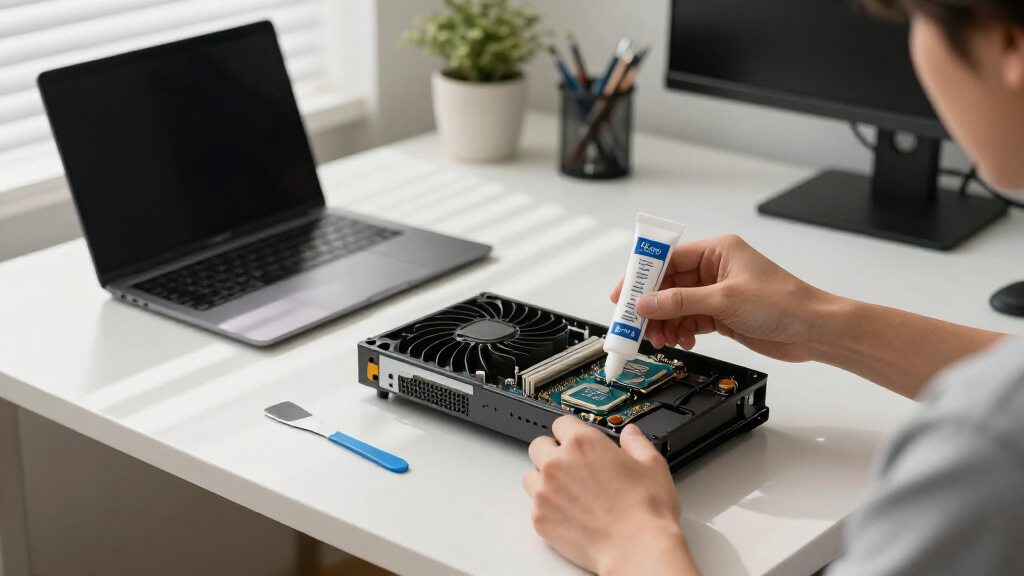
Replacing thermal paste is a straightforward process that involves removing the heatsink, cleaning off the old compound, and applying a fresh layer. Proper application ensures optimal heat transfer and prolongs hardware lifespan. Experts caution against excessive application, which can reduce efficiency.
Why Timely Thermal Paste Replacement Prevents Hardware Damage
Replacing thermal paste at the right intervals is essential for maintaining optimal cooling performance. Neglecting this maintenance can lead to higher operating temperatures, which may cause thermal throttling, reduced performance, or even permanent damage to CPUs and GPUs. Regular replacement extends hardware lifespan and ensures stable operation, especially for high-performance or overclocked systems.
thermal paste replacement kit for CPU
As an affiliate, we earn on qualifying purchases.
As an affiliate, we earn on qualifying purchases.
Thermal Paste Degradation and Maintenance Practices
Thermal paste has been a standard component of PC assembly for decades, with recommendations evolving as new materials and designs emerge. Historically, most users replaced thermal paste during major upgrades or system maintenance. Recent expert consensus suggests that routine inspection and replacement every 3-5 years can prevent overheating issues, especially as thermal compounds age or if systems are used in high-temperature environments.
While some high-end thermal pastes last longer, older or lower-quality compounds tend to dry out faster. Manufacturers generally do not specify exact replacement intervals, emphasizing the importance of monitoring system temperatures and visual inspection as practical indicators.
“Visual inspection of the paste can reveal cracks or dryness, signaling it’s time for a replacement.”
— Tech hardware reviewer Mark Johnson
high-performance thermal paste for GPU
As an affiliate, we earn on qualifying purchases.
As an affiliate, we earn on qualifying purchases.
Uncertainties in Optimal Replacement Timing and Methods
While experts agree on a general timeframe, the exact timing for replacing thermal paste can vary based on factors such as paste quality, system usage, and environmental conditions. There is no universally fixed interval, and some users may experience longer or shorter durations before degradation becomes problematic. Additionally, the best application techniques and types of thermal paste are still subjects of debate among enthusiasts.
Further research is ongoing to determine if newer compounds can extend replacement intervals or improve thermal performance significantly.
As an affiliate, we earn on qualifying purchases.
Next Steps for Users and System Builders
Users should monitor their system temperatures regularly and perform visual inspections during routine maintenance. When temperatures rise or the paste appears degraded, replacing it can restore optimal cooling. Hardware manufacturers and thermal paste producers are expected to continue refining materials, potentially leading to longer-lasting compounds. Future updates may include more precise guidelines based on new research and product developments.
As an affiliate, we earn on qualifying purchases.
Key Questions
How do I know if my thermal paste needs replacing?
Indicators include higher-than-normal temperatures, system crashes, or visible cracks and dryness in the paste during inspection.
Can I replace thermal paste myself?
Yes, replacing thermal paste is a straightforward process that involves removing the heatsink, cleaning the old paste, and applying a new layer. Many tutorials are available online.
What type of thermal paste should I use?
Choose a high-quality thermal compound suited for your system’s needs. Popular options include ceramic, metal-based, or carbon-based pastes, depending on performance requirements.
Is it necessary to replace thermal paste during every system upgrade?
Not necessarily. If the existing paste is in good condition and temperatures are stable, replacement may not be needed. Routine inspection is recommended.
Source: rss
Fall Picks
fall essentials
As an affiliate, we earn on qualifying purchases.