For most developers, I’d choose the Samsung T9 2TB as the best overall portable SSD here: it pairs ample working capacity with fast USB 3.2 Gen 2×2 performance, provided your computer supports that interface. The SanDisk Extreme Portable SSD 2TB is a strong alternative for a rugged everyday drive, while the SanDisk Extreme PRO 4TB suits large projects and heavier transfer workloads. The main tradeoffs are speed versus host-device compatibility, capacity versus portability, and rugged protection versus a simpler, less specialized drive. I compare all 14 options by how well they fit real development tasks, so keep reading for the full breakdown.

Get business pricing on monitors, keyboards and dev gear
- Business-only prices and quantity discounts
- Tax-exempt purchasing
- Multiple users, one account, clear invoices
Key Takeaways
- The Samsung T9 2TB leads as an all-around work drive, but its Gen 2×2 speed advantage depends on a computer with matching USB support; otherwise, a less expensive, slower-tier drive may perform similarly.
- The SanDisk Extreme PRO 4TB is the capacity-and-throughput outlier in this lineup, making it more relevant for large repositories, virtual machines, and frequent bulk transfers than for ordinary source-code storage.
- Several SanDisk models differ mainly by speed tier and capacity: compare the stated interface and rated speed rather than assuming every “Extreme Portable SSD” model performs alike.
- 500GB models can work for active code and a small toolchain, but operating-system images, containers, build artifacts, and local backups can fill that space faster than source files alone suggest.
- Ruggedness is a practical differentiator, not a speed upgrade: the Samsung T7 Shield and SanDisk Extreme models suit mobile work better than a basic portable SSD, while the Samsung T7 offers a simpler, more restrained alternative.
| SanDisk Extreme Portable SSD 4TB |  | Best for Large Developer Workspaces | Storage capacity: 4 TB | Read speed: Up to 1,050 MB/s | Write speed: Up to 1,000 MB/s | VIEW LATEST PRICE | See Our Full Breakdown |
| SanDisk 1TB Portable USB-C Drive, Up to 600MB/s Read Speed, Black |  | Best Compact Starter Drive | Storage capacity: 1 TB | Read speed: Up to 600 MB/s | Connectivity: USB Type-C | VIEW LATEST PRICE | See Our Full Breakdown |
| SanDisk 2TB Portable SSD, Up to 1000 MB/s Read Speed, Black |  | Best Value for Everyday Projects | Storage capacity: 2 TB | Maximum read speed: Up to 1,000 MB/s | Interface: USB 3.0 | VIEW LATEST PRICE | See Our Full Breakdown |
| Samsung T9 Portable SSD 2TB, USB 3.2 Gen 2×2 External Solid State Drive | 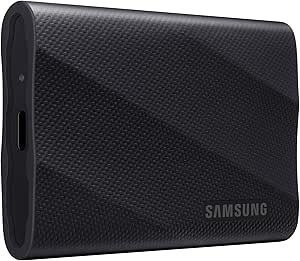 | Best Premium Performance | Storage capacity: 2 TB | Interface: USB 3.2 Gen 2×2 | Maximum read speed: Up to 2,000 MB/s | VIEW LATEST PRICE | See Our Full Breakdown |
| SanDisk Extreme Portable SSD, 2TB | | Best for Protected, Secure Field Work | Storage capacity: 2 TB | Read speed: Up to 1,050 MB/s | Write speed: Up to 1,000 MB/s | VIEW LATEST PRICE | See Our Full Breakdown |
| SanDisk 1TB Portable SSD, Up to 1000 MB/s Read Speed, Black | | Best for Straightforward Project Storage | Storage capacity: 1 TB | Read speed: Up to 1000 MB/s | Interface: USB 3.0 | VIEW LATEST PRICE | See Our Full Breakdown |
| SanDisk Extreme PRO Portable SSD, 4TB, Up to 4,000 MB/s |  | Best for High-Throughput Workloads | Storage capacity: 4 TB | Read speed: Up to 4,000 MB/s | Write speed: Up to 3,800 MB/s | VIEW LATEST PRICE | See Our Full Breakdown |
| SanDisk 500GB Portable SSD, Up to 1000MB/s Read Speed, Black | | Best for Lightweight, Small Projects | Storage capacity: 500 GB | Drive type: Portable SSD | Read speed: Up to 1000 MB/s | VIEW LATEST PRICE | See Our Full Breakdown |
| SanDisk Extreme Portable SSD, 500GB, Up to 2000MB/s |  | Best Compact Rugged Pick | Storage capacity: 500 GB | Maximum read speed: Up to 2000 MB/s | Interface: USB 3.0 | VIEW LATEST PRICE | See Our Full Breakdown |
| SanDisk 1TB Extreme Portable SSD, Up to 1050MB/s | | Best for Balanced Capacity and Portability | Storage capacity: 1 TB | Read speed: Up to 1050 MB/s | Write speed: Up to 1000 MB/s | VIEW LATEST PRICE | See Our Full Breakdown |
| SanDisk Extreme Portable SSD, 1TB, Up to 2000MB/s | | Best for Compact, Rugged Portability | Storage capacity: 1 TB | Maximum read speed: Up to 2,000 MB/s | Interface: USB 3.0 | VIEW LATEST PRICE | See Our Full Breakdown |
| Samsung T7 Shield 1TB Portable SSD, USB 3.2 Gen 2 |  | Best for Rugged, Balanced Transfers | Storage capacity: 1 TB | Interface: USB 3.2 Gen 2 | Maximum read speed: Up to 1,050 MB/s | VIEW LATEST PRICE | See Our Full Breakdown |
| SanDisk Extreme Portable SSD 2TB, Up to 2000MB/s | | Best for Rugged 2TB Project Storage | Storage capacity: 2 TB | Maximum read speed: Up to 2,000 MB/s | Interface: USB 3.0 | VIEW LATEST PRICE | See Our Full Breakdown |
| Samsung T7 Portable SSD, 1TB, Titan Gray | 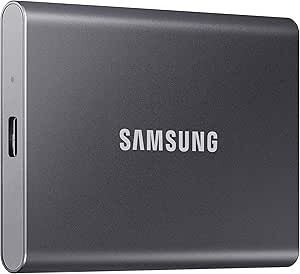 | Best for Everyday Desk-to-Desk Use | Capacity: 1 TB | Connectivity: USB 3.2 Gen 2 | Maximum read speed: Up to 1,050 MB/s | VIEW LATEST PRICE | See Our Full Breakdown |
| portable SSDs for developer | Storage capacity | Interface | Drop protection | Read speed |
|---|---|---|---|---|
| SanDisk Extreme Portable SSD 4 | 4 TB | — | — | Up to 1,050 MB/s |
| SanDisk 1TB Portable USB-C Dri | 1 TB | — | Up to 2 meters | Up to 600 MB/s |
| SanDisk 2TB Portable SSD | 2 TB | USB 3.0 | Up to 2 meters | — |
| Samsung T9 Portable SSD 2TB | 2 TB | USB 3.2 Gen 2×2 | — | — |
| SanDisk Extreme Portable SSD | 2 TB | USB 3.2 Gen 2 | — | Up to 1,050 MB/s |
| SanDisk 1TB Portable SSD | 1 TB | USB 3.0 | Up to 2 meters | Up to 1000 MB/s |
| SanDisk Extreme PRO Portable S | 4 TB | — | — | Up to 4,000 MB/s |
| SanDisk 500GB Portable SSD | 500 GB | USB 3.0 | Up to 2 meters | Up to 1000 MB/s |
| SanDisk Extreme Portable SSD | 500 GB | USB 3.0 | — | — |
| SanDisk 1TB Extreme Portable S | 1 TB | USB 3.0 | Up to 3 meters | Up to 1050 MB/s |
| SanDisk Extreme Portable SSD | 1 TB | USB 3.0 | Up to 3 meters | — |
| Samsung T7 Shield 1TB Portable | 1 TB | USB 3.2 Gen 2 | Tested up to 9.8 feet (3 meters) | — |
| SanDisk Extreme Portable SSD 2 | 2 TB | USB 3.0 | Up to 3 meters | — |
| Samsung T7 Portable SSD | — | — | Up to 6 feet | — |
More Details on Our Top Picks
SanDisk Extreme Portable SSD 4TB
When a development setup needs room for several repositories, container images, virtual machines, and project archives, this model’s 4TB capacity is the main reason to choose it. Its stated speeds of up to 1,050 MB/s read and 1,000 MB/s write suit large transfers, though actual performance depends on the host and connection. Compared with the SanDisk Extreme Portable SSD 2TB, this drive offers twice the listed storage while keeping similar speed claims and protective features; the tradeoff is carrying more capacity than a smaller active-project library may need. The IP65 rating, drop protection, and carabiner loop suit mobile work, while AES hardware encryption adds a security option. Password protection requires software, including a Mac download, and compatible hardware is needed to reach stated speeds.
Pros:- 4TB capacity accommodates large project libraries, virtual machines, and archives.
- Read and write speeds are stated at up to 1,050 MB/s and 1,000 MB/s.
- IP65 water and dust resistance and up to 3-meter drop protection suit mobile work.
- Carabiner loop and 256-bit AES hardware encryption add carrying and data-protection options.
Cons:- Actual transfer speeds depend on the host device and other conditions.
- Password protection requires software, including a download for Mac.
- Its capacity is more than many developers need for a small active-project set.
Best for: Developers who carry several active projects, virtual machines, and archived builds between workstations and need one high-capacity drive.
Not ideal for: Developers who only move a few repositories or need the smallest, simplest project drive; the 4TB capacity may be unnecessary, and password protection involves software setup.
- Storage capacity:4 TB
- Read speed:Up to 1,050 MB/s
- Write speed:Up to 1,000 MB/s
- Connectivity:USB; USB 3.2 Gen 2
- Protection:Up to 3-meter drop protection; IP65 water and dust resistance
- Encryption:256-bit AES hardware encryption
- Compatible platforms:Mac, PC
- Form factor and color:Portable; black
Our verdict“Choose this when you need 4TB for a mobile development library; pick the 2TB SanDisk Extreme instead if that capacity is enough.”
SanDisk 1TB Portable USB-C Drive, Up to 600MB/s Read Speed, Black
This is the most straightforward fit here for developers who want a pocket-sized 1TB drive for source trees, documentation, and a modest set of work files. USB-C connectivity and compatibility with computers, tablets, and smartphones make it easy to move files across devices, while the no-moving-parts design and 2-meter drop protection add reassurance in a bag. Its stated read speed reaches 600 MB/s, well below the SanDisk 2TB Portable SSD at up to 1,000 MB/s, so large builds or frequent bulk transfers may take longer. Write speeds are lower than reads, too. That makes this a sensible portable file shuttle, not the strongest choice for a fast working cache or a drive that holds a growing collection of virtual machines.
Pros:- Pocket-sized body weighs 1.12 ounces.
- USB-C connection supports compatible computers, tablets, and smartphones.
- No moving parts and up to 2-meter drop protection suit daily carrying.
- 1TB capacity provides room beyond a basic source-code-only backup.
Cons:- Read speed is stated at up to 600 MB/s, slower than the 2TB SanDisk Portable SSD.
- Write speeds are lower than the listed read speed.
- Usable storage is less than the stated 1TB capacity.
Best for: Developers who need an easy-to-carry USB-C drive for a small project set, code backups, and moving files among a laptop, tablet, or phone.
Not ideal for: Developers who regularly transfer large build artifacts or keep multiple virtual machines on an external drive; its stated read speed is lower than the 2TB SanDisk Portable SSD, and write speeds are lower still.
- Storage capacity:1 TB
- Read speed:Up to 600 MB/s
- Connectivity:USB Type-C
- Drop protection:Up to 2 meters
- Weight:1.12 ounces
- Dimensions:2.95 x 1.77 x 0.39 inches
- Compatible devices:Desktop, laptop, smartphone, tablet
- Hardware platforms:Mac, PC
Our verdict“Pick this compact 1TB option for everyday file shuttling, but choose the SanDisk 2TB Portable SSD for faster stated reads and more workspace.”
SanDisk 2TB Portable SSD, Up to 1000 MB/s Read Speed, Black
The 2TB capacity and stated read speed of up to 1,000 MB/s make this a balanced choice for developers who want active projects and working files on one small drive. At 1.12 ounces, it is easy to carry between offices or pair with a laptop, and USB-C works with compatible computers and mobile devices without driver setup. Compared with the SanDisk 1TB Portable USB-C Drive, it doubles the listed capacity and has a higher maximum read speed, which better suits larger repositories and frequent file transfers. The SanDisk Extreme models offer stated write speeds and protective features not listed here, however. This model’s write speed is lower than its maximum read speed, and real-world performance varies with the host and workload, so I would not treat its peak figure as a guarantee for sustained builds.
Pros:- 2TB capacity can hold larger project collections than the 1TB SanDisk portable option.
- Maximum read speed is stated at up to 1,000 MB/s.
- Compact 1.12-ounce design is easy to carry.
- USB-C connectivity supports compatible desktops, laptops, smartphones, and tablets.
Cons:- Write speeds are lower than the maximum read speed.
- Actual performance varies with the host device and usage conditions.
- The listed specifications do not include water and dust resistance or hardware encryption.
Best for: Developers who want a portable 2TB project and backup drive with a stated read speed near 1,000 MB/s and broad USB-C device compatibility.
Not ideal for: Developers who need stated high write speeds, listed water and dust resistance, or AES hardware encryption; those features are specified on the SanDisk Extreme models instead.
- Storage capacity:2 TB
- Maximum read speed:Up to 1,000 MB/s
- Interface:USB 3.0
- Connector:USB Type-C
- Drop protection:Up to 2 meters
- Dimensions:1.77 x 3.35 x 0.39 inches
- Weight:1.12 ounces
- Compatible devices:Desktop, laptop, smartphone, tablet
Our verdict“Choose this for a compact 2TB everyday workspace; opt for the SanDisk Extreme 2TB if its listed encryption and added protection matter more.”
Samsung T9 Portable SSD 2TB, USB 3.2 Gen 2×2 External Solid State Drive
For developers moving large datasets, build outputs, or virtual-machine images, the T9 has the highest stated read and write speeds among these five: up to 2,000 MB/s in both directions. That is a stronger performance target than the roughly 1,000 MB/s read claims on the SanDisk Extreme Portable SSD 2TB, and Samsung adds thermal management for extended transfers plus hardware encryption. The main catch is the connection: reaching those maximums calls for USB 3.2 Gen 2×2, a compatible cable, and UASP mode. A host without that support may not realize the speed advantage, which makes the simpler SanDisk options a more predictable match for many setups. Compatibility can vary by device, so I would check the host before choosing the T9 for performance-sensitive work.
Pros:- Read and write speeds are stated at up to 2,000 MB/s with compatible hardware and connection.
- Thermal management is designed for extended use.
- Hardware encryption and drive health monitoring through Magician Software are included.
- Compatible with computers, cameras, gaming consoles, tablets, and iPhone 15/16.
Cons:- Maximum speeds require USB 3.2 Gen 2×2, a compatible cable, and UASP mode.
- Compatibility and realized performance vary by host device.
- Its speed advantage over the SanDisk Extreme 2TB may be limited on systems without the required interface.
Best for: Developers with a USB 3.2 Gen 2×2-equipped computer who regularly move large datasets, VM images, or build artifacts and want encryption and thermal management.
Not ideal for: Developers whose computers lack USB 3.2 Gen 2×2 or who need a simple speed upgrade on an unknown mix of devices; the maximum performance depends on a compatible host, cable, and UASP mode.
- Storage capacity:2 TB
- Interface:USB 3.2 Gen 2×2
- Maximum read speed:Up to 2,000 MB/s
- Maximum write speed:Up to 2,000 MB/s
- Features:Hardware encryption; thermal management
- Compatible devices:Gaming consoles, Mac, PC, tablet, iPhone 15/16
- Form factor:Portable, 2.5 inches
- Color:Black
Our verdict“Choose the T9 for fast, sustained transfers only if your development machine supports USB 3.2 Gen 2×2; otherwise, the SanDisk Extreme 2TB is a simpler fit.”
SanDisk Extreme Portable SSD, 2TB
This 2TB Extreme makes the most sense for developers who carry active work outdoors or between locations and want encryption plus stated environmental protection. It lists read speeds up to 1,050 MB/s and write speeds up to 1,000 MB/s, alongside a carabiner loop, IP65 water and dust resistance, and up to 3-meter drop protection. Compared with the compact SanDisk 2TB Portable SSD, this model adds those listed protections and AES hardware encryption, while the simpler drive has a similarly compact design and a stated read ceiling of 1,000 MB/s. The Samsung T9 is the faster choice on compatible Gen 2×2 systems, but its listed speeds depend on that interface. This Extreme’s password protection needs software, and after water exposure the drive must be clean and dry before use.
Pros:- 2TB capacity suits active projects and portable backups.
- Read and write speeds are stated at up to 1,050 MB/s and 1,000 MB/s.
- Lists up to 3-meter drop protection and IP65 water and dust resistance.
- Includes 256-bit AES hardware encryption and a carabiner loop.
Cons:- Actual transfer speeds vary with the host device and other factors.
- Password protection requires software.
- After water exposure, the drive must be clean and dry before use.
Best for: Developers who carry a 2TB project drive on commutes, site visits, or outdoor shoots and want listed drop, water, and dust protection with hardware encryption.
Not ideal for: Developers whose priority is the highest transfer speed or who do not need added environmental protection; the Samsung T9 lists higher maximum speeds on compatible hardware.
- Storage capacity:2 TB
- Read speed:Up to 1,050 MB/s
- Write speed:Up to 1,000 MB/s
- Interface:USB 3.2 Gen 2
- Protection:Up to 3-meter drop protection; IP65 water and dust resistance
- Encryption:256-bit AES hardware encryption
- Compatible devices:Desktop, laptop, tablet
- Compatible game consoles:Microsoft Xbox Series X; Sony PlayStation 4
Our verdict“Choose this over the standard SanDisk 2TB Portable SSD when protection and encryption matter more than a simple compact design.”
SanDisk 1TB Portable SSD, Up to 1000 MB/s Read Speed, Black
I’d choose this as a simple, lightweight workspace for developers who need to move projects between a laptop and other USB-C devices without extra setup. Its 1TB capacity gives it more room for repositories, build artifacts, and local backups than the 500GB SanDisk Portable SSD, while the up-to-1000 MB/s read speed suits routine transfers better than demanding sustained-write workloads. The pocketable 1.12-ounce body and 2-meter drop protection make it easy to carry between workspaces. The tradeoff is that the product data gives no write-speed figure, so I wouldn’t pick it for repeated large builds or heavy scratch-disk use. Developers who need higher sustained performance and security features should compare it with the SanDisk Extreme PRO Portable SSD 4TB; this model favors uncomplicated portability over speed headroom.
Pros:- 1TB capacity offers more working room than the 500GB SanDisk Portable SSD.
- USB-C connection works without drivers or setup.
- Compact 1.12-ounce design is easy to carry.
- Rated for drops up to 2 meters.
Cons:- No write-speed figure is provided, making write-heavy workload planning difficult.
- Actual performance depends on the host device and usage conditions.
Best for: Developers who want a lightweight 1TB drive for source-code copies, portable project files, and everyday transfers across USB-C devices.
Not ideal for: Developers who routinely write large datasets or build outputs to external storage and need stated sustained-write performance or hardware-backed encryption.
- Storage capacity:1 TB
- Read speed:Up to 1000 MB/s
- Interface:USB 3.0
- Connector:USB Type-C
- Compatibility:Desktop, laptop, smartphone, and tablet; Mac and PC
- Drop protection:Up to 2 meters
- Weight:1.12 ounces
- Dimensions:1.77 x 3.35 x 0.39 inches
Our verdict“Choose this for an uncomplicated, pocketable 1TB project drive; pick the Extreme PRO 4TB when sustained writes and security matter more.”
SanDisk Extreme PRO Portable SSD, 4TB, Up to 4,000 MB/s
For developers moving large datasets, virtual machines, or media-heavy project assets, I’d put this ahead of the smaller SanDisk portable drives. Its 4TB capacity and stated 3,100 MB/s average sustained write speed are the clearest reasons: unlike models that list only peak read speeds, this one gives buyers a more useful signal for repeated writes. It also adds IP65 protection, drop protection up to 3 meters, and 256-bit AES password protection, making it better equipped for field work than the basic 1TB SanDisk Portable SSD. The tradeoff is that its speed depends on the host connection, and the encryption software must be downloaded. I’d skip it if a developer’s work is mostly code and small files; the capacity and performance are more drive than that workflow needs.
Pros:- 4TB capacity accommodates large projects and local working sets.
- 3,100 MB/s average sustained write speed is specified for demanding transfers.
- IP65 dust and water resistance plus drop protection up to 3 meters.
- 256-bit AES password protection is available.
Cons:- Encryption software requires a separate download.
- Peak performance depends on the host device and interface.
- Its capacity and performance may be unnecessary for lightweight coding workflows.
Best for: Developers handling large datasets, virtual machines, media assets, or frequent project snapshots who need high sustained writes and substantial portable capacity.
Not ideal for: Developers with mostly text-based repositories and modest storage needs who would rather carry a smaller, simpler drive.
- Storage capacity:4 TB
- Read speed:Up to 4,000 MB/s
- Write speed:Up to 3,800 MB/s
- Average sustained write speed:3,100 MB/s
- Connectivity:USB Type-C
- Protection:IP65 dust and water resistance; drop protection up to 3 meters
- Encryption:256-bit AES password protection
- Weight:2.24 oz
Our verdict“Pick this for demanding, write-heavy development work that benefits from 4TB and sustained speed; choose a basic SanDisk portable SSD for everyday code storage.”
SanDisk 500GB Portable SSD, Up to 1000MB/s Read Speed, Black
This is the most restrained pick here: a compact 500GB drive for developers who want a portable copy of active code, tools, or a modest project set rather than a full archive. Its USB-C connection needs no driver setup, and the 1.12-ounce body is as easy to carry as the 1TB SanDisk Portable SSD. The main difference is capacity: I’d choose this when minimizing the working set and carrying a small backup matter more than keeping multiple large projects locally. Read speeds are stated at up to 1000 MB/s, but no write-speed figure is supplied, so it is a less clear fit for build caches or repeated large transfers than the SanDisk Extreme Portable SSD 500GB, which lists faster peak reads and stronger ingress protection. Its appeal is simplicity, not performance leadership.
Pros:- Lightweight 1.12-ounce design suits daily carry.
- USB-C connection works without drivers or setup.
- Up-to-1000 MB/s read speed supports routine file transfers.
- Drop protection is rated up to 2 meters.
Cons:- 500GB can be limiting for multiple large projects or local datasets.
- No write-speed figure is listed.
- Its stated peak read speed is below the 2000 MB/s listed for the SanDisk Extreme Portable SSD 500GB.
Best for: Students and developers with a focused codebase who need a very light USB-C drive for project copies and small backups.
Not ideal for: Developers storing several large repositories, datasets, virtual machines, or build artifacts who could quickly outgrow 500GB.
- Storage capacity:500 GB
- Drive type:Portable SSD
- Read speed:Up to 1000 MB/s
- Interface:USB 3.0
- Connector:USB Type-C
- Compatibility:Desktop, laptop, smartphone, and tablet; Mac and PC
- Drop protection:Up to 2 meters
- Weight:1.12 ounces
Our verdict“Choose this for a small, easy-to-carry project drive, but move to a higher-capacity or faster model if your local working set is growing.”
SanDisk Extreme Portable SSD, 500GB, Up to 2000MB/s
Among the two 500GB options here, I’d favor this one for developers who carry a drive between offices, labs, or job sites. It pairs a pocket-sized 1.6-ounce body with IP65 dust and water resistance and drop protection up to 3 meters, giving it a stronger protection story than the 500GB SanDisk Portable SSD. Its stated read ceiling of up to 2000 MB/s is also higher, though the listing provides no write-speed figure and actual results depend on the host. That makes it a sensible travel drive for project copies and smaller working sets, not a guaranteed fast scratch disk. Password protection with 256-bit AES is available, but it requires software and has stated platform requirements. If you need more room, the 1TB SanDisk Extreme Portable SSD is the more practical step up.
Pros:- IP65-rated dust and water resistance.
- Drop protection up to 3 meters.
- Up-to-2000 MB/s read speed is higher than the basic 500GB SanDisk Portable SSD’s stated maximum.
- Supports 256-bit AES password protection.
Cons:- 500GB may be tight for large repositories, datasets, or virtual machines.
- No write-speed figure is provided.
- Password protection requires software and is listed for Windows 10+ and macOS 12+.
Best for: Developers who travel with a compact project drive and want dust, water, and drop protection for work outside a fixed desk.
Not ideal for: Developers who keep large datasets or several active projects on one drive, or who need documented sustained-write performance.
- Storage capacity:500 GB
- Maximum read speed:Up to 2000 MB/s
- Interface:USB 3.0
- Connector:USB Type-C
- Durability:IP65 dust and water resistance; drop protection up to 3 meters
- Security:Password protection with 256-bit AES encryption
- Dimensions:3.35 x 2 x 0.39 inches
- Weight:1.6 oz
Our verdict“Choose this over the basic 500GB SanDisk drive when ruggedness and higher stated read speed matter more than capacity or simplicity.”
SanDisk 1TB Extreme Portable SSD, Up to 1050MB/s
I’d shortlist this for developers who want 1TB of portable space without stepping up to the 4TB Extreme PRO. It lists both up to 1050 MB/s reads and 1000 MB/s writes, which gives a clearer picture for moving project files than the basic 1TB SanDisk Portable SSD, where only read speed is stated. The carabiner loop and stated drop, water, and dust protection suit a drive that travels in a backpack, while 256-bit AES hardware encryption adds a security feature for work files. Its performance ceiling is still well below the Extreme PRO’s figures, and password protection requires software; host limits can also reduce speeds. I see it as a practical middle ground for everyday repositories and backups, rather than a high-throughput drive for sustained data-heavy tasks.
Pros:- Lists both read and write speeds, unlike the basic 1TB SanDisk Portable SSD.
- Carabiner loop makes it convenient to attach to a bag.
- Drop protection and IP65 water and dust resistance support portable use.
- 256-bit AES hardware encryption is included.
Cons:- Performance is far below the stated speed figures of the Extreme PRO 4TB.
- Actual transfer speeds depend on the host device, interface, and conditions.
- Password protection requires software, including a download for Mac users.
Best for: Developers who want a portable 1TB workspace with listed read and write speeds, environmental protection, and hardware encryption.
Not ideal for: Developers with large, write-heavy datasets who need the higher sustained performance and larger capacity of the SanDisk Extreme PRO Portable SSD 4TB.
- Storage capacity:1 TB
- Read speed:Up to 1050 MB/s
- Write speed:Up to 1000 MB/s
- Interface:USB 3.0
- Connector:USB Type-C
- Drop protection:Up to 3 meters
- Water and dust resistance:IP65
- Encryption:256-bit AES hardware encryption
- Warranty:5-year limited warranty
Our verdict“Choose this for a balanced 1TB developer drive with stated write speed and security; choose the Extreme PRO for demanding sustained transfers.”
SanDisk Extreme Portable SSD, 1TB, Up to 2000MB/s
For developers who carry a drive between a desk, a client site, and a laptop bag, this pocket-sized 1TB SSD combines a claimed read speed of up to 2,000 MB/s with IP65-rated dust and water resistance. That makes it a more rugged travel pick than the Samsung T7 Portable SSD, which has an aluminum body and drop protection but no stated IP65 rating. The SanDisk also lists up to 3-meter drop protection and 256-bit AES password protection, useful when project files leave a secure workspace. The tradeoff is that the 2,000 MB/s figure is a maximum read speed, not a promise of matching write performance, and actual throughput depends on the host connection. Password protection also requires a software download and is limited to Windows 10 or later and macOS 12 or later. I’d choose it for mobility and exposure to the elements, not as a substitute for a fast, regularly backed-up working drive.
Pros:- Compact 1.6-ounce design is easy to carry with a laptop.
- Maximum read speed is listed at up to 2,000 MB/s.
- IP65-rated protection helps guard against dust and water exposure.
- Up to 3-meter drop protection and 256-bit AES password protection add practical safeguards.
Cons:- Write speeds are lower than the stated maximum read speed.
- Password protection requires a software download and supports only Windows 10+ and macOS 12+.
- Maximum performance depends on the connected device and interface.
Best for: Developers who regularly carry a 1TB project drive outdoors or between work locations and want dust, water, and drop protection.
Not ideal for: Developers who need predictable high write speeds or want password protection without installing software.
- Storage capacity:1 TB
- Maximum read speed:Up to 2,000 MB/s
- Interface:USB 3.0
- Connector:USB Type-C
- Water and dust resistance:IP65
- Drop protection:Up to 3 meters
- Encryption:256-bit AES password protection
- Weight:1.6 ounces
Our verdict“Choose this SanDisk if your developer workflow needs a compact 1TB drive with stronger stated environmental protection than the Samsung T7 Portable SSD.”
Samsung T7 Shield 1TB Portable SSD, USB 3.2 Gen 2
The T7 Shield is the most balanced choice here for developers who move active project files between machines and want published read and write figures rather than a read-speed headline alone: up to 1,050 MB/s reads and 1,000 MB/s writes. Compared with the SanDisk Extreme Portable SSD 1TB, its stated read ceiling is lower, but its listed write speed makes its transfer profile easier to judge for repeated saves and exports. Its IP65 rating and tested 9.8-foot drop protection suit travel, while hardware encryption and Dynamic Thermal Guard add security and thermal management features. Compatibility spans computers, Android devices, consoles, and supported iPhones. The limits are familiar: those maximum speeds depend on the host, cable, and UASP support, and resistance ratings do not make the drive immune to real-world damage. I’d pick it over the standard Samsung T7 when ruggedness matters more than a slim aluminum shell.
Pros:- Published sequential speeds of up to 1,050 MB/s read and 1,000 MB/s write.
- IP65-rated water and dust resistance.
- Drop protection tested up to 9.8 feet.
- Hardware encryption and broad compatibility with computers and supported mobile devices.
Cons:- Maximum speeds depend on the host device, cable, and UASP support.
- Water, dust, and drop protection can vary under real-world conditions.
- The SanDisk Extreme Portable SSD 1TB advertises a higher maximum read speed.
Best for: Developers who frequently transfer project files across computers and mobile devices and need a rugged 1TB drive with stated read and write speeds.
Not ideal for: Developers whose priority is the highest advertised read speed or who need performance independent of host and cable capabilities.
- Storage capacity:1 TB
- Interface:USB 3.2 Gen 2
- Maximum read speed:Up to 1,050 MB/s
- Maximum write speed:Up to 1,000 MB/s
- Water and dust resistance:IP65
- Drop protection:Tested up to 9.8 feet (3 meters)
- Additional features:Hardware encryption, Dynamic Thermal Guard, Samsung Magician software
- Compatible devices:PC, Mac, Android devices, gaming consoles, tablets, and iPhone 15/16
Our verdict“Choose the T7 Shield if you want balanced stated transfer speeds and rugged protection for a developer drive that travels often.”
SanDisk Extreme Portable SSD 2TB, Up to 2000MB/s
When a developer’s working set includes large repositories, virtual-machine images, and build artifacts, this model’s 2TB capacity offers more room than the 1TB SanDisk Extreme Portable SSD without giving up its pocket-sized, rugged design. It lists read speeds up to 2,000 MB/s, plus IP65 water and dust resistance and drop protection up to 3 meters. That makes it a useful carry-along project library for work that moves between machines. Compared with the Samsung T7 Shield 1TB, the SanDisk doubles the listed capacity and raises the maximum read figure, while the Samsung provides a stated write speed that this listing does not. That gap matters for frequent large writes: the SanDisk’s write performance is lower than its headline read maximum and is not specified here. Its AES password protection also needs downloaded software, with operating-system requirements. I’d favor it for capacity and mobility, not for buyers seeking clearly stated write throughput.
Pros:- 2TB capacity provides more room for large project files than the 1TB models in this group.
- Maximum read speed is listed at up to 2,000 MB/s.
- IP65-rated water and dust resistance with drop protection up to 3 meters.
- 256-bit AES password protection adds an access-control option.
Cons:- Write speeds are lower than the maximum stated read speed and are not specified in the supplied product data.
- Encryption software requires a download and supports Windows 10+ or macOS 12+.
- The Samsung T7 Shield provides a clearly stated write-speed figure.
Best for: Developers who keep large repositories, build outputs, and portable project archives together and need 2TB in a rugged pocketable drive.
Not ideal for: Developers who prioritize a published write-speed figure or want encryption features that work without installing software.
- Storage capacity:2 TB
- Maximum read speed:Up to 2,000 MB/s
- Interface:USB 3.0
- Connector:USB Type-C
- Form factor:2.5-inch
- Water and dust resistance:IP65
- Drop protection:Up to 3 meters
- Encryption:256-bit AES
Our verdict“Pick this SanDisk when 2TB of rugged, portable project storage matters more than having a published write-speed specification.”
Samsung T7 Portable SSD, 1TB, Titan Gray
The standard Samsung T7 is a straightforward choice for developers who want a compact, fast 1TB workspace drive without paying extra attention to rugged outdoor protection. Its USB 3.2 Gen 2 connection supports listed speeds up to 1,050 MB/s read and 1,000 MB/s write on a compatible host, and the aluminum unibody has shock resistance and drop protection up to 6 feet. Included USB-C-to-C and USB-C-to-A cables make it easier to connect across newer laptops and older ports. Compared with the T7 Shield, this model is less suited to dusty or wet travel because no IP65 rating is listed, and its stated drop protection is lower. In return, it keeps the design simple and compact for normal commuting and desk use. Maximum speed still depends on host support, and some operating systems may need reformatting. I’d choose it for routine transfers, not harsh field conditions.
Pros:- Listed speeds reach up to 1,050 MB/s read and 1,000 MB/s write on compatible hardware.
- Aluminum unibody construction with drop protection up to 6 feet.
- Includes USB Type-C-to-C and Type-C-to-A cables.
- 256-bit AES hardware encryption and compatibility with PCs, Macs, Android devices, and gaming consoles.
Cons:- Maximum speeds require a compatible USB 3.2 Gen 2 host and UASP support.
- No water or dust resistance rating is stated.
- Some operating systems may require reformatting.
Best for: Developers who need a compact 1TB drive for desk-to-desk transfers and want cables for both USB-C and USB-A connections.
Not ideal for: Developers who work outdoors or in dusty, wet environments and need the stated IP65 protection offered by the Samsung T7 Shield.
- Capacity:1 TB
- Connectivity:USB 3.2 Gen 2
- Maximum read speed:Up to 1,050 MB/s
- Maximum write speed:Up to 1,000 MB/s
- Encryption:256-bit AES hardware encryption
- Construction:Aluminum unibody
- Drop protection:Up to 6 feet
- Included cables:USB Type-C-to-C and USB Type-C-to-A
Our verdict“Choose the Samsung T7 for everyday developer transfers across mixed ports, but step up to the T7 Shield if environmental protection is a priority.”
How We Picked
I ranked these drives around developer workloads rather than headline speed alone. I weighed capacity for repositories, build outputs, containers, virtual machines, and backups; rated transfer performance; and whether a drive’s USB interface is likely to match the computers developers actually use. I also considered portability, rugged protection, and the practical value of paying for faster performance when source-code work may not benefit as much as large file transfers do.
The order favors balanced choices that can serve as a dependable working drive, then separates specialized picks for higher capacity, rugged use, simpler setups, and lower-capacity needs. Similar SanDisk models are not treated as interchangeable: their listed speed tiers and capacities affect their fit, and a faster specification only matters when the host device can use it. Product claims are not a substitute for checking the exact model, cable, and computer-port compatibility before buying.
| portable SSDs for developer | Read speed | Drop protection | Maximum read speed | Interface |
|---|---|---|---|---|
| SanDisk Extreme Portable SSD 4 | Up to 1,050 MB/s | — | — | — |
| SanDisk 1TB Portable USB-C Dri | Up to 600 MB/s | Up to 2 meters | — | — |
| SanDisk 2TB Portable SSD | — | Up to 2 meters | Up to 1,000 MB/s | USB 3.0 |
| Samsung T9 Portable SSD 2TB | — | — | Up to 2,000 MB/s | USB 3.2 Gen 2×2 |
| SanDisk Extreme Portable SSD | Up to 1,050 MB/s | — | — | USB 3.2 Gen 2 |
| SanDisk 1TB Portable SSD | Up to 1000 MB/s | Up to 2 meters | — | USB 3.0 |
| SanDisk Extreme PRO Portable S | Up to 4,000 MB/s | — | — | — |
| SanDisk 500GB Portable SSD | Up to 1000 MB/s | Up to 2 meters | — | USB 3.0 |
| SanDisk Extreme Portable SSD | — | — | Up to 2000 MB/s | USB 3.0 |
| SanDisk 1TB Extreme Portable S | Up to 1050 MB/s | Up to 3 meters | — | USB 3.0 |
| SanDisk Extreme Portable SSD | — | Up to 3 meters | Up to 2,000 MB/s | USB 3.0 |
| Samsung T7 Shield 1TB Portable | — | Tested up to 9.8 feet (3 meters) | Up to 1,050 MB/s | USB 3.2 Gen 2 |
| SanDisk Extreme Portable SSD 2 | — | Up to 3 meters | Up to 2,000 MB/s | USB 3.0 |
| Samsung T7 Portable SSD | — | Up to 6 feet | Up to 1,050 MB/s | — |
Factors to Consider When Choosing Portable SSDs For Developers
For a developer, a portable SSD can serve as a project workspace, a transfer shuttle, a backup destination, or all three. I’d decide which job matters most before comparing speed labels: the right choice for moving virtual-machine images may be excessive for carrying repositories between machines.
Match the Drive’s Speed to Your Computer
SSD speed is limited by the slowest part of the connection: the drive, cable, port, or host system. A model advertising very high throughput can fall back to a slower rate when connected to a computer without the matching USB generation or lane configuration. This is why a fast SanDisk Extreme or Extreme PRO specification should be checked against your laptop’s port details before you pay for it. For source files and ordinary code edits, responsiveness and reliable access may matter more than maximum sequential transfer figures. Large container images, media assets, and virtual machines benefit more from faster sustained transfers. Check both the port and the included cable, and avoid assuming that a USB-C connector alone guarantees a particular speed.
Estimate Working Capacity, Not Just Repository Size
A repository’s size can understate the storage a developer needs. Build directories, package caches, local databases, container images, test fixtures, and system snapshots may take more room than the source tree. A 500GB drive can be a sensible portable project volume if you keep generated files elsewhere, but it leaves less room for a second copy or several large environments. Moving to 1TB or 2TB can reduce the need to constantly prune working data; 4TB is more compelling for multiple large projects or bulky virtual machines. Leave free space for temporary builds and updates instead of planning to fill the drive completely. If the SSD will also hold backups, choose capacity based on the backup set, not only the active project.
Treat External Storage and Backup as Different Jobs
A portable SSD used as your active workspace is not automatically a safe backup. It can be lost, damaged, disconnected during a write, or affected by the same accidental deletion as the original files. For work you cannot recreate, keep a separate copy on another device or in a managed backup service, and test that files can be restored. Developers who travel with a single drive should be especially wary of keeping their only copy of credentials, source, or project data on it. Encryption can help protect a lost drive, but it does not recover corrupted or deleted files. Reserve a portion of capacity for backups only if you can keep that copy meaningfully separate from your working data.
Choose Ruggedness for Your Actual Work Environment
Protection is most useful when it matches the risk: commuting, field work, shared desks, and frequent plugging and unplugging expose a drive to more bumps and handling than a stationary home setup. Models such as the Samsung T7 Shield and SanDisk Extreme line are more aligned with mobile use than a basic portable SSD. Rugged construction does not make a drive indestructible, waterproof in every situation, or safe from drops while connected. A protective case and careful cable handling may matter as much as the enclosure. If the drive mostly stays beside a desktop, paying for extra ruggedness may deliver less value than buying more capacity. Check the exact model’s protection claims rather than extending them to every drive in a product family.
Think Through File Systems and Cross-Platform Use
A drive formatted for one operating system may not be convenient for another, and changing its format can erase existing data. Before making an SSD part of a multi-machine workflow, check whether your Windows, macOS, and Linux systems can read and write the chosen file system. Shared use can call for a compatible format, while a drive devoted to one machine may benefit from a format better suited to that operating system. Version control is still the right home for source history; an external drive is better for working copies, large assets, or portable environments. Also check whether a project’s permissions, symlinks, and development tools behave as expected on the selected file system. Test a small, disposable project before moving a critical workspace.
Pay for Speed Only When Your Work Can Use It
Faster SSDs make the clearest difference when they move large files or sustain repeated heavy writes, not simply because a project contains many lines of code. If you mostly edit text, compile modest projects, or use the drive for occasional transfers, a 1TB model in the 1,000MB/s class may be a more balanced match than a premium high-speed option. Developers handling large virtual disks, datasets, or frequent system images have a stronger case for the SanDisk Extreme PRO tier or a compatible Gen 2×2 drive. Host support remains part of the purchase, so a fast drive on a slower port can leave performance unused. When choosing between speed and capacity, prioritize the limit that interrupts your work most often. More capacity is also useful for keeping projects local, but it does not replace a separate backup.
Frequently Asked Questions
Will a USB 3.2 Gen 2×2 SSD run at its advertised speed on my laptop?
Only if the laptop, cable, and drive connection support the same USB mode; a USB-C-shaped port by itself does not confirm Gen 2×2 support. The Samsung T9’s high-speed potential is most useful when the host supports that interface. On a slower connection, it should still function, but transfers will be limited by the host link. Check the computer maker’s specifications for the exact port rather than relying on a general USB-C label. If your device lacks Gen 2×2, a lower-speed model may be a better match for your workload.
Is 500GB enough for a developer’s portable workspace?
It can be enough for source repositories, tools, and a limited number of active projects, especially if build outputs and backups live elsewhere. The space can disappear quickly when you add container images, virtual machines, datasets, or several operating-system environments. Before choosing 500GB, check the size of your current development folders and leave room for temporary files and growth. If the drive will also hold a backup copy, 1TB or more is usually easier to manage. The SanDisk 500GB options make more sense as focused project or transfer drives than as storage for an entire development setup.
Should I use a portable SSD as my only copy of a project?
No: a portable drive is useful storage, but it can be lost, damaged, or affected by accidental deletion. Keep source code in version control and maintain a separate backup for work that cannot be recreated. A second copy should not rely on the same physical drive, since failure or loss could take both the working files and their backup at once. For sensitive work, use encryption appropriate to your operating system and keep recovery credentials somewhere separate. Test restoring a few files so you know the backup is usable.
Does a rugged SSD protect my data if I drop it?
Rugged construction can reduce risk from everyday knocks and handling, but it does not make any drive immune to impact or data loss. The Samsung T7 Shield and SanDisk Extreme options are better suited to mobile use than basic portable models, though their exact protection limits depend on the specific product. Drops while a cable is attached can put extra strain on the port, and water protection does not cover every type of exposure. A padded case and safe ejection habits still help. Keep a separate backup if the project matters, regardless of enclosure design.
Can I share one portable SSD between Windows, macOS, and Linux?
Often, but the file system determines how smoothly that works. Before formatting, confirm that each operating system can read and write the selected format and that your development tools preserve required permissions and links. Reformatting an existing drive can erase its contents, so copy files elsewhere first. For a shared drive, test the workflow with a noncritical project and check how file permissions, scripts, and filenames behave across systems. If the SSD stays with one computer, a platform-specific format may be simpler.
Conclusion
For the broadest mix of capacity and speed, I’d pick the Samsung T9 2TB as best overall, as long as your computer supports Gen 2×2. The best value for a straightforward developer workspace is a 1TB SanDisk model in the 1,000MB/s class when its capacity and interface suit your setup; the Samsung T7 is a simpler alternative for buyers who do not need the higher speed tier. For best premium, choose the SanDisk Extreme PRO 4TB if you regularly move large project data and have a compatible host. Beginners can start with a 1TB Samsung T7 or basic SanDisk portable SSD rather than paying for speed their laptop may not use. For mobile or rougher work settings, favor the Samsung T7 Shield or a SanDisk Extreme model; for compact, modest workloads, a 500GB drive can work if backups and large build files are stored elsewhere.