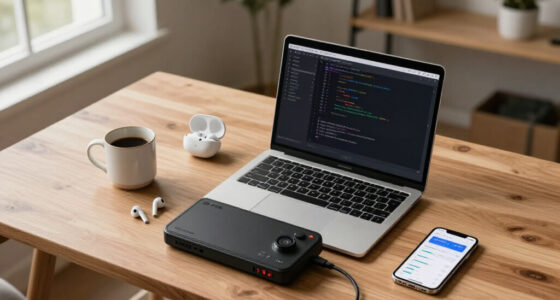

Among these developer laptops for coding, I’d make the Lenovo ThinkPad E16 Gen 3 my best overall pick for its productivity-focused Core Ultra 7 platform and work-oriented design. The NIMO 17.3-inch Ryzen AI 9 HX 370 stands out for demanding multitasking, while the Acer Aspire 14 AI is a more portable choice for everyday development. The main tradeoffs are portability versus screen space, memory and storage headroom versus simplicity, and dedicated graphics versus battery-friendly everyday use. A higher-end processor matters most when your builds, containers, or local workloads can use the extra capacity. Read on for the full breakdown and guidance on matching a laptop to your coding workflow.

Get business pricing on monitors, keyboards and dev gear
- Business-only prices and quantity discounts
- Tax-exempt purchasing
- Multiple users, one account, clear invoices
Key Takeaways
- The ThinkPad E16 Gen 3 is the roundup’s balanced work pick: its Core Ultra 7 255H makes it a strong fit for general development, though the listings provide less detail about its memory and storage configuration than several competitors.
- The NIMO 17.3-inch Ryzen AI 9 HX 370 leads on listed multitasking headroom: 32GB of DDR5 and a 1TB SSD suit heavier local workloads, but its large chassis is a poor match for frequent travel.
- The Dell XPS 14 prioritizes screen quality and portability: its 3.2K OLED touchscreen and 32GB of memory suit developers who value a compact premium display, with less screen area than 16- or 17.3-inch alternatives.
- The Acer Nitro V 16S AI is the graphics specialist: its RTX 5060 can help with GPU-dependent work, but gaming-focused hardware is more than many web and software developers need.
- Several listings offer 32GB RAM and 1TB SSD without a premium workstation label: compare the 17.3-inch Ryzen 5, NIMO 15.6-inch, and 15.6-inch Ryzen 7 options closely, while checking exact processor, display, and upgrade details before choosing.
| 17.3-Inch Laptop with AMD Ryzen 5 6600H, 32GB RAM, and 1TB SSD |  | Best for a Big Coding Workspace | Display: 17.3-inch Full HD (1920 x 1080) | Processor: AMD Ryzen 5 6600H, 6 cores, 12 threads, up to 4.5 GHz | Graphics: Integrated AMD Radeon 660M | VIEW LATEST PRICE | See Our Full Breakdown |
| NIMO 15.6-Inch Laptop with AMD Ryzen 5, 16GB RAM, and 1TB SSD |  | Best for Upgradeable Starter Setups | Display: 15.6-inch FHD IPS, anti-glare | Processor: AMD Ryzen 5 6600H listed; processor details conflict in the product information | Graphics: Integrated AMD Radeon Vega 8 | VIEW LATEST PRICE | See Our Full Breakdown |
| Lenovo ThinkPad E16 Gen 3 16-inch Laptop with Intel Core Ultra 7 255H |  | Best for Business-Ready Development | Processor: Intel Core Ultra 7 255H, 16 cores, 16 threads, up to 5.1GHz | Memory: 32GB DDR5-5600 | Storage: 1TB PCIe 4.0×4 NVMe SSD with Opal 2.0 encryption | VIEW LATEST PRICE | See Our Full Breakdown |
| GEEKOM GeekBook X16 Pro 16-Inch 2.5K Laptop |  | Best Lightweight High-Resolution Pick | Display: 16-inch IPS, 2560 x 1600, 16:10 | Refresh rate: 120Hz | Brightness and color: Up to 400 nits; stated 100% sRGB | VIEW LATEST PRICE | See Our Full Breakdown |
| HP OmniBook 16 Touchscreen Laptop, AMD Ryzen AI 7 445, 32GB DDR5 RAM, 1TB SSD |  | Best Touchscreen Coding Laptop | Display: 16-inch 1920 x 1200 IPS touchscreen | Processor: AMD Ryzen AI 7 445, 6 cores, up to 4.6GHz | NPU: 50 TOPS | VIEW LATEST PRICE | See Our Full Breakdown |
| Acer Nitro V 16S AI Gaming Laptop, Ryzen 7 260, RTX 5060, 16-inch WUXGA 180Hz, 32GB DDR5, 1TB SSD |  | Best for GPU-Accelerated Development | Processor: AMD Ryzen 7 260 | Graphics: NVIDIA GeForce RTX 5060 Laptop GPU, 8GB GDDR7 | Display: 16-inch WUXGA LCD, 1920 × 1200, 180Hz, 100% sRGB | VIEW LATEST PRICE | See Our Full Breakdown |
| Acer Aspire 14 AI Copilot+ PC, 14-inch WUXGA, Intel Core Ultra 7 256V, 16GB RAM, 1TB SSD |  | Best Compact Developer Laptop | Processor: Intel Core Ultra 7 256V | NPU: Up to 47 TOPS | Graphics: Intel Arc 140V | VIEW LATEST PRICE | See Our Full Breakdown |
| HP 17.3-Inch Business Laptop with AMD Ryzen 5, 16GB RAM, and 512GB SSD |  | Best for a Large, Simple Workspace | Processor: AMD Ryzen 5; generation not specified | Memory: 16GB RAM | Storage: 512GB SSD | VIEW LATEST PRICE | See Our Full Breakdown |
| NIMO 17.3-Inch Laptop with AMD Ryzen AI 9 HX 370, 32GB DDR5 RAM, and 1TB SSD |  | Best for Expandable Multitasking | Processor: AMD Ryzen AI 9 HX 370, 12 cores, 24 threads | Graphics: Integrated AMD Radeon 890M | Display: 17.3-inch, 16:9; resolution not specified | VIEW LATEST PRICE | See Our Full Breakdown |
| Lenovo ThinkPad L16 Gen 2 Business Laptop, 16-inch WUXGA, Intel Core Ultra 7 255U, 32GB DDR5, 1TB SSD, Windows 11 Pro, 7-in-1 USB-C Hub Bundle |  | Best for Business and Secure Development | Processor: Intel Core Ultra 7 255U, 12 cores, 14 threads, up to 5.2 GHz | Memory: 32GB DDR5 | Storage: 1TB PCIe NVMe M.2 SSD | VIEW LATEST PRICE | See Our Full Breakdown |
| 15.6-Inch Laptop with AMD Ryzen 7 7735HS, 16GB DDR5 RAM, and 512GB SSD |  | Best Upgradeable Coding Value | Display: 15.6 inches | Processor: AMD Ryzen 7 7735HS | Graphics: Integrated AMD Radeon 680M | VIEW LATEST PRICE | See Our Full Breakdown |
| Dell XPS 14 Premium 14.5-inch Touchscreen Laptop, 3.2K OLED, Intel Core Ultra 7 255H, 32GB RAM, 1TB SSD |  | Best Premium Compact Coding Laptop | Display: 14.5-inch 3.2K OLED touchscreen, 3200 × 2000 pixels | Refresh rate: Up to 120Hz | Processor: Intel Core Ultra 7 255H | VIEW LATEST PRICE | See Our Full Breakdown |
| developer laptops for coding | Display | Processor | Graphics | Memory |
|---|---|---|---|---|
| 17.3-Inch Laptop with AMD Ryze | 17.3-inch Full HD (1920 x 1080) | AMD Ryzen 5 6600H, 6 cores, 12 threads, up to 4.5 GHz | Integrated AMD Radeon 660M | 32GB DDR5-4800; maximum 64GB |
| NIMO 15.6-Inch Laptop with AMD | 15.6-inch FHD IPS, anti-glare | AMD Ryzen 5 6600H listed; processor details conflict in the product information | Integrated AMD Radeon Vega 8 | 16GB DDR4-3200, upgradeable to 64GB |
| Lenovo ThinkPad E16 Gen 3 16-i | 16-inch WUXGA (1920 x 1200) IPS, anti-glare, 300 nits, 60Hz | Intel Core Ultra 7 255H, 16 cores, 16 threads, up to 5.1GHz | Integrated Intel Arc 140T | 32GB DDR5-5600 |
| GEEKOM GeekBook X16 Pro 16-Inc | 16-inch IPS, 2560 x 1600, 16:10 | Intel Core Ultra 9 185H, 16 cores, 22 threads, up to 5.1GHz | Intel Arc | — |
| HP OmniBook 16 Touchscreen Lap | 16-inch 1920 x 1200 IPS touchscreen | AMD Ryzen AI 7 445, 6 cores, up to 4.6GHz | Integrated AMD Radeon 840M | 32GB DDR5 |
| Acer Nitro V 16S AI Gaming Lap | 16-inch WUXGA LCD, 1920 × 1200, 180Hz, 100% sRGB | AMD Ryzen 7 260 | NVIDIA GeForce RTX 5060 Laptop GPU, 8GB GDDR7 | 32GB DDR5 5600MHz |
| Acer Aspire 14 AI Copilot+ PC | 14-inch WUXGA LCD, 1920 × 1200, 300 nits | Intel Core Ultra 7 256V | Intel Arc 140V | 16GB LPDDR5X |
| HP 17.3-Inch Business Laptop w | 17.3-inch anti-glare LED, native 1600 × 900, 60Hz | AMD Ryzen 5; generation not specified | — | 16GB RAM |
| NIMO 17.3-Inch Laptop with AMD | 17.3-inch, 16:9; resolution not specified | AMD Ryzen AI 9 HX 370, 12 cores, 24 threads | Integrated AMD Radeon 890M | 32GB DDR5 5600MHz; two SO-DIMM slots, supports up to 64GB |
| Lenovo ThinkPad L16 Gen 2 Busi | 16-inch IPS WUXGA, 1920 × 1200, 16:10, antiglare, 400 nits, 60Hz | Intel Core Ultra 7 255U, 12 cores, 14 threads, up to 5.2 GHz | Integrated Intel Graphics | 32GB DDR5 |
| 15.6-Inch Laptop with AMD Ryze | 15.6 inches | AMD Ryzen 7 7735HS | Integrated AMD Radeon 680M | 16GB DDR5, 4800MHz; upgradeable to 64GB |
| Dell XPS 14 Premium 14.5-inch | 14.5-inch 3.2K OLED touchscreen, 3200 × 2000 pixels | Intel Core Ultra 7 255H | Integrated Intel Arc | 32GB |
More Details on Our Top Picks
17.3-Inch Laptop with AMD Ryzen 5 6600H, 32GB RAM, and 1TB SSD
I’d pick this model when screen area matters more than portability. Its 17.3-inch Full HD display gives code, documentation, and terminal windows room to share the screen, while 32GB of DDR5 RAM and a 1TB SSD suit multitasking with an IDE, browser tabs, and local development tools open together. Compared with the Lenovo ThinkPad E16 Gen 3, it offers a larger display but gives up the ThinkPad’s Thunderbolt 4, Windows 11 Pro, and business-focused security features. The Ryzen 5 6600H is a capable six-core processor, though the integrated Radeon 660M is a limitation for GPU-heavy development or graphics work. At 4.6 pounds, this is better as a desk-based coding machine than a daily carry. I’d also weigh its roomy port selection against the more compact NIMO 15.6-inch model if you move between workspaces often.
Pros:- 17.3-inch display provides generous room for code and reference material
- 32GB DDR5 RAM supports heavier multitasking
- 1TB PCIe 4.0 SSD offers fast local storage
- Broad port selection includes HDMI, two USB-C ports, and MicroSD
Cons:- 4.6-pound weight and large footprint make frequent travel less convenient
- Integrated Radeon 660M is not suited to demanding GPU workloads
- Windows 11 Home lacks the listed Pro edition features of the ThinkPad E16
Best for: Developers who keep multiple coding windows visible and mostly work at a desk.
Not ideal for: Frequent commuters or developers who need discrete graphics, Thunderbolt, or business-class security features.
- Display:17.3-inch Full HD (1920 x 1080)
- Processor:AMD Ryzen 5 6600H, 6 cores, 12 threads, up to 4.5 GHz
- Graphics:Integrated AMD Radeon 660M
- Memory:32GB DDR5-4800; maximum 64GB
- Storage:1TB PCIe 4.0 SSD
- Operating system:Windows 11 Home
- Weight:4.6 lbs (2.1 kg)
- Ports:HDMI 2.0, 2 USB-C, 2 USB 3.2 Gen 1, USB 2.0, MicroSD, 3.5mm audio
Our verdict“Choose this if you want a large coding workspace and strong memory and storage capacity, and can accept a heavier laptop with integrated graphics.”
NIMO 15.6-Inch Laptop with AMD Ryzen 5, 16GB RAM, and 1TB SSD
This NIMO makes the most sense for a newer developer who wants a practical starting configuration with room to add capacity later. The 1TB SSD gives projects and development tools space from the outset, while the memory can be expanded to 64GB and storage to 4TB, unlike the fixed-capacity information provided for the HP OmniBook 16. Its 15.6-inch anti-glare screen and 3.8-pound weight make it easier to carry than the 17.3-inch Ryzen 5 laptop, though its 16GB of RAM leaves less headroom for virtual machines, containers, or large projects than the 32GB options. There is also a spec-listing concern: the processor details conflict with the stated core count and speed, and the graphics description may not align with the listed Ryzen 5 6600H. I’d verify the configuration before buying. Wi-Fi 5 is another step behind the newer wireless standards in the Lenovo ThinkPad E16.
Pros:- Memory can be upgraded to 64GB
- Storage can be expanded to 4TB
- 1TB PCIe SSD provides useful project space
- Webcam privacy shutter, fingerprint reader, and backlit keyboard
Cons:- Listing has conflicting processor and memory details that should be verified
- 16GB RAM offers less room for virtual machines and heavy multitasking than 32GB alternatives
- Wi-Fi 5 is older than the Wi-Fi 6E connectivity listed for the ThinkPad E16
Best for: Students and entry-level developers who want a 1TB drive now and plan to upgrade memory or storage later.
Not ideal for: Developers who need verified component details, 32GB RAM out of the box, or newer Wi-Fi support.
- Display:15.6-inch FHD IPS, anti-glare
- Processor:AMD Ryzen 5 6600H listed; processor details conflict in the product information
- Graphics:Integrated AMD Radeon Vega 8
- Memory:16GB DDR4-3200, upgradeable to 64GB
- Storage:1TB PCIe SSD, expandable to 4TB
- Operating system:Windows 11
- Weight:3.8 lbs
- Wireless:Wi-Fi 5, Bluetooth 5.2
- Warranty:2-year limited manufacturer warranty
Our verdict“Consider this as an upgradeable starter laptop if you confirm its exact configuration and do not need 32GB RAM immediately.”
Lenovo ThinkPad E16 Gen 3 16-inch Laptop with Intel Core Ultra 7 255H
For a developer who wants a work-focused machine with strong multitasking capacity, the ThinkPad E16 has the clearest all-round case in this group. Its Core Ultra 7 255H, 32GB of DDR5 memory, and 1TB encrypted SSD are well matched to IDEs, local services, and demanding browser use. Windows 11 Pro, an IR camera with privacy shutter, Thunderbolt 4, and RJ45 Ethernet give it a more business-ready setup than the Ryzen 5 17.3-inch laptop, which has a larger screen but Windows Home and no listed Thunderbolt connection. The 16-inch 1920 x 1200 display provides extra vertical space for code, though its 300-nit brightness and 60Hz refresh rate are modest beside the sharper, brighter panel on the GEEKOM GeekBook X16 Pro. Integrated graphics also make this a poor fit for GPU-intensive development. I’d choose it for dependable work connectivity, not visual flair or graphics acceleration.
Pros:- Core Ultra 7 processor and 32GB DDR5 memory suit demanding multitasking
- Windows 11 Pro and encrypted 1TB SSD support business-focused workflows
- Thunderbolt 4, HDMI 2.1, and RJ45 Ethernet provide flexible connectivity
- 16:10 anti-glare display gives more vertical workspace than a 16:9 panel
Cons:- Integrated Intel Arc graphics are not intended for demanding GPU workloads
- 300-nit, 60Hz display is less vivid and fluid than the GEEKOM X16 Pro panel
- Business-oriented feature set may be unnecessary for developers seeking a simpler personal laptop
Best for: Developers who need Windows 11 Pro, wired networking, security features, and ports for a business or office setup.
Not ideal for: GPU-heavy developers or buyers prioritizing a brighter, higher-resolution screen and a lighter chassis.
- Processor:Intel Core Ultra 7 255H, 16 cores, 16 threads, up to 5.1GHz
- Memory:32GB DDR5-5600
- Storage:1TB PCIe 4.0×4 NVMe SSD with Opal 2.0 encryption
- Display:16-inch WUXGA (1920 x 1200) IPS, anti-glare, 300 nits, 60Hz
- Graphics:Integrated Intel Arc 140T
- Operating system:Windows 11 Pro
- Wireless:Intel Wi-Fi 6E AX211, Bluetooth 5.3
- Ports:Thunderbolt 4, USB-C, 2 USB-A, HDMI 2.1, RJ45 Ethernet, 3.5mm audio
- Camera:1080p FHD IR camera with privacy shutter and dual microphones
Our verdict“Pick the ThinkPad E16 if business security, wired networking, and strong CPU and memory capacity matter more than a premium display or discrete graphics.”
GEEKOM GeekBook X16 Pro 16-Inch 2.5K Laptop
The GeekBook X16 Pro stands out for developers who want a large, sharp display without carrying a large-screen laptop’s usual weight. At 2.8 pounds, its magnesium alloy chassis is lighter than the ThinkPad E16, while the 16-inch 2560 x 1600 screen gives code and documentation more detail and vertical room than the ThinkPad’s WUXGA panel. The Core Ultra 9 185H and Intel Arc graphics also make it a stronger choice for mixed coding and light creative work than the Ryzen 5 systems in this batch. Its 120Hz refresh rate and stated 100% sRGB coverage add to the display appeal, but the provided information does not list memory or storage capacity, so I can’t compare its out-of-box multitasking headroom with the 32GB and 1TB configurations elsewhere. Battery life is manufacturer-stated, and the one-year warranty is shorter than the NIMO’s listed two-year coverage. I’d verify configuration details before choosing it as a primary development machine.
Pros:- 2.8-pound magnesium alloy chassis is notably light for a 16-inch laptop
- 2560 x 1600 120Hz display offers detailed, spacious coding workspace
- Core Ultra 9 processor and Intel Arc graphics suit coding plus light creative work
- USB4, HDMI 2.1, USB-A, and MicroSD provide varied connectivity
Cons:- Provided product data does not specify memory or storage capacity
- Up to 17-hour battery claim is manufacturer-stated rather than independently established
- One-year limited warranty is shorter than the NIMO laptop’s listed two-year warranty
Best for: Developers who travel with their laptop and value a light chassis and high-resolution 16:10 screen.
Not ideal for: Buyers who need confirmed RAM and SSD capacity, a longer listed warranty, or known battery-life figures for planning.
- Display:16-inch IPS, 2560 x 1600, 16:10
- Refresh rate:120Hz
- Brightness and color:Up to 400 nits; stated 100% sRGB
- Processor:Intel Core Ultra 9 185H, 16 cores, 22 threads, up to 5.1GHz
- Graphics:Intel Arc
- Chassis and weight:Magnesium alloy CNC unibody; 2.8 lbs
- Battery:77Wh; manufacturer states up to 17 hours
- Ports:USB4 Type-C, USB 3.2 Type-C, HDMI 2.1, 2 USB 3.2 Type-A, 3.5mm audio, MicroSD
- Warranty:One-year limited warranty
Our verdict“Choose this for a lightweight, high-resolution coding companion only after confirming its memory and storage configuration.”
HP OmniBook 16 Touchscreen Laptop, AMD Ryzen AI 7 445, 32GB DDR5 RAM, 1TB SSD
The OmniBook 16 is the touch-first choice here, pairing a 16-inch 1920 x 1200 IPS touchscreen with 32GB of RAM and a 1TB SSD. That memory and storage combination is a better starting point for running an IDE alongside containers, browsers, and local services than the NIMO 15.6-inch model’s 16GB configuration. The six-core Ryzen AI 7 445 and Radeon 840M handle general development tasks, while the 50 TOPS NPU gives the laptop capacity for supported AI features; it does not replace a discrete GPU for compute-heavy workloads. Compared with the ThinkPad E16, HP adds touch input and a numeric keypad, while the ThinkPad offers Thunderbolt 4 and RJ45 Ethernet. Windows 11 Pro, an IR camera, and a manual privacy shutter suit work calls and secure sign-in. I’d skip it if your coding relies on GPU acceleration or you have no use for touch.
Pros:- 32GB DDR5 RAM and 1TB SSD support multitasking and local development tools
- 16-inch 1920 x 1200 touchscreen offers useful vertical workspace and touch input
- Windows 11 Pro and 1080p IR camera support work-oriented use
- USB-C, USB-A, and HDMI 2.1 provide practical device connections
Cons:- Integrated Radeon 840M is a limitation for graphics-intensive development
- No Thunderbolt or RJ45 Ethernet is listed, unlike the ThinkPad E16
- Touchscreen adds little value for developers who primarily use keyboard and mouse
Best for: Developers who want a 16:10 touchscreen, 32GB RAM, Windows 11 Pro, and a full-size keyboard with a numeric keypad.
Not ideal for: GPU-accelerated developers or buyers who need Thunderbolt 4 or built-in Ethernet, both listed on the ThinkPad E16.
- Display:16-inch 1920 x 1200 IPS touchscreen
- Processor:AMD Ryzen AI 7 445, 6 cores, up to 4.6GHz
- NPU:50 TOPS
- Graphics:Integrated AMD Radeon 840M
- Memory:32GB DDR5
- Storage:1TB PCIe NVMe SSD
- Operating system:Windows 11 Pro
- Wireless:Wi-Fi 6, Bluetooth 5.4
- Ports:2 USB-C (10Gbps, Power Delivery 3.1, DisplayPort 1.4), 2 USB-A (5Gbps), HDMI 2.1
Our verdict“Choose the OmniBook 16 if you want a well-equipped Windows 11 Pro coding laptop with touch input, but not for GPU-heavy work.”
Acer Nitro V 16S AI Gaming Laptop, Ryzen 7 260, RTX 5060, 16-inch WUXGA 180Hz, 32GB DDR5, 1TB SSD
I’d choose the Acer Nitro V 16S when coding work benefits from a discrete GPU: local AI experiments, GPU compute, game development, or graphics-heavy tools. Its RTX 5060 with 8GB GDDR7 gives it a different role from the integrated-graphics ThinkPad L16 Gen 2, while 32GB of memory and a 1TB SSD provide room for IDEs, containers, and sizable projects. The 16-inch 1920 × 1200 display adds vertical workspace, and 100% sRGB coverage is useful for interface and visual work.
The tradeoff is portability and capacity: at 4.6 pounds, it is heavier than the Acer Aspire 14 AI, and its listed maximum memory is 32GB. Its 180Hz refresh rate is more gaming-focused than most coding workflows need, and the display is non-touch. I’d pick it for GPU capability, not simply as a general-purpose developer laptop.
Pros:- RTX 5060 discrete graphics suit GPU-heavy development and game engines
- 32GB DDR5 memory and a 1TB PCIe Gen 4 SSD support substantial project workloads
- 16-inch 16:10 display offers useful vertical workspace and 100% sRGB coverage
- Quad-intake cooling is designed to support the powerful components in a slim gaming chassis
Cons:- At 4.6 pounds, it is less convenient to carry than the 3.1-pound Acer Aspire 14 AI
- Maximum memory capacity is listed as 32GB, limiting future upgrades
- The 180Hz refresh rate adds little to ordinary coding, and the display is non-touch
Best for: Developers building games, working with GPU-accelerated tools, or experimenting with local AI who want 32GB of memory and a discrete graphics card.
Not ideal for: Frequent travelers or developers whose work is mostly terminal, browser, and IDE use; the heavier chassis and gaming-oriented display offer less value for those workloads.
- Processor:AMD Ryzen 7 260
- Graphics:NVIDIA GeForce RTX 5060 Laptop GPU, 8GB GDDR7
- Display:16-inch WUXGA LCD, 1920 × 1200, 180Hz, 100% sRGB
- Memory:32GB DDR5 5600MHz
- Storage:1TB PCIe Gen 4 SSD
- Operating system:Windows 11 Home
- Battery:65Wh lithium-ion
- Weight:4.6 lbs
Our verdict“Choose the Nitro V 16S if your coding benefits from a discrete GPU; for lighter development and easier carrying, the Acer Aspire 14 AI is a better fit.”
Acer Aspire 14 AI Copilot+ PC, 14-inch WUXGA, Intel Core Ultra 7 256V, 16GB RAM, 1TB SSD
The Acer Aspire 14 AI is the portable pick in this group: at 3.1 pounds, its aluminum chassis is much easier to carry than the 17.3-inch HP or NIMO models. Its 14-inch 1920 × 1200 screen retains a 16:10 workspace for code and documentation, while the Core Ultra 7 256V and 16GB of LPDDR5X suit everyday IDE work, web development, and office tasks. The 1TB SSD also gives projects and toolchains more room than a small-capacity drive would.
Its integrated Arc 140V graphics and NPU make this a more balanced productivity system than a GPU-focused machine like the Acer Nitro V 16S, but 16GB of memory leaves less headroom for large container stacks or virtual machines. The 300-nit display may also feel dim in bright environments, and the claimed battery life is not a guarantee of runtime under development workloads. I’d choose it for mobility, not maximum compile or GPU capacity.
Pros:- Light 3.1-pound aluminum chassis is convenient for commuting
- 14-inch 1920 × 1200 display provides a taller workspace than a standard 16:9 screen
- 1TB SSD leaves room for code repositories, tools, and local files
- Backlit keyboard and 180-degree hinge suit varied work settings
Cons:- 16GB LPDDR5X gives less headroom than the 32GB Acer Nitro V 16S and ThinkPad L16 Gen 2
- Listed 300-nit brightness may be limiting in bright rooms or near windows
- Integrated graphics are less suited to GPU-heavy development than the Nitro V 16S
Best for: Students, consultants, and web developers who carry a laptop daily and mainly run an IDE, browser, and typical productivity tools.
Not ideal for: Developers running several virtual machines, large container workloads, or GPU-intensive projects who need more memory or discrete graphics.
- Processor:Intel Core Ultra 7 256V
- NPU:Up to 47 TOPS
- Graphics:Intel Arc 140V
- Display:14-inch WUXGA LCD, 1920 × 1200, 300 nits
- Memory:16GB LPDDR5X
- Storage:1TB SSD
- Wireless:Wi-Fi 6E, Bluetooth 5.3
- Weight:3.1 lbs
Our verdict“Pick the Aspire 14 AI for everyday coding on the move, but choose a 32GB model if your projects rely on virtual machines or heavy multitasking.”
HP 17.3-Inch Business Laptop with AMD Ryzen 5, 16GB RAM, and 512GB SSD
The HP 17.3-inch Business Laptop prioritizes screen size and a full-size keyboard over portability. That can help developers who keep an editor beside documentation or prefer a numeric keypad, and its anti-glare panel is practical for office lighting. Compared with the compact Acer Aspire 14 AI, this HP gives you substantially more physical screen area, while 16GB of memory and a 512GB SSD cover basic coding setups and common productivity tasks.
The resolution is the key compromise: the native panel is 1600 × 900, not Full HD, despite the product information listing 1920 × 1080 as a maximum. That means less room for code and sharper text than the WUXGA screens on the Aspire and ThinkPad L16 Gen 2. The Ryzen 5 model’s generation and detailed processor specifications are not provided, so I would not choose it for demanding compile workloads without confirming them. Its size also makes it a poor travel companion.
Pros:- 17.3-inch anti-glare display offers broad physical workspace
- Full-size keyboard includes a numeric keypad
- 16GB RAM and a 512GB SSD support a basic development setup
- Includes Windows 11 and access to Office 365 for the web
Cons:- Native 1600 × 900 resolution is lower than the WUXGA displays on the Acer Aspire 14 AI and ThinkPad L16 Gen 2
- Ryzen 5 generation and detailed processor performance are not specified
- Large 17.3-inch form factor is less practical for commuting, and Office 365 is web-based
Best for: Home-based beginners or office developers who want a large built-in screen, a numeric keypad, and a straightforward Windows laptop for lighter coding.
Not ideal for: Developers who travel regularly, need a sharp high-resolution panel for dense code, or depend on confirmed high-performance processor specifications.
- Processor:AMD Ryzen 5; generation not specified
- Memory:16GB RAM
- Storage:512GB SSD
- Display:17.3-inch anti-glare LED, native 1600 × 900, 60Hz
- Operating system:Windows 11
- Keyboard:Full-size with numeric keypad
- Connectivity:Wi-Fi 802.11ac, Bluetooth
- Webcam:720p
Our verdict“Choose this HP for a roomy stationary coding setup, but favor the ThinkPad L16 Gen 2 if you want a sharper display and more clearly specified hardware.”
NIMO 17.3-Inch Laptop with AMD Ryzen AI 9 HX 370, 32GB DDR5 RAM, and 1TB SSD
The NIMO 17.3-inch stands out for developers who want strong multitasking capacity and the option to upgrade later. Its Ryzen AI 9 HX 370 has 12 cores and 24 threads, paired with 32GB of DDR5, making it better equipped for concurrent builds, development tools, and heavier workloads than the 16GB Acer Aspire 14 AI. Two SO-DIMM slots support up to 64GB, and its pair of M.2 slots lets the storage grow beyond the included 1TB SSD—useful if local projects and datasets keep accumulating.
The large display is appealing for side-by-side work, but its resolution is not specified, so I can’t judge text sharpness or workspace density against the WUXGA ThinkPad L16 Gen 2. Radeon 890M graphics are integrated, unlike the discrete RTX 5060 in the Acer Nitro V 16S, so this is not the pick for graphics-heavy development. Its 17.3-inch size and 58Wh battery also make mobility a lower priority than expandability.
Pros:- 12-core, 24-thread Ryzen AI 9 HX 370 is suited to demanding parallel workloads
- 32GB DDR5 memory can be upgraded to 64GB using two SO-DIMM slots
- Two M.2 PCIe 4.0 x4 slots allow storage expansion
- USB4, USB-C, HDMI, three USB-A ports, and an SD card reader offer broad connectivity
Cons:- Display resolution is not specified, making sharpness and coding workspace difficult to compare
- Integrated Radeon 890M graphics cannot match the discrete RTX 5060 in the Acer Nitro V 16S for GPU-heavy work
- 17.3-inch chassis and 58Wh battery are less suited to developers who work away from a desk
Best for: Developers who run multiple tools or local services at once, want memory and storage upgrades, and mostly work at a desk.
Not ideal for: Frequent travelers, buyers who need a specified high-resolution display, or developers whose work depends on discrete GPU performance.
- Processor:AMD Ryzen AI 9 HX 370, 12 cores, 24 threads
- Graphics:Integrated AMD Radeon 890M
- Display:17.3-inch, 16:9; resolution not specified
- Memory:32GB DDR5 5600MHz; two SO-DIMM slots, supports up to 64GB
- Storage:1TB SSD; two M.2 2280 PCIe 4.0 x4 slots
- Battery:58Wh lithium-polymer
- Charging:100W PD adapter; USB4 and USB-C support PD charging
- Ports:USB4, USB-C, HDMI, three USB-A, SD card reader, 3.5mm combo audio jack
Our verdict“Choose the NIMO for upgradeable memory, storage, and heavy multitasking; choose the Nitro V 16S instead if discrete GPU capability matters more.”
Lenovo ThinkPad L16 Gen 2 Business Laptop, 16-inch WUXGA, Intel Core Ultra 7 255U, 32GB DDR5, 1TB SSD, Windows 11 Pro, 7-in-1 USB-C Hub Bundle
The ThinkPad L16 Gen 2 is the most office-oriented developer option here, pairing Windows 11 Pro with a fingerprint reader, Ethernet, and two Thunderbolt 4 USB-C ports. Its 16-inch 16:10 WUXGA display is listed at 400 nits and has an antiglare finish, giving code and documentation a practical amount of space without the 17.3-inch bulk of the HP and NIMO laptops. With 32GB of DDR5 and a 1TB NVMe SSD, it is also better provisioned for multitasking than the 16GB Acer Aspire 14 AI.
Unlike the Acer Nitro V 16S, this ThinkPad has integrated Intel graphics, so I’d favor it for business software, development environments, and desk connectivity rather than GPU compute or game development. There are purchase details to verify: the seal was opened for upgrades, and the listed weight conflicts between 3.94 and 7 pounds. The included USB-C hub adds ports, but it does not resolve that specification inconsistency.
Pros:- 32GB DDR5 and a 1TB NVMe SSD support substantial multitasking and project storage
- 16-inch 1920 × 1200, 16:10 antiglare display is listed at 400 nits
- Windows 11 Pro, fingerprint reader, and Ethernet suit business development environments
- Two Thunderbolt 4 ports plus the included 7-in-1 USB-C hub expand connectivity
Cons:- Integrated Intel Graphics are less suited to GPU-heavy work than the Acer Nitro V 16S and its RTX 5060
- Original seal was opened for RAM and SSD upgrades
- Product information lists conflicting weights of 3.94 and 7 pounds
Best for: Business developers who need Windows 11 Pro, security features, wired networking, plentiful ports, and 32GB of memory for office-based work.
Not ideal for: GPU-focused developers or buyers who require an untouched factory-sealed unit and unambiguous weight information before purchase.
- Processor:Intel Core Ultra 7 255U, 12 cores, 14 threads, up to 5.2 GHz
- Memory:32GB DDR5
- Storage:1TB PCIe NVMe M.2 SSD
- Display:16-inch IPS WUXGA, 1920 × 1200, 16:10, antiglare, 400 nits, 60Hz
- Graphics:Integrated Intel Graphics
- Operating system:Windows 11 Pro
- Connectivity:Wi-Fi 6E, Bluetooth, Ethernet
- Ports:Two Thunderbolt 4 USB-C, three USB-A, HDMI, Ethernet, headphone/mic combo
- Weight:Conflicting listings: 3.94 lbs and 7 lbs
Our verdict“Pick the ThinkPad L16 Gen 2 for business-focused coding and strong connectivity, but verify the weight and opened-box upgrade details before buying.”
15.6-Inch Laptop with AMD Ryzen 7 7735HS, 16GB DDR5 RAM, and 512GB SSD
I’d pick this as a practical coding machine for buyers who want a capable processor and room to expand without paying for a premium display. The Ryzen 7 7735HS and 16GB DDR5 memory suit everyday development, multitasking, and school or business work; the memory can be upgraded to 64GB if larger projects outgrow the base configuration. Compared with the Dell XPS 14 Premium, this model offers a larger screen and numeric keypad, but lacks its 32GB memory, 1TB SSD, and high-resolution OLED panel. Its Radeon 680M integrated graphics can handle light creative tasks, not demanding graphics workloads. One buying caveat: the supplied information conflicts on storage capacity, listing 512GB in the title and details but 1024GB elsewhere, so I’d verify the exact configuration before ordering.
Pros:- Ryzen 7 7735HS processor and 16GB DDR5 support everyday coding and multitasking.
- Memory can be upgraded to a maximum of 64GB.
- 15.6-inch display, numeric keypad, and backlit keyboard suit desk-based work.
- Fingerprint reader adds convenient sign-in.
Cons:- Storage capacity is inconsistent across the supplied product details.
- Integrated Radeon 680M graphics are not suited to demanding games or GPU-heavy work.
- The listing gives standby battery life rather than a clear estimate for active coding use.
Best for: Students and early-career developers who want a 15.6-inch Windows laptop for coding, multitasking, and occasional light creative work, with the option to expand memory later.
Not ideal for: Developers with large local codebases or virtual-machine workloads who need confirmed high storage and memory from day one, or anyone doing demanding gaming or GPU-heavy development.
- Display:15.6 inches
- Processor:AMD Ryzen 7 7735HS
- Graphics:Integrated AMD Radeon 680M
- Memory:16GB DDR5, 4800MHz; upgradeable to 64GB
- Storage:512GB SSD listed in title and product details; conflicting 1024GB detail also supplied
- Operating system:Windows 11
- Battery:54Wh lithium polymer; up to 9 hours standby
- Weight:3.8 pounds
- Features:Backlit keyboard, fingerprint reader, numeric keypad
Our verdict“Choose this for a roomy, upgradeable laptop for general coding, but confirm its SSD capacity and skip it for graphics-intensive development.”
Dell XPS 14 Premium 14.5-inch Touchscreen Laptop, 3.2K OLED, Intel Core Ultra 7 255H, 32GB RAM, 1TB SSD
I’d give the XPS 14 the premium compact role for developers who value a sharp, responsive screen and substantial memory in a smaller footprint. Its 32GB RAM and 1TB SSD provide more headroom for simultaneous tools, larger projects, and local files than the 16GB and disputed storage configuration of the 15.6-inch Ryzen 7 7735HS laptop. The 3.2K OLED touchscreen and refresh rate up to 120Hz make text and interface motion look crisp, though those display features matter less to a buyer focused on basic coding than memory and storage do. The aluminum and Gorilla Glass design gives it a more premium build, but the listed 3.8-pound weight is not especially light for a 14.5-inch machine. Integrated Intel Arc graphics also make it a weaker fit for demanding GPU workloads than a laptop with dedicated graphics.
Pros:- 32GB memory gives more room for multiple development tools and heavier multitasking.
- 1TB SSD provides more listed storage than the 512GB configuration of the comparison laptop.
- 3.2K OLED touchscreen with a refresh rate up to 120Hz.
- Aluminum and Gorilla Glass construction, backlit keyboard, and fingerprint reader.
Cons:- At 3.8 pounds, it is not especially light for a 14.5-inch laptop.
- Integrated Intel Arc graphics may limit demanding gaming and graphics workloads.
- The high-resolution OLED display may be more than coding-focused buyers need.
Best for: Developers who want 32GB of memory and 1TB of storage in a premium 14.5-inch Windows laptop, especially those who value a high-resolution touchscreen for daily work.
Not ideal for: Frequent travelers prioritizing the lightest possible laptop, or developers whose work depends on demanding graphics or dedicated-GPU performance.
- Display:14.5-inch 3.2K OLED touchscreen, 3200 × 2000 pixels
- Refresh rate:Up to 120Hz
- Processor:Intel Core Ultra 7 255H
- Graphics:Integrated Intel Arc
- Memory:32GB
- Storage:1TB SSD
- Operating system:Windows 11 Home
- Weight:3.8 pounds
- Wireless:Wi-Fi 7 and Bluetooth 5.4
Our verdict“Choose the XPS 14 for premium screen quality, 32GB memory, and 1TB storage in a compact format, but not for the lightest carry or GPU-heavy work.”

How We Picked
I ranked these laptops around the demands of day-to-day coding: running an IDE alongside browser tabs, local services, containers, and development tools; having enough memory and storage for a working setup; and using a screen and keyboard layout that support long sessions. I gave more weight to clearly listed processor, RAM, and SSD configurations than to broad marketing labels, and treated a dedicated GPU as a benefit only for buyers whose work can use it.
The order reflects the balance of those factors, not a claim that one processor or feature wins every workload. The ThinkPad E16 leads as a work-oriented generalist, while the NIMO Ryzen AI 9 model offers more clearly specified headroom for heavier multitasking. The XPS and Aspire serve buyers who favor a smaller system, and the Nitro earns a distinct place for GPU-dependent tasks. Several listings omit details that affect coding comfort—such as keyboard layout, screen brightness, ports, upgradeability, and battery behavior—so I would verify those specifics before purchase.
| developer laptops for coding | Operating system |
|---|---|
| 17.3-Inch Laptop with AMD Ryze | Windows 11 Home |
| NIMO 15.6-Inch Laptop with AMD | Windows 11 |
| Lenovo ThinkPad E16 Gen 3 16-i | Windows 11 Pro |
| GEEKOM GeekBook X16 Pro 16-Inc | — |
| HP OmniBook 16 Touchscreen Lap | Windows 11 Pro |
| Acer Nitro V 16S AI Gaming Lap | Windows 11 Home |
| Acer Aspire 14 AI Copilot+ PC | — |
| HP 17.3-Inch Business Laptop w | Windows 11 |
| NIMO 17.3-Inch Laptop with AMD | — |
| Lenovo ThinkPad L16 Gen 2 Busi | Windows 11 Pro |
| 15.6-Inch Laptop with AMD Ryze | Windows 11 |
| Dell XPS 14 Premium 14.5-inch | Windows 11 Home |
Factors to Consider When Choosing Developer Laptops For Coding
Choosing among developer laptops is easier when I start with the work the machine must run, then match the configuration and form factor to that workload. These broader checks can prevent overpaying for features your tools will not use—or buying a system that runs out of memory once your projects grow.
Match Memory to Your Actual Workload
RAM often affects a coding session sooner than a processor upgrade does. A single editor and a few browser tabs can fit comfortably on a modest configuration, while Android emulators, virtual machines, containers, and large browser test suites can use far more memory. For longer-term flexibility, I would favor 32GB when the laptop is not easy to upgrade or when several local services run at once. A 16GB model can still make sense for coursework and lighter web development, especially if its memory can be expanded later. Check whether RAM is soldered or replaceable rather than assuming the listed capacity tells the whole story. Also leave room for the operating system and background tools; memory consumed by those services is not available to your build.
Choose a Processor for Builds, Not Labels
Processor names alone do not predict how quickly every project will compile. Build performance depends on core count, sustained power, cooling, compiler behavior, and whether your workflow can parallelize tasks. A high-performance chip can shorten large builds, but for editing code, documentation, and ordinary web work, a balanced processor may feel just as practical. Before paying for a faster tier, identify whether your current delays come from compilation, tests, disk access, or network-bound tools. Check independent performance data for the exact laptop configuration when build time matters, because thin and large chassis can manage sustained workloads differently. Keep an eye on fan noise and heat too if you expect long builds in shared spaces.
Treat the Display as Part of Your Workspace
A larger display can make side-by-side code, documentation, and a running application easier to manage, but it also increases the size of the laptop you carry. Resolution is only one part of usability: scaling, brightness, reflections, panel finish, and aspect ratio all affect how much code fits comfortably. A high-resolution OLED screen may be appealing for sharp text and contrast, yet it can bring different battery demands than a simpler panel. If you mostly work at a desk, an external monitor may be a better use of your budget than choosing a premium built-in display. For travel, weigh readable text and usable screen area against chassis weight and charger size. I would also check whether the keyboard and trackpad leave enough room for comfortable daily use.
Buy Dedicated Graphics Only When Your Tools Use It
Most coding workflows do not need a dedicated graphics processor, so it can be a poor trade if it adds bulk, heat, or power draw without helping your work. GPU acceleration may matter for machine-learning experiments, graphics development, game engines, 3D workloads, and some video or simulation tasks. Before choosing a GPU-equipped laptop, verify that your frameworks support its hardware and that the memory available to the GPU suits your projects. Developers who need CUDA or another specific platform should confirm compatibility rather than relying on the GPU model alone. If your work is mainly web, backend, or general application development, more RAM, a better keyboard, or a good external monitor may deliver more daily value. A gaming chassis can still serve as a capable coding machine, but its cooling and portability tradeoffs should fit your routine.
Check Upgradeability, Ports, and Operating System Needs
Two laptops with matching RAM and SSD figures can have very different useful lifespans. Look up whether storage and memory can be replaced, how many internal slots are available, and whether opening the chassis affects service coverage. Port selection matters for developers who connect monitors, wired networks, external drives, or hardware debugging tools; a small USB-C hub is helpful but adds another item to carry and manage. Confirm that the operating system supports your required development stack, virtualization tools, and workplace security policies. Linux users should check hardware support for Wi-Fi, graphics, sleep, and firmware on the exact model, not just the processor family. These checks can matter more to a reliable setup than a small difference in advertised processor speed.
Set a Portability and Battery Routine
Screen size and performance are easy to compare on a spec sheet; the weight of the laptop, power adapter, and accessories is easier to overlook. A 17.3-inch model can be a pleasant stationary workstation but a tiring daily commute companion. Smaller systems are easier to carry, though they may offer less screen space and can limit cooling under long workloads. Battery life varies with display settings, workload, wireless use, and power mode, so do not infer it from processor branding alone. If you work away from outlets, look for independent battery results for the precise configuration and plan for heavier use than light browsing. For a desk-based developer, a larger chassis and dock may be a sensible exchange for a more spacious setup.
Frequently Asked Questions
Is 16GB of RAM enough for a developer laptop, or should I choose 32GB?
16GB can work for learning, light web development, and projects that use one main tool at a time. I would lean toward 32GB if you regularly run containers, virtual machines, mobile emulators, large IDEs, or several local services together. The NIMO Ryzen AI 9 and Dell XPS listings both specify 32GB, as do several other options in this roundup, so higher memory is not limited to one form factor. Before choosing, check whether the memory is upgradeable; a replaceable 16GB configuration may be a better long-term choice than soldered memory if it costs less and your needs can grow. For a laptop you expect to keep through larger projects, headroom can reduce the need to close tools mid-session.
Do I need a dedicated GPU for coding?
Usually not: common web, backend, and general software development tasks rely more on the CPU, memory, and storage. The Acer Nitro V 16S AI is the clear GPU-focused choice here because it lists an RTX 5060, which may suit game development, graphics work, and supported machine-learning tasks. Confirm that your software can use that GPU and that its memory fits your workload before accepting the extra chassis size and power demands. If you mainly write and test conventional applications, a system without a dedicated GPU may leave more room in your setup priorities for portability or memory. A GPU is a workload decision, not a general coding requirement.
Should I choose a 14-inch laptop or a 16- or 17.3-inch model for programming?
Choose based on where you work most often and whether you use an external monitor. The Acer Aspire 14 AI and Dell XPS 14 are easier to carry, while the 16- and 17.3-inch laptops provide more built-in space for code, documentation, and terminal windows. A smaller display can be comfortable with sensible scaling and a second monitor at a desk, but it may feel cramped when traveling without one. Larger systems are not automatically better for long sessions if their keyboard, display quality, or weight does not suit you. I would compare the full carry weight and screen characteristics, not just the diagonal measurement.
Can I use one of these laptops for Linux development?
Potentially, but the product name and processor do not confirm that every component works well with your chosen Linux distribution. Check reports for the exact model covering Wi-Fi, graphics, audio, sleep, fingerprint readers, and firmware updates. Business-oriented ThinkPad models may interest Linux users, but I would still verify the specific generation and configuration before buying. If your development depends on Windows-only software, Windows Subsystem for Linux may be a useful alternative, though it does not replace every native Linux setup. Confirm your employer or school requirements too, especially if device encryption or endpoint-management tools are involved.
Is an AI-branded laptop a better choice for coding?
An AI label alone does not show that a laptop will make your editor, builds, or test suite faster. These listings include AI-branded systems such as the HP OmniBook 16, Acer Aspire 14 AI, and Acer Nitro V 16S AI, but I would judge them by their processor, memory, battery behavior, screen, and software support. A local AI workload may benefit from specific GPU or neural-processing hardware, but compatibility and memory requirements vary by tool. If you only use cloud-based assistants or standard coding tools, prioritize the parts you rely on throughout the day instead of paying extra for a label. Check whether the features you want are supported by your operating system and development applications.
Conclusion
For a balanced work-focused laptop, I’d choose the Lenovo ThinkPad E16 Gen 3 as best overall, while confirming its exact RAM and SSD configuration before ordering. The NIMO 17.3-inch Ryzen 5 with 32GB RAM and a 1TB SSD is my best-value direction for buyers who want generous listed memory and storage without needing a premium display or compact chassis; compare its complete specifications with the Ryzen 7 15.6-inch and NIMO 15.6-inch alternatives. For the best premium pick, the Dell XPS 14 suits developers who value a sharp OLED touchscreen in a more portable format. Beginners doing coursework or everyday coding can start with the Acer Aspire 14 AI, especially if portability matters more than 32GB of memory. For GPU-dependent development, choose the Acer Nitro V 16S AI; for demanding CPU-heavy multitasking in a large-screen setup, look at the NIMO Ryzen AI 9. Match the laptop to your tools and daily routine, then verify upgradeability, operating-system support, and port details before making the final call.
Halloween Picks

Spirit Halloween 54-Inch Sitting Scarecrow Animatronic

Gemmy 6.4 ft Beetlejuice Animatronic Halloween Decoration with Spinning Head

6-Foot Jason Voorhees Animatronic Halloween Decoration
As an affiliate, we earn on qualifying purchases.