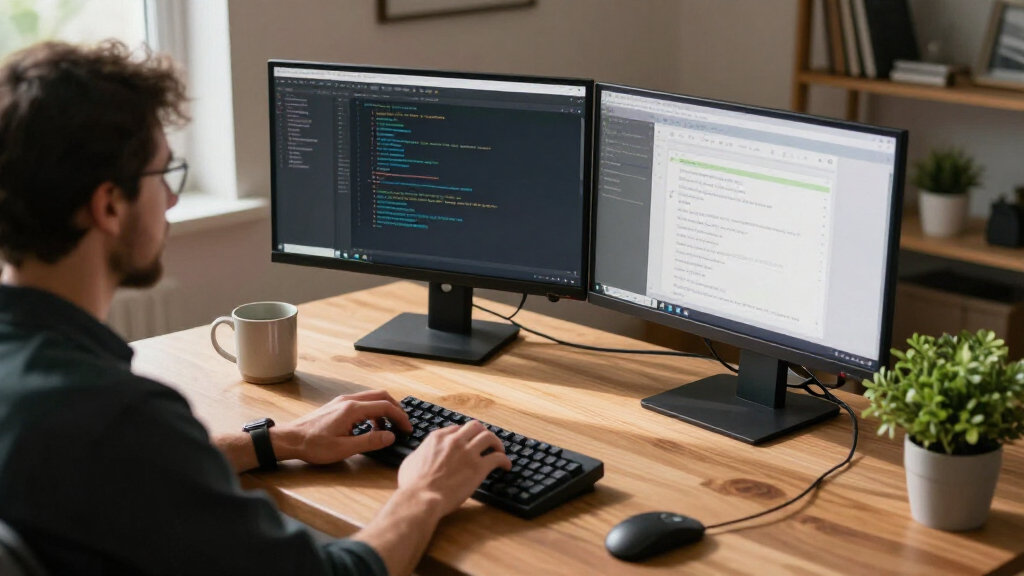

The best home office monitors balance comfortable everyday viewing, useful screen space, and a setup that fits your desk. My best overall pick is the Dell 24 Plus S2425HSM, which pairs a practical 23.8-inch Full HD screen with a 144Hz refresh rate. For a larger display, the Dell 27 Plus S2725HSM offers 27 inches, while the Amazon Basics 23.8-inch monitor stands out for its 120Hz panel and broad connection options. The main tradeoffs are screen size versus desk space, single-monitor simplicity versus multi-screen coverage, and higher refresh rates versus features such as resolution and adjustability. Read on for the full comparison and picks for different home office needs.

Get business pricing on monitors, keyboards and dev gear
- Business-only prices and quantity discounts
- Tax-exempt purchasing
- Multiple users, one account, clear invoices
Key Takeaways
- The two amazon.com/dp/B0G49SZ24N?tag=ebusexpert-20&ascsubtag=dc-1155214″ target=”_blank” rel=”nofollow sponsored noopener”>Dell Plus monitors stand out for combining 144Hz refresh rates with familiar office-friendly screen sizes; choose 23.8 inches for a compact desk or 27 inches for a larger view.
- The Amazon Basics 23.8-inch model and LG 24U411A-B offer 120Hz refresh rates, showing that smoother scrolling is available without choosing a gaming-first monitor.
- The Sceptre and Kado two-packs prioritize multiple screens over a single feature-rich display, but buyers should account for desk width, cable clutter, and the effort of matching two monitors.
- The 27-inch Full HD options provide more physical screen area, but not more pixels than the 23.8-inch Full HD monitors; text and fine details may appear less dense.
- The lineup is weighted toward Full HD displays, so anyone who regularly works with detailed layouts or several windows should compare pixel resolution and usable workspace—not screen size alone.
| Samsung 27-inch S30GD Essential FHD IPS Monitor |  | Best for a Spacious Single-Screen Desk | Screen size: 27 inches | Panel type: IPS | Resolution: 1920 × 1080 (FHD) | VIEW LATEST PRICE | See Our Full Breakdown |
| Sceptre 22-Inch FHD 144Hz Gaming Monitor with Built-In Speakers |  | Best Compact Monitor for Work and Play | Screen size: 22 inches | Resolution: 1920 × 1080 (FHD) | Refresh rate: Up to 144Hz | VIEW LATEST PRICE | See Our Full Breakdown |
| Sceptre 24-Inch FHD 100Hz Monitor, 2-Pack |  | Best Dual-Monitor Setup | Pack size: 2 monitors | Screen size: 24 inches each | Resolution: 1920 × 1080 (FHD) | VIEW LATEST PRICE | See Our Full Breakdown |
| Dell 24 Plus S2425HSM 23.8-Inch FHD 144Hz Monitor |  | Best for Ergonomic Adjustability | Screen size: 23.8 inches | Resolution: 1920 × 1080 (FHD) | Refresh rate: 144 Hz | VIEW LATEST PRICE | See Our Full Breakdown |
| Acer KB272 G0bi 27-inch Full HD IPS Monitor |  | Best 27-Inch Pick for Smoother Motion | Screen size: 27 inches | Panel type: IPS LCD | Resolution: 1920 × 1080 (Full HD) | VIEW LATEST PRICE | See Our Full Breakdown |
| Amazon Basics 23.8-inch 1080P Computer Monitor, 120Hz, IPS, HDMI, DisplayPort, VGA, VESA Compatible |  | Best for Flexible Connectivity | Screen size: 23.8 inches | Resolution: 1920 x 1080 (Full HD) | Panel: IPS | VIEW LATEST PRICE | See Our Full Breakdown |
| Philips 241V8LB 23.8-Inch Full HD Monitor |  | Best for High-Contrast Office Work | Screen size: 23.8 inches | Resolution: 1920 x 1080 | Panel: VA LCD | VIEW LATEST PRICE | See Our Full Breakdown |
| LG 24U411A-B 23.8-Inch Full HD IPS Monitor, 120Hz, HDR10, Black |  | Best for a Streamlined Single-Display Desk | Screen size: 23.8 inches | Resolution: 1920 x 1080 (Full HD) | Panel: IPS | VIEW LATEST PRICE | See Our Full Breakdown |
| Philips 221V8LB 21.5-Inch Full HD Monitor, 100Hz VA, Adaptive-Sync | 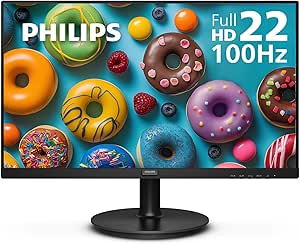 | Best Compact Home Office Monitor | Screen size: 21.5 inches viewable | Resolution: 1920 x 1080 | Panel: VA LCD | VIEW LATEST PRICE | See Our Full Breakdown |
| Acer KB242Y G0bi 23.8-Inch Full HD IPS Monitor |  | Best for Eye-Conscious Everyday Work | Screen size: 23.8 inches | Resolution: 1920 x 1080 (Full HD) | Panel: IPS LCD | VIEW LATEST PRICE | See Our Full Breakdown |
| Dell 27 Plus S2725HSM 27-Inch FHD 144Hz Monitor |  | Best for a Flexible 27-Inch Workstation | Screen size: 27 inches | Resolution: 1920 × 1080 (FHD) | Refresh rate: 144Hz | VIEW LATEST PRICE | See Our Full Breakdown |
| Samsung 27-Inch Essential S3 Curved FHD Monitor |  | Best Curved Screen for Everyday Work | Screen size: 27 inches | Resolution: 1920 × 1080 (FHD) | Screen curvature: 1800R | VIEW LATEST PRICE | See Our Full Breakdown |
| Dell SE2426H 23.8-Inch FHD IPS Monitor, 144Hz, 1ms MPRT, AMD FreeSync, Dual HDMI |  | Best Compact High-Refresh Pick | Screen size: 23.8 inches | Resolution: 1920 × 1080 (Full HD) | Panel technology: IPS LCD | VIEW LATEST PRICE | See Our Full Breakdown |
| Kado 24-Inch Curved Monitor 2-Pack, 1080p, 75Hz |  | Best Dual-Screen Starter Set | Quantity: 2 monitors | Screen size: 24 inches each | Resolution: 1920 × 1080 (FHD) | VIEW LATEST PRICE | See Our Full Breakdown |
| Kado 2-Pack 27-Inch Curved FHD Monitors, 1500R, 75Hz | 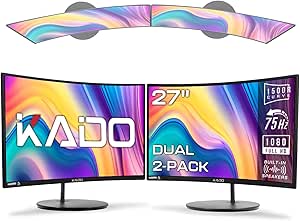 | Best Large Dual-Monitor Setup | Quantity: 2 monitors | Screen size: 27 inches each | Resolution: 1920 × 1080 (FHD) | VIEW LATEST PRICE | See Our Full Breakdown |
| home office monitor | Screen size | Resolution | Refresh rate | Response time |
|---|---|---|---|---|
| Samsung 27-inch S30GD Essentia | 27 inches | 1920 × 1080 (FHD) | 100 Hz | 5 ms |
| Sceptre 22-Inch FHD 144Hz Gami | 22 inches | 1920 × 1080 (FHD) | Up to 144Hz | 1 ms |
| Sceptre 24-Inch FHD 100Hz Moni | 24 inches each | 1920 × 1080 (FHD) | 100Hz | — |
| Dell 24 Plus S2425HSM 23.8-Inc | 23.8 inches | 1920 × 1080 (FHD) | 144 Hz | 8 ms |
| Acer KB272 G0bi 27-inch Full H | 27 inches | 1920 × 1080 (Full HD) | Up to 120Hz | 1ms VRB |
| Amazon Basics 23.8-inch 1080P | 23.8 inches | 1920 x 1080 (Full HD) | 120Hz | 14ms |
| Philips 241V8LB 23.8-Inch Full | 23.8 inches | 1920 x 1080 | 100Hz | 4ms |
| LG 24U411A-B 23.8-Inch Full HD | 23.8 inches | 1920 x 1080 (Full HD) | 120Hz | — |
| Philips 221V8LB 21.5-Inch Full | 21.5 inches viewable | 1920 x 1080 | 100Hz | 4ms |
| Acer KB242Y G0bi 23.8-Inch Ful | 23.8 inches | 1920 x 1080 (Full HD) | Up to 120Hz | 1ms VRB |
| Dell 27 Plus S2725HSM 27-Inch | 27 inches | 1920 × 1080 (FHD) | 144Hz | 1ms MPRT |
| Samsung 27-Inch Essential S3 C | 27 inches | 1920 × 1080 (FHD) | 100Hz | 4ms |
| Dell SE2426H 23.8-Inch FHD IPS | 23.8 inches | 1920 × 1080 (Full HD) | 144Hz | 1ms MPRT; 8ms listed response time |
| Kado 24-Inch Curved Monitor 2- | 24 inches each | 1920 × 1080 (FHD) | 75Hz | 3ms |
| Kado 2-Pack 27-Inch Curved FHD | 27 inches each | 1920 × 1080 (FHD) | 75Hz | 3ms |
More Details on Our Top Picks
Samsung 27-inch S30GD Essential FHD IPS Monitor
The 27-inch IPS display gives spreadsheets, documents, and side-by-side windows more room than the smaller Sceptre 22-inch FHD 144Hz monitor. Its 100Hz refresh rate can make scrolling and cursor movement look smoother than a standard 60Hz screen, while eye-care features reduce blue light and flicker during long work sessions. The tradeoff is that Full HD spread across 27 inches looks less crisp than the same resolution on a 24-inch screen, and the tilt-only stand offers fewer ergonomic adjustments than the Dell 24 Plus S2425HSM. The supplied default is 60Hz, so reaching 100Hz requires a settings change. I’d choose this Samsung for a roomy, straightforward work display, not for a highly adjustable workstation or fine-detail work.
Pros:- 27-inch IPS panel offers broad viewing angles and room for multiple windows.
- 100Hz refresh rate supports smoother scrolling and everyday motion.
- Blue-light and flicker-reduction features support extended desk sessions.
- Slim, lightweight design is easy to fit into a home office.
Cons:- Full HD resolution is relatively low for a 27-inch display.
- Stand adjusts only by tilt, limiting ergonomic positioning.
- Reaching 100Hz requires changing the default 60Hz setting.
Best for: Home workers who want a large single screen for documents, browser windows, and video calls, and are comfortable using a basic tilt stand.
Not ideal for: People who need height, swivel, or pivot adjustment, or who prioritize sharp text and fine detail at a 27-inch screen size.
- Screen size:27 inches
- Panel type:IPS
- Resolution:1920 × 1080 (FHD)
- Refresh rate:100 Hz
- Response time:5 ms
- Brightness:250
- Connections:1 HDMI port; 2 USB ports
- Stand adjustment:Tilt only
Our verdict“Choose this Samsung for a spacious everyday work screen if you can accept Full HD sharpness and a tilt-only stand.”
Sceptre 22-Inch FHD 144Hz Gaming Monitor with Built-In Speakers
The 22-inch matte screen is a practical fit for a shallow desk or a setup where a larger monitor would crowd the workspace. Its 144Hz refresh rate and 1ms response time are unusually gaming-oriented for a compact work monitor, while built-in speakers can handle basic calls or video without adding desktop speakers. Compared with the 24-inch Sceptre 100Hz two-monitor set, this is the simpler choice for one display and a tighter footprint; the pair offers more total workspace for multitasking. The compromise is limited screen area, plus only one listed HDMI port. Its 170-degree viewing angle is also narrower than the Samsung S30GD’s 178 degrees. I’d pick it for a compact hybrid desk, but not for users who regularly keep several work windows visible at once.
Pros:- Compact 22-inch size fits smaller desks.
- Up to 144Hz refresh rate and 1ms response time suit fast-moving content.
- Matte screen and Blue-Light Shift support comfortable viewing.
- Built-in speakers reduce the need for extra desk equipment.
Cons:- Smaller screen gives less room for documents and side-by-side windows than the 24-inch Sceptre pair.
- Only one HDMI port is listed.
- Built-in speakers may not meet the needs of users who want fuller audio.
Best for: People with a compact desk who want one monitor for office tasks, casual gaming, and basic audio without separate speakers.
Not ideal for: Multitaskers who need room for several windows, or users who need multiple HDMI connections or richer external audio.
- Screen size:22 inches
- Resolution:1920 × 1080 (FHD)
- Refresh rate:Up to 144Hz
- Response time:1 ms
- Screen finish:Matte
- Adaptive sync:FreeSync
- Connections:1 HDMI port; DisplayPort
- Speakers:Built-in
Our verdict“Pick this Sceptre when desk space is scarce and you want a compact work monitor that can also handle high-refresh gaming.”
Sceptre 24-Inch FHD 100Hz Monitor, 2-Pack
This set makes a dual-screen home office accessible in one purchase: two 24-inch displays let me keep a video call or reference material open beside the main work window. Each screen has a 100Hz refresh rate, matte finish, and two HDMI ports, so the pair can serve everyday office work and light gaming without relying on a single input. Its 100% sRGB gamut is a useful fit for general color-conscious tasks, though it is not a substitute for a higher-resolution specialist display. Compared with the single-screen Dell 24 Plus S2425HSM, the Sceptre set prioritizes more combined workspace over stand flexibility: wall mounting is supported, but height-adjustable stands are not listed. Both monitors are Full HD, so text and fine details are less crisp than on higher-resolution screens.
Pros:- Two 24-inch displays create ample space for parallel work.
- 100Hz refresh rate and blur-reduction response support smooth motion.
- 100% sRGB color gamut suits general color-aware office tasks.
- Each monitor has two HDMI ports, built-in speakers, and wall-mount compatibility.
Cons:- Two screens require considerably more desk space than a single monitor.
- Full HD resolution is less sharp than higher-resolution options.
- Built-in speakers may not replace dedicated speakers for calls or media.
Best for: Remote workers who regularly compare documents, monitor chats during calls, or keep work and reference windows open side by side.
Not ideal for: People with limited desk width, or users who need higher pixel density, height-adjustable stands, or richer built-in audio.
- Pack size:2 monitors
- Screen size:24 inches each
- Resolution:1920 × 1080 (FHD)
- Refresh rate:100Hz
- Color gamut:100% sRGB
- Brightness:250 cd/m²
- Connections:2 HDMI ports per monitor
- Mounting:Wall-mount compatible
Our verdict“Choose this Sceptre pair if simultaneous screen space matters more than a compact setup or higher-resolution detail.”
Dell 24 Plus S2425HSM 23.8-Inch FHD 144Hz Monitor
For a home office where screen position matters as much as refresh rate, the Dell S2425HSM stands out for its height, tilt, pivot, and swivel adjustments. That range makes it easier to align the screen with a seated posture or turn it toward a colleague, unlike the tilt-only Samsung S30GD. The 23.8-inch matte anti-glare display, TÜV 4-star eye comfort certification, and dual 3W speakers make it well equipped for long desk sessions and video calls. Its 144Hz refresh rate and FreeSync also accommodate smooth motion, though its listed 8ms response time is slower than the Sceptre 22-inch’s 1ms spec. Full HD resolution keeps the image less detailed than higher-resolution alternatives, and two HDMI ports are the listed connectivity.
Pros:- Stand supports height, tilt, pivot, and swivel adjustments.
- Matte anti-glare screen and TÜV 4-star eye comfort certification suit long workdays.
- 144Hz refresh rate with AMD FreeSync supports smoother motion.
- Dual 3W speakers provide built-in audio for calls and routine video.
Cons:- Full HD resolution offers less detail than higher-resolution displays.
- Listed 8ms response time is slower than the Sceptre 22-inch’s 1ms specification.
- Connectivity lists two HDMI ports, with no other port type specified.
Best for: Home-office users who want a smaller Full HD screen with broad stand adjustments, built-in call audio, and eye-comfort features.
Not ideal for: People seeking high pixel density, a wide selection of connection types, or the fastest listed response time for gaming.
- Screen size:23.8 inches
- Resolution:1920 × 1080 (FHD)
- Refresh rate:144 Hz
- Response time:8 ms
- Brightness:300
- Contrast ratio:1500:1
- Connectivity:2 HDMI ports
- Stand adjustments:Height, tilt, pivot, and swivel
Our verdict“Choose the Dell if ergonomic screen positioning and eye-comfort features take priority over resolution or the quickest listed response time.”
Acer KB272 G0bi 27-inch Full HD IPS Monitor
The Acer KB272 pairs a 27-inch IPS panel with a refresh rate up to 120Hz, making it a good fit for home workers who want a large screen that also handles smooth video and casual gaming. Adaptive-Sync support can reduce tearing with compatible content, while the matte finish avoids the reflections a glossy screen such as the Samsung S30GD may show in a bright room. It also offers HDMI and VGA, which can help when connecting newer and older equipment. The main compromise is familiar at this size: Full HD resolution is spread across a large panel, so text and detailed work may look less crisp than on a smaller 1080p monitor. Brightness is rated at 250 nits, and the listed specs do not identify stand adjustments.
Pros:- 27-inch IPS panel provides wide viewing angles and generous workspace.
- Up to 120Hz refresh rate and Adaptive-Sync support smooth motion.
- Matte screen helps limit distracting reflections.
- HDMI and VGA connections support a mix of newer and older devices.
Cons:- Full HD resolution looks less detailed at 27 inches than on a smaller screen.
- 250-nit brightness may be limiting in bright rooms.
- Stand adjustment options are not specified in the supplied product data.
Best for: Users who want a large IPS screen for everyday home-office work and smooth video or casual gaming, with HDMI and VGA available.
Not ideal for: People who need especially crisp text on a 27-inch screen, high brightness in a sunlit room, or a stand with specified ergonomic adjustments.
- Screen size:27 inches
- Panel type:IPS LCD
- Resolution:1920 × 1080 (Full HD)
- Refresh rate:Up to 120Hz
- Response time:1ms VRB
- Brightness:250 nits
- Adaptive sync:FreeSync Compatible
- Connectivity:HDMI; VGA
Our verdict“Choose the Acer for a large, matte IPS display with high-refresh motion support, but skip it if 27-inch Full HD sharpness is a concern.”
Amazon Basics 23.8-inch 1080P Computer Monitor, 120Hz, IPS, HDMI, DisplayPort, VGA, VESA Compatible
The Amazon Basics 24E40 suits a home office where devices vary: HDMI, DisplayPort, and VGA give it more ways to connect than the LG 24U411A-B, which lists HDMI only. Its 23.8-inch IPS panel keeps Full HD work readable from wide viewing angles, while 120Hz and Adaptive Sync make scrolling and moving windows feel smoother than on the Philips 241V8LB’s 100Hz panel. The slim bezel also helps when building a side-by-side setup. The tradeoff is that the 14ms response time is less suited to fast competitive gaming, and reaching 120Hz may require the right cable and driver settings. Built-in speakers cover basic calls, but they are not a substitute for dedicated audio. Choose it for adaptable desk connections, not advanced display detail.
Pros:- HDMI, DisplayPort, and VGA support a wider mix of computers than the LG 24U411A-B’s HDMI-only connection.
- 120Hz refresh rate and Adaptive Sync make everyday motion smoother.
- IPS panel offers 178-degree viewing angles and 99% sRGB coverage.
- Slim bezels, VESA compatibility, and built-in speakers suit a practical desk setup.
Cons:- The listed 14ms response time is a limitation for competitive gaming.
- A suitable cable and driver configuration may be needed to reach 120Hz.
- Full HD on a 23.8-inch screen offers less workspace detail than a higher-resolution monitor.
Best for: Home-office users who switch among newer laptops, older PCs, and other devices, or want a monitor that can accommodate a future multi-display setup.
Not ideal for: Competitive gamers and detail-focused creative workers who need faster response or sharper-than-Full-HD resolution.
- Screen size:23.8 inches
- Resolution:1920 x 1080 (Full HD)
- Panel:IPS
- Refresh rate:120Hz
- Response time:14ms
- Color coverage:99% sRGB
- Connectivity:HDMI 1.4, DisplayPort 1.2, VGA, 3.5mm audio out
- Audio:Built-in 2W x 2 speakers
- Mounting:VESA compatible
Our verdict“Choose the Amazon Basics 24E40 if connection flexibility matters more than fast gaming response or extra resolution.”
Philips 241V8LB 23.8-Inch Full HD Monitor
The Philips 241V8LB is the contrast-focused choice among these similarly sized office screens. Its VA panel’s 3000:1 contrast ratio gives dark text and interface elements stronger separation than the IPS Amazon Basics 24E40, which instead offers a higher 120Hz refresh rate and more connection types. At 100Hz, this Philips still makes scrolling feel smoother than a basic 60Hz screen, and its LowBlue mode and flicker-free feature suit long work sessions. HDMI and VGA cover common setups, though there is no DisplayPort for the broader device flexibility found on the Amazon Basics model. The listed 250-nit brightness may also feel limited in a bright room. I’d pick it for contrast and everyday productivity, not for maximum brightness or a multi-input workstation.
Pros:- VA panel and 3000:1 contrast ratio give dark text and image details strong separation.
- 100Hz refresh rate and Adaptive-Sync support smoother motion than standard 60Hz displays.
- LowBlue Mode and flicker-free technology support extended viewing.
- VESA compatibility and HDMI/VGA inputs fit common desk and mounting setups.
Cons:- 250-nit brightness may be limiting in a sunlit or brightly lit office.
- HDMI and VGA only; it lacks the DisplayPort input found on the Amazon Basics 24E40.
- At 100Hz, motion is less fluid than on the 120Hz LG 24U411A-B.
Best for: Office workers who spend the day reading documents, spreadsheets, and dark-themed interfaces and want stronger contrast on a compact desk.
Not ideal for: Users with DisplayPort-only computers, bright workspaces, or a need for a high-refresh-rate gaming screen.
- Screen size:23.8 inches
- Resolution:1920 x 1080
- Panel:VA LCD
- Refresh rate:100Hz
- Response time:4ms
- Contrast ratio:3000:1
- Brightness:250 nits
- Connectivity:HDMI, VGA
- Warranty:4 years
Our verdict“Pick the Philips 241V8LB for high-contrast reading and routine office work if its brightness and limited ports fit your setup.”
LG 24U411A-B 23.8-Inch Full HD IPS Monitor, 120Hz, HDR10, Black
The LG 24U411A-B makes sense for a tidy home office built around one computer: its three-side virtually borderless design keeps the screen visually light, and the IPS panel with up to 99% sRGB supports consistent color across wide viewing angles. Compared with the Philips 241V8LB, it trades the Philips’s higher VA contrast for a 120Hz refresh rate, HDR10 support, and an IPS image. Reader Mode and tilt adjustment add useful comfort options for reading and positioning the screen. The limitation is its single listed HDMI connection, which is less accommodating than the Amazon Basics 24E40’s HDMI, DisplayPort, and VGA selection. Full HD is also adequate rather than especially detailed at this size, and the stand adjusts only for tilt. It is a polished everyday display, not a flexible multi-device hub.
Pros:- IPS panel provides 178-degree viewing angles and up to 99% sRGB coverage.
- 120Hz refresh rate supports smoother scrolling and desktop motion.
- Three-side virtually borderless design suits a streamlined workspace.
- Reader Mode, HDR10 support, and tilt adjustment add useful viewing options.
Cons:- Only HDMI connectivity is listed, unlike the Amazon Basics 24E40’s three video inputs.
- The stand adjusts for tilt only, with no listed height adjustment.
- Full HD resolution provides less fine detail than higher-resolution displays.
Best for: Remote workers who want a clean-looking single-monitor setup for office documents, video calls, and occasional color-conscious tasks.
Not ideal for: People who frequently connect several devices, need a height-adjustable stand, or want higher resolution for detailed creative work.
- Screen size:23.8 inches
- Resolution:1920 x 1080 (Full HD)
- Panel:IPS
- Refresh rate:120Hz
- Response feature:1ms Motion Blur Reduction
- HDR:HDR10
- Color gamut:Up to 99% sRGB
- Connectivity:HDMI
- Tilt adjustment:-5° to 20°
Our verdict“Choose the LG 24U411A-B for a streamlined, color-capable single-screen office desk, provided HDMI-only connectivity and tilt-only adjustment work for you.”
Philips 221V8LB 21.5-Inch Full HD Monitor, 100Hz VA, Adaptive-Sync
When desk space is tight, the Philips 221V8LB keeps the footprint smaller than the 23.8-inch options here while retaining Full HD resolution. Its 21.5-inch VA display has a 3000:1 contrast ratio, useful for crisp-looking text and dark interface elements, and 100Hz refresh with Adaptive-Sync keeps routine scrolling smoother than a standard 60Hz screen. The Philips 241V8LB offers the same general VA, contrast, and refresh-rate approach on a larger 23.8-inch screen, so the 221V8LB is the more space-conscious pick rather than the better choice for broad multitasking. One HDMI port limits device switching, and its glossy finish may catch reflections; the larger Philips model lists HDMI and VGA. Choose this compact screen for a small desk, but skip it if you regularly keep several windows open side by side.
Pros:- 21.5-inch size takes up less desk space than the 23.8-inch Philips 241V8LB.
- VA panel’s 3000:1 contrast ratio supports clear separation in text and dark content.
- 100Hz refresh rate and Adaptive-Sync smooth everyday movement.
- LowBlue Mode, flicker-free technology, and VESA compatibility support a flexible compact setup.
Cons:- The smaller screen leaves less room for side-by-side documents than 23.8-inch alternatives.
- Only one HDMI port is listed, limiting convenient connections to multiple devices.
- Glossy finish can reflect lights and windows.
Best for: People working at a small desk or in a shared space who need a compact Full HD screen for email, documents, and focused tasks.
Not ideal for: Multitaskers who want room for several full-size windows, users with multiple video sources, or anyone bothered by screen reflections.
- Screen size:21.5 inches viewable
- Resolution:1920 x 1080
- Panel:VA LCD
- Refresh rate:100Hz
- Response time:4ms
- Contrast ratio:3000:1
- Connectivity:1 HDMI
- Mounting:VESA compatible
- Power consumption:22 watts
Our verdict“Choose the Philips 221V8LB when desk space matters more than the extra viewing area and connection options of the larger 241V8LB.”
Acer KB242Y G0bi 23.8-Inch Full HD IPS Monitor
The Acer KB242Y G0bi is a straightforward IPS option for a workday that mixes documents, browsing, and occasional video. Its blue light filter and flickerless technology address common comfort concerns, while 178-degree viewing angles help keep the image consistent when the screen is viewed off-center. Up to 120Hz and Adaptive-Sync also give it smoother motion than the Philips 241V8LB’s 100Hz panel. The Acer’s listed 1ms VRB response is aimed more at motion clarity than the Amazon Basics 24E40’s stated 14ms response, but the Acer gives up that model’s DisplayPort input and built-in speakers: its connections are HDMI and VGA. Full HD is practical for routine office tasks, though it does not provide extra workspace detail. This is a comfort-minded, uncomplicated choice rather than a connectivity-rich or high-resolution monitor.
Pros:- IPS panel provides 178-degree viewing angles and 99% sRGB color gamut.
- Up to 120Hz refresh rate and Adaptive-Sync support smooth motion.
- Blue light filter and flickerless technology suit long work sessions.
- Three-year parts-and-labor warranty is listed.
Cons:- Connectivity is limited to HDMI and VGA, unlike the Amazon Basics 24E40’s DisplayPort option.
- Full HD resolution provides limited workspace detail compared with higher-resolution displays.
- 250-nit brightness may be less suitable for brightly lit rooms.
Best for: Home-office users who want an IPS screen with eye-comfort features, smooth desktop motion, and a simple HDMI or VGA connection.
Not ideal for: Workers who need DisplayPort, built-in speakers, higher-than-Full-HD detail, or a height-adjustable stand.
- Screen size:23.8 inches
- Resolution:1920 x 1080 (Full HD)
- Panel:IPS LCD
- Refresh rate:Up to 120Hz
- Response time:1ms VRB
- Brightness:250 nits
- Color gamut:99% sRGB
- Connectivity:HDMI, VGA
- Warranty:3 years parts and labor
Our verdict“Choose the Acer KB242Y G0bi for comfort features and smooth everyday performance if HDMI or VGA is all your desk needs.”
Dell 27 Plus S2725HSM 27-Inch FHD 144Hz Monitor
The Dell 27 Plus S2725HSM suits a home office where the screen needs to serve both desk work and fast-moving entertainment. Its 144Hz refresh rate makes scrolling and motion look smoother than on the Samsung Essential S3’s 100Hz panel, while the height, tilt, pivot, and swivel adjustments make it easier to set a comfortable viewing position. Built-in speakers and blue-light reduction also help keep a basic desk setup uncluttered. The compromise is Full HD on a 27-inch screen: text and fine details won’t look as crisp as they would at a higher resolution. Connectivity is limited to HDMI, too, so buyers with several devices should check their switching needs. I’d choose it over smaller high-refresh models when screen area and stand flexibility matter more than pixel density.
Pros:- 144Hz refresh rate and 1ms MPRT response time support smooth motion.
- Height, tilt, pivot, and swivel adjustments allow flexible positioning.
- Dual 3W speakers reduce the need for separate desktop speakers.
- TÜV-certified blue-light reduction supports long work sessions.
Cons:- FHD resolution looks less detailed at 27 inches than higher-resolution alternatives.
- HDMI is the only listed connection, limiting options for multiple devices.
Best for: Remote workers who want a large, position-adjustable screen for documents, video calls, and occasional gaming.
Not ideal for: Buyers who need especially sharp text at 27 inches or multiple built-in connection options beyond HDMI.
- Screen size:27 inches
- Resolution:1920 × 1080 (FHD)
- Refresh rate:144Hz
- Response time:1ms MPRT
- Speakers:Dual 3W
- Connectivity:HDMI
- Stand adjustments:Height, tilt, pivot, and swivel
- Display technology:AMD FreeSync
Our verdict“Choose this Dell if you want a roomy, adjustable home-office display with unusually smooth motion and can live with FHD sharpness.”
Samsung 27-Inch Essential S3 Curved FHD Monitor
The Samsung Essential S3 takes a more relaxed, curved-screen approach than the flat Dell SE2426H. Its 1800R curve wraps a 27-inch workspace slightly toward the viewer, which can make everyday browsing and video feel more immersive without requiring a high refresh rate. The 3,000:1 contrast ratio is also higher than the Dell SE2426H’s listed 1,000:1, giving dark scenes and text more separation. For office use, eye-comfort features address blue light and flicker, and the HDMI plus D-sub connections support a mix of newer and older devices. The tradeoff is that the panel remains FHD at 27 inches, and the refresh rate defaults to 60Hz until changed in settings. Its 100Hz ceiling is below the 144Hz Dell options in this roundup.
Pros:- 1800R curve creates a more enveloping view for everyday screen use.
- 3,000:1 contrast ratio is higher than the listed ratio on the Dell SE2426H.
- 100Hz refresh rate offers smoother motion than a standard 60Hz setting.
- HDMI and D-sub support newer and legacy connections.
Cons:- FHD resolution can look coarse on a 27-inch screen.
- The refresh rate must be adjusted from its 60Hz default to reach 100Hz.
- Its 100Hz maximum is lower than the 144Hz Dell S2725HSM.
Best for: Home workers who prefer a curved screen for browsing, video, and general tasks, and may need both HDMI and D-sub.
Not ideal for: Buyers who prioritize high pixel density, a 144Hz refresh rate, or a plug-and-play setup at the monitor’s maximum refresh rate.
- Screen size:27 inches
- Resolution:1920 × 1080 (FHD)
- Screen curvature:1800R
- Refresh rate:100Hz
- Response time:4ms
- Contrast ratio:3,000:1
- Brightness:250 cd/m²
- Ports:1 HDMI, 2 component outputs, D-sub
Our verdict“Pick the Samsung if you value a curved everyday display and broad connection types more than sharper resolution or a faster refresh ceiling.”
Dell SE2426H 23.8-Inch FHD IPS Monitor, 144Hz, 1ms MPRT, AMD FreeSync, Dual HDMI
For a desk where a 27-inch screen would take up too much space, the Dell SE2426H pairs a compact 23.8-inch footprint with a 144Hz refresh rate and IPS viewing angles. That makes it a more space-conscious choice than the 27-inch Dell S2725HSM, while its two HDMI ports are handy for connecting a work computer and another device. The matte anti-glare finish and TÜV Rheinland eye-comfort certification also suit long stretches of text and video calls. Its compromises are practical ones: the stand only tilts, so it offers less ergonomic range than the larger Dell, and the FHD resolution is standard rather than especially sharp. With 1,000:1 contrast and no listed USB or DisplayPort, it is a straightforward monitor rather than a full docking solution.
Pros:- 144Hz refresh rate and 1ms MPRT support smooth motion.
- IPS panel provides 178-degree viewing angles.
- Two HDMI ports simplify connecting two devices.
- Matte anti-glare screen and TÜV Rheinland 3-star eye-comfort certification.
Cons:- Stand adjustment is limited to tilt.
- FHD resolution offers less workspace detail than a higher-resolution monitor.
- No DisplayPort or USB connectivity is listed.
Best for: Desk-limited remote workers who want a compact IPS display, smooth motion, and two HDMI connections.
Not ideal for: People who need height-adjustable positioning, a larger canvas, or higher-resolution space for detailed spreadsheets and creative work.
- Screen size:23.8 inches
- Resolution:1920 × 1080 (Full HD)
- Panel technology:IPS LCD
- Refresh rate:144Hz
- Response time:1ms MPRT; 8ms listed response time
- Brightness:300 nits
- Ports:2 HDMI
- Adjustments:Tilt
Our verdict“Choose this Dell for a compact, fast IPS screen with dual HDMI, but look to the S2725HSM if stand flexibility matters more.”
Kado 24-Inch Curved Monitor 2-Pack, 1080p, 75Hz
The Kado 24-inch two-pack is built around a different home-office priority than the single-screen Dell SE2426H: getting two displays on the desk from the start. Separate screens can keep reference material open beside a main document, while the 24-inch size is easier to fit into a modest workspace than the Kado 27-inch pair. Both displays have a 1500R curve, matte finish, and built-in speakers, with Adaptive Sync for occasional gaming. The clear limitation is the 75Hz refresh rate, which feels less fluid than either Dell’s 144Hz models, and each monitor lists only one HDMI port. FHD resolution is serviceable at this size, but the data lists a wall-mount option rather than adjustable stands, so buyers should plan their mounting and positioning before choosing this set.
Pros:- Two monitors provide room for parallel documents, calls, and reference material.
- 24-inch panels are more manageable on smaller desks than the 27-inch Kado pair.
- 1500R curve and matte finish support comfortable everyday viewing.
- Built-in speakers and Adaptive Sync add basic multimedia and gaming flexibility.
Cons:- 75Hz refresh rate is less fluid than the Dell 144Hz options.
- Only one HDMI port is listed per monitor.
- Wall-mount specification may require separate planning for ergonomic placement.
Best for: Home-office beginners who want two screens for side-by-side documents and have space or mounts for both displays.
Not ideal for: Workers seeking a highly adjustable stand, a high-refresh display, or more than one listed HDMI connection per monitor.
- Quantity:2 monitors
- Screen size:24 inches each
- Resolution:1920 × 1080 (FHD)
- Refresh rate:75Hz
- Response time:3ms
- Curvature:1500R
- Color gamut:98% sRGB
- Connectivity:HDMI; 1 port per monitor
Our verdict“Choose this set when two screens matter more than high refresh rates or stand flexibility, especially on a space-conscious desk.”
Kado 2-Pack 27-Inch Curved FHD Monitors, 1500R, 75Hz
If two screens are the priority and desk space is available, the Kado 27-inch pair offers a broad dual-display setup in one package. Each curved display gives documents and media a more enveloping presentation than the flat Dell SE2426H, and built-in speakers, a matte finish, and flicker-free features cover basic home-office needs. Its 98% sRGB gamut is a useful stated color range, though it does not make this a substitute for a monitor with stronger resolution or dedicated color-work features. Compared with Kado’s 24-inch two-pack, these screens provide a larger viewing area but take up more room. The central compromise is FHD spread across 27 inches, which can make text look less crisp, alongside a 75Hz ceiling and only one listed HDMI port per screen.
Pros:- Two 27-inch screens create a generous workspace for multitasking.
- 1500R curves and matte finishes suit extended general-purpose viewing.
- Built-in speakers, blue-light filtering, and flicker-free features are included.
- 98% sRGB color gamut and FreeSync support a mix of office and casual multimedia use.
Cons:- FHD resolution is relatively low for 27-inch screens and can soften text.
- 75Hz refresh rate is slower than the 144Hz Dell monitors.
- Only one HDMI port is listed per monitor.
Best for: Remote workers with a roomy desk who want two large displays for multitasking, video, and general office work.
Not ideal for: People with limited desk space, readers sensitive to soft-looking text, or users who need multiple connections per display.
- Quantity:2 monitors
- Screen size:27 inches each
- Resolution:1920 × 1080 (FHD)
- Curvature:1500R
- Refresh rate:75Hz
- Response time:3ms
- Color gamut:98% sRGB
- Mounting:Wall mount; VESA compatible
Our verdict“Pick this Kado set for a large two-screen workspace if desk room matters more than sharp text, fast refresh, or connection flexibility.”
How We Picked
I compared these home office monitors by how well their listed features support routine desk work: screen size, Full HD resolution, panel type, refresh rate, connection choices, VESA compatibility where specified, and whether a single display or two-monitor bundle better suits the work area. I also looked at the practical cost of each design choice: a bigger panel takes more desk space, a curved screen may not suit every workflow, and a second monitor adds both workspace and setup demands.
The ranking favors balanced everyday use over gaming-focused specifications alone. The Dell 24 Plus S2425HSM leads because its 23.8-inch Full HD format is approachable for typical desks while its 144Hz refresh rate adds smoothness; the Dell 27 Plus is the larger-screen alternative. Options with useful connectivity or a two-monitor bundle rank well for particular needs, while models with fewer stated work-oriented advantages or more specialized formats sit lower. I do not treat a higher refresh rate as a substitute for higher resolution, adjustability, or a good physical fit.
Factors to Consider When Choosing Home Office Monitors
Choosing a monitor for work is about matching the display to your tasks and room, not chasing the longest specification list. These factors can help narrow the field before you compare individual models.
Match screen size to viewing distance and desk depth
A larger monitor can make split-screen work feel less cramped, but only if you can sit far enough away to take in the whole display comfortably. On a shallow desk, a 27-inch screen may dominate your view, while a 23.8-inch model can leave more room for a keyboard, notebook, or documents. Remember that two monitors need space for their stands and for a comfortable viewing angle, not just enough width for their panels. Measure the usable desk area and check the monitor’s full dimensions, including its base. If you use a monitor arm, confirm that the display supports your chosen mounting method before buying.
Treat resolution and screen size as a pair
Full HD resolution has the same pixel count whether it appears on a 23.8-inch or 27-inch screen. That means the larger screen gives you physically bigger content, not extra workspace or finer detail. For routine email, documents, and video calls, Full HD may be a sensible fit; dense spreadsheets, design work, and several side-by-side windows can benefit from more pixels. A common mistake is choosing a larger screen based on its size alone and expecting it to show more information. Decide whether you want larger text, more workspace, or finer detail, then compare resolution against that goal.
Choose refresh rate for the work you actually do
A 100Hz, 120Hz, or 144Hz refresh rate can make scrolling and pointer movement look smoother than a basic 60Hz display. That can be pleasant during long work sessions, but it does not add sharpness or make office applications faster. Check that your computer and connection can output the refresh rate you want, since the monitor alone cannot guarantee it. For static documents and routine administrative work, a lower refresh rate may be an acceptable trade if another feature matters more. Prioritize resolution, fit, and ergonomics before paying extra attention to refresh rate.
Plan connections around your computer and accessories
List the ports on your computer and the devices you expect to connect before choosing a monitor. A display with HDMI, DisplayPort, and VGA options can be easier to pair with a mix of newer and older systems, while a monitor with fewer inputs may still work perfectly for a single laptop or desktop. Check whether you need an adapter, and whether switching between work and personal devices will be straightforward. Do not assume that every port supports every listed refresh rate or resolution; verify the specifications for the connection you plan to use. Built-in speakers can reduce accessory clutter, but they may not replace dedicated speakers or a headset for calls.
Value adjustability and mounting for all-day comfort
A monitor that sits at the wrong height can lead you to hunch or tilt your head, even when its image quality suits your work. Check which adjustments are explicitly listed, such as height, tilt, or swivel, rather than assuming every stand offers them. VESA compatibility can open up arm and wall-mount options, but you still need to check the mount pattern and the support capacity of your desk arm. If a model offers limited stand movement, factor in the space and setup cost of a riser or mount. Position the screen so you can look at it comfortably without craning your neck, and leave room for the keyboard and mouse.
Buy a two-monitor setup only when the workflow and desk allow it
A pair of monitors can make it easier to keep a reference document open beside a working file, but two screens do not automatically improve productivity. They need extra desk width, more outlets and cables, and a computer capable of driving both displays. A matched pair can create a consistent viewing area, while mixing different sizes or panels may leave differences in brightness, color, or height. Before choosing a bundle, check whether its stated connections suit your computer and whether the stands let you align both screens. If your tasks rarely require simultaneous windows, one well-placed monitor may be the cleaner setup.
Frequently Asked Questions
Is a 27-inch Full HD monitor a better choice than a 24-inch Full HD monitor for office work?
It depends on whether you want larger physical content or more detail. Both sizes have the same Full HD pixel count, so the 27-inch screen does not display more information; its pixels are simply spread across a larger area. That can make text and controls easier to see from a farther viewing position, but fine details may look less dense. A 23.8-inch Full HD display is often easier to fit on a compact desk. If your main aim is extra workspace for multiple windows, compare resolution as well as diagonal size.
Do I need a 120Hz or 144Hz monitor for spreadsheets and documents?
No, a higher refresh rate is not a requirement for typical office software. It can make scrolling and cursor movement appear smoother, which some people appreciate during long sessions, but it does not improve document sharpness or increase the amount of data on screen. Check that your computer can send the chosen refresh rate through the connection you plan to use. If the choice comes down to refresh rate or a feature you need more, such as suitable resolution or a stand that fits your posture, prioritize the latter. The monitors in this roundup show that refresh rate can be a bonus rather than the main reason to buy.
Should I buy a two-monitor bundle or one larger monitor?
A two-monitor bundle makes sense when your tasks benefit from keeping separate windows visible, such as reference material beside a document. A single larger screen uses fewer cables and can be simpler to position, but a Full HD panel does not gain extra pixels just because it is larger. Check desk width, stand placement, available computer outputs, and how you will align the displays before choosing a pair. Two curved monitors may also create a different viewing arrangement than two flat screens, so consider how you want the screens to meet. If you do not regularly work across multiple windows, one monitor may be easier to live with.
Can I connect a laptop to these monitors and use the laptop screen as a second display?
Often, yes, but compatibility depends on the laptop’s video output and the monitor’s available inputs. Match the laptop’s port to the monitor’s HDMI, DisplayPort, or VGA connection and use an appropriate adapter if needed. The laptop must also support output to an external display at the resolution and refresh rate you want. Check whether the monitor includes the cable you need rather than assuming it comes in the box. Once connected, your computer’s display settings control whether the screens mirror one another or extend the desktop.
What should I check before mounting one of these monitors on an arm?
Check the monitor’s VESA compatibility, mounting pattern, and weight without the stand, then compare them with the arm’s supported range. Confirm that the arm can reach your preferred height and viewing distance without hitting a wall or desk shelf. A monitor’s included stand may offer fewer adjustments than an arm, but mounting it can also add setup steps and require a sturdy desk edge or grommet. For a two-monitor setup, verify that the arm can support both displays and that the screens will fit side by side. If the product listing does not specify the mounting details you need, confirm them before choosing a mount.
Conclusion
For a balanced single-screen setup, my best overall recommendation is the Dell 24 Plus S2425HSM: its 23.8-inch Full HD format suits many desks, with 144Hz for smoother motion. The best value-oriented fit for buyers who want a 120Hz panel and several connection types is the Amazon Basics 23.8-inch monitor, while the best larger-screen pick is the Dell 27 Plus S2725HSM. For beginners, a straightforward 23.8-inch Full HD option such as the Samsung 27-inch S30GD or Philips 241V8LB can keep the choice focused on basic screen fit rather than a multi-monitor setup. For specific needs, choose the Sceptre or Kado bundles when you genuinely need two displays and have room for them; consider the LG 24U411A-B if its listed 120Hz and HDR10 features suit your priorities. Before deciding, check your desk dimensions, computer ports, and resolution needs—the right screen is the one that fits the way you work.
Halloween Picks

Vexalify 11-Inch Halloween Pumpkin Fog Machine with 12-Color Lights

Spirit Halloween 54-Inch Sitting Scarecrow Animatronic

MGparty 14.5 ft Halloween Inflatable Walk-In Pumpkin House with LED Lights
As an affiliate, we earn on qualifying purchases.